

This Garmin Approach R50 SwingBay golf simulator review covers a standalone system that runs natively on its built-in processor and 10-inch HD touchscreen, so you get immediate ball feedback without connecting a separate computer. The SwingBay package combines the R50 launch monitor with a portable enclosure, giving you a complete setup for indoor or outdoor practice.
The system works with Home Tee Hero software preloaded on the device, plus third-party options like GSPro and E6 Connect if you want expanded course play. Club data requires metallic stickers, and full course play through Home Tee Hero needs a Garmin Golf membership. Battery life supports portable sessions away from power outlets.
Below, we break down performance, software requirements, portability, and how the R50 compares to the Full Swing KIT, so you can decide if this standalone approach fits your practice routine.
First Impressions
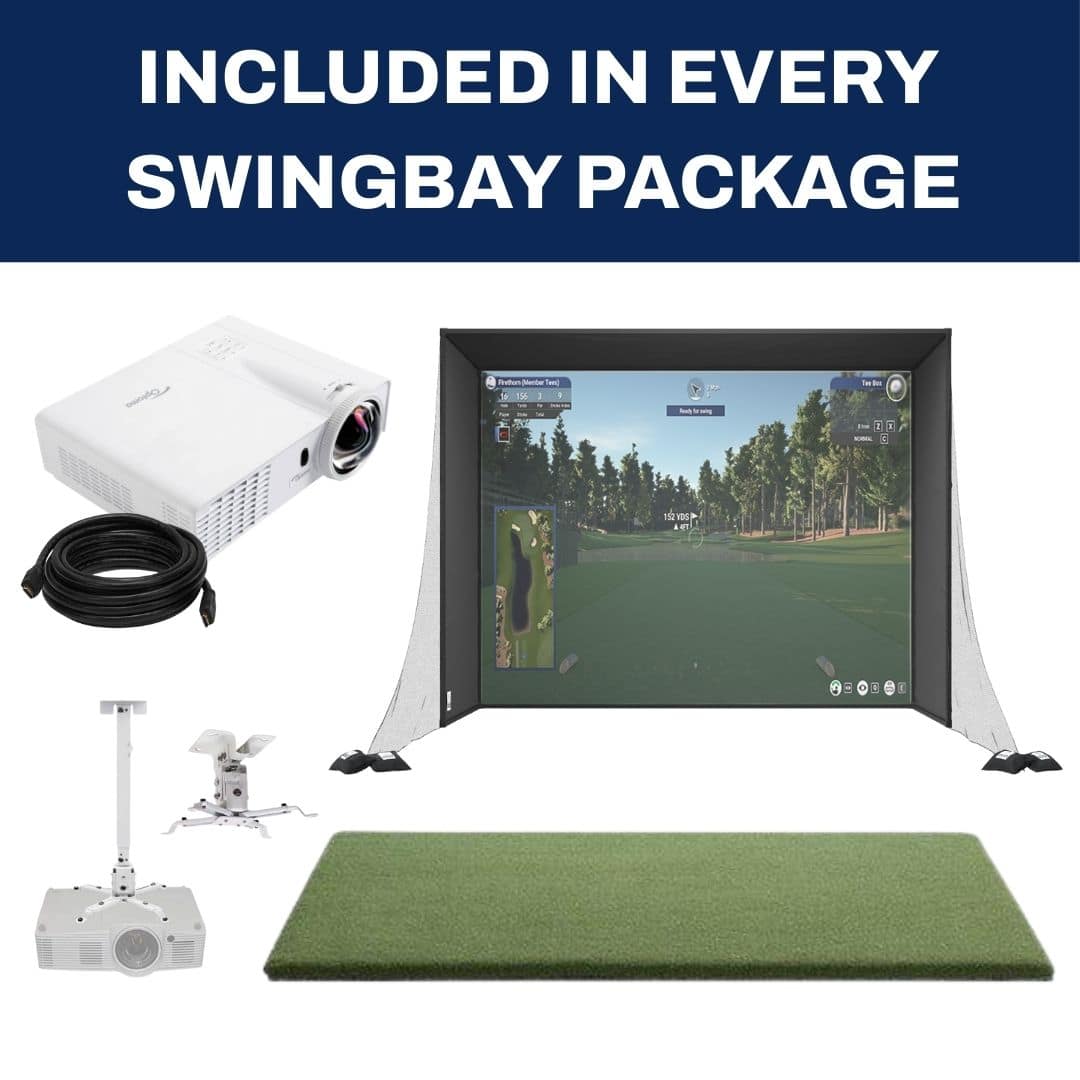
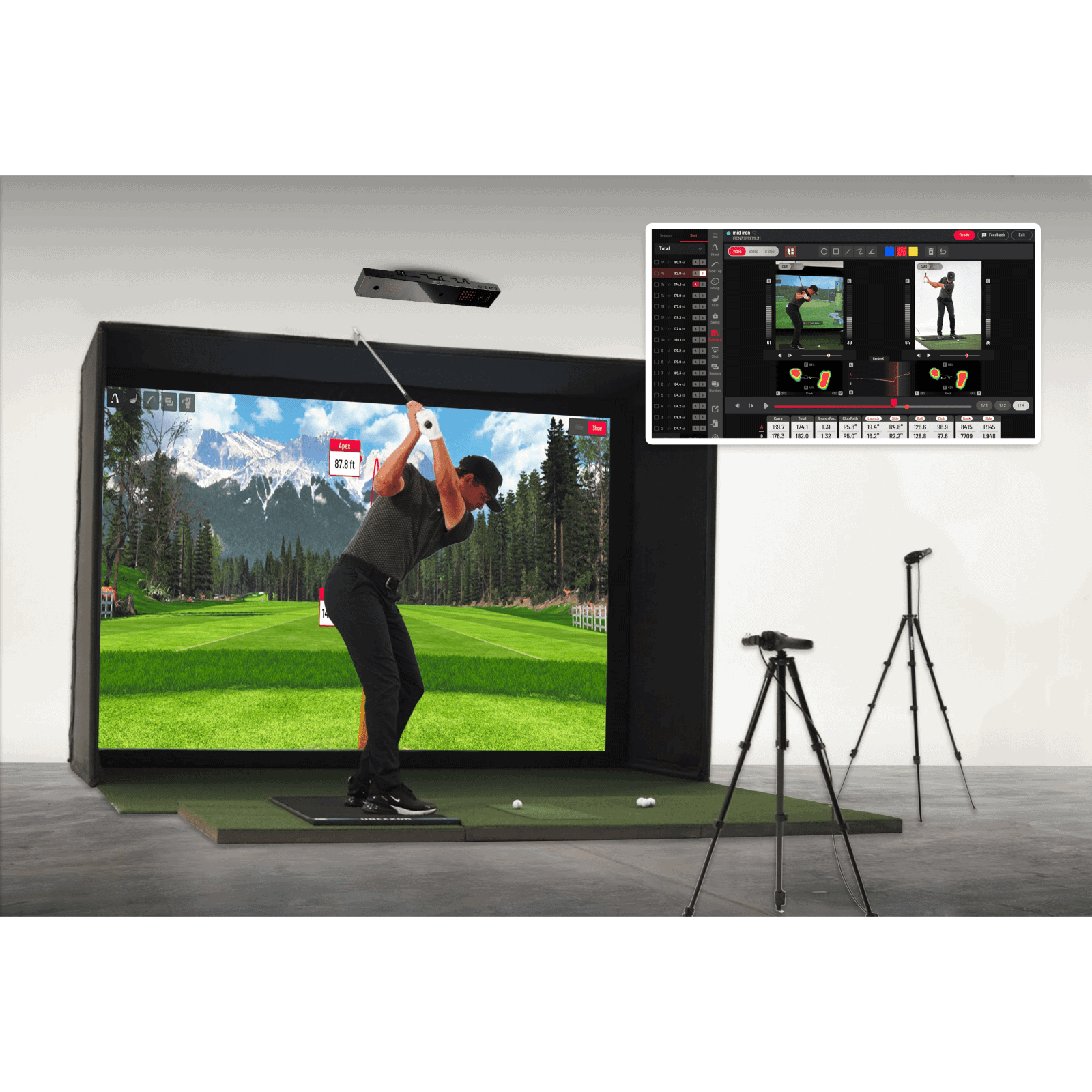
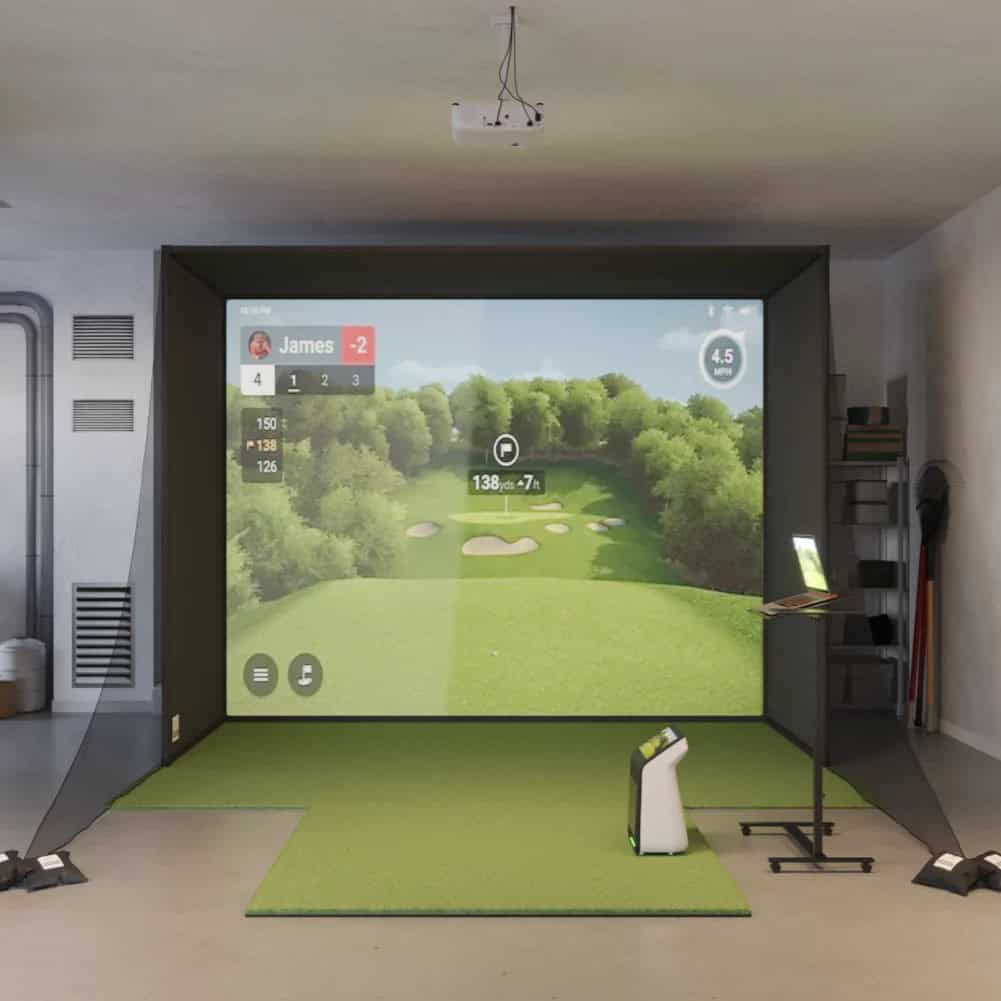
The Garmin Approach R50 SwingBay arrives as a single coordinated package, not a scavenger hunt across vendors. One order covers the enclosure, impact screen, mat, projector, and cabling, all spec'd to work with the R50 from the first shot.
That integration matters: you are not matching a projector to a screen or hoping your mat height lines up with your enclosure depth.
What Comes in the Package
The SwingBay enclosure ships in two sizes: 8×10 (8'H x 4'2"D x 10'5"W) or 9×12 (9'H x 4'8"D x 12'W). Both use 1.5" extruded aluminum framing with steel bracket hardware and assemble without tools. The impact screen is ballistics-grade woven polyester, available in single or triple layer.
A blackout ripstop nylon curtain wraps the sides, and triangular side netting with 1" velcro contains stray shots. Empty sandbags and a ball bungee kit are in the box.
The SwingTurf mat comes in 5×5 or 4×9, with 5/8" foam backing under 1" pile-height nylon turf. Two ROS alignment sticks help you position consistently.
Visual output runs through a ZW350ST 1080p HD laser short-throw projector (3,600 lumens), ceiling-mounted on an 18" extension, connected by a 25' HDMI cable. A landing pad is available as a recommended add-on, and Rain or Shine offers nationwide white-glove install.
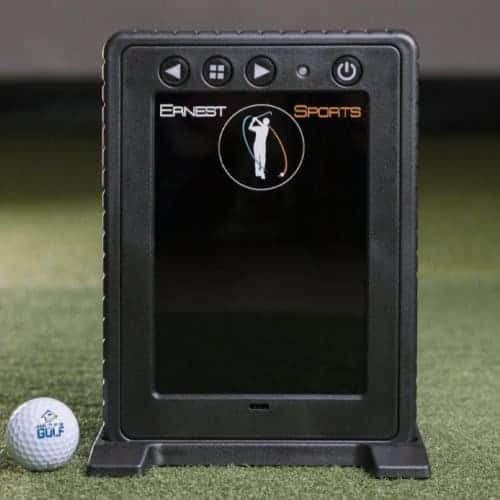
The R50 launch monitor itself is a separate, portable unit (16.5" x 10.6" x 7.5", 9 lbs) that sits beside the ball rather than mounting inside the enclosure. That distinction between a launch monitor vs golf simulator setup shapes how you think about the space: the monitor travels with you, the enclosure stays put.
Enclosure and Projector Setup
Assembly is tool-free, which cuts setup friction significantly compared to bolt-together frames. The aluminum extrusion clicks together with connectors, and the impact screen tension mounts into the frame. The blackout curtain attaches around the perimeter to block side light and improve projector contrast.
The projector mounts to the ceiling on an 18" extension, aimed at the impact screen. The 25' HDMI cable gives you routing flexibility between the R50's HDMI out and the projector input.
Because the R50 runs its own processor and 10" touchscreen, you do not need a separate PC for basic operation, though full-course play through third-party software like GSPro or E6 Connect requires one. Tool-free assembly is the standout here.
Space and Footprint Needs
Plan for an overall footprint of 11'W x 15'D x 8.1'H with the 8×10 enclosure, or 12'W x 15'D x 9'H with the 9×12. The 15-foot depth includes room behind the screen for the projector throw and your swing path. Ceiling height matters: the 8×10 needs 8.1 feet minimum, the 9×12 needs 9 feet.
The R50's side-of-ball placement means you need floor space to its left or right, clear of the hitting zone. Owners report the tool-free frame goes up faster than expected, but the screen tensioning and curtain alignment take patience to get wrinkle-free.
SimSquad Care includes concierge setup and fitment support free for the first year, which helps if your ceiling or floor is not ideal.
For buyers weighing this against a bare monitor, the trade-off is clear: you get a complete room in one purchase, at a premium upfront cost, with less flexibility to swap individual components later.
Performance and Features
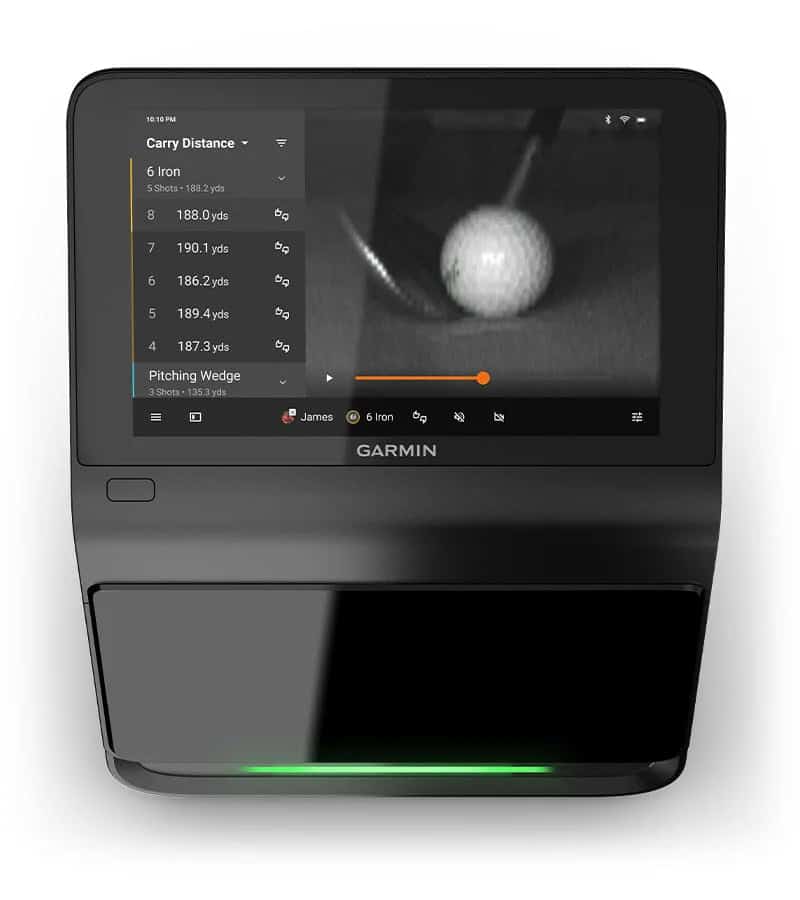
The Approach R50 SwingBay runs as a single unit. You get the monitor, the enclosure, the mat, and the projector in one package. The monitor itself carries the processing power and display, so you do not need a separate computer to start hitting.
Standalone Touchscreen Operation
The R50 runs natively on its built-in processor and 10-inch HD touchscreen. Standalone use does not require separate hardware. You power it on, select your mode, and swing.
The on-unit display handles shot data, practice modes, and video playback without a PC, phone, or tablet in the loop. This matters if you want a setup that works in a garage, basement, or backyard without managing cables to another device.
Ball Data and Immediate Feedback
Three high-speed cameras capture ball data at impact. The system provides feedback with no shot delay. Available metrics include:
- Ball speed
- Spin rate
- Launch angle
- Carry distance
This is photometric tracking, which works well for most indoor and covered setups. If you are comparing options, how accurate golf simulators are depends partly on the tracking technology, and camera-based systems like this one trade some outdoor spin precision for portability and price. Ball marking is not required, so you can hit any ball without preparation.
Club Data and Metallic Stickers
Club data requires metallic stickers on the club face. The package includes 250 stickers. You apply one per club you want to track.
Some reviewers found club data less consistent than ball data, so treat club metrics as a useful guide rather than a lab-grade measurement. The sticker requirement adds a small step to setup, but it is a one-time task per club.
Practice Mode and Impact Video
Practice mode, shot data, and impact video playback are available without a subscription. You can review your swing, check your numbers, and analyze impact position on the built-in screen. This is a real advantage if you want a self-contained practice loop without recurring software costs.
Indoor and Outdoor Use
The portable monitor is designed for indoor or outdoor use and sits to the side of the ball. The side-of-ball placement means you do not need to position it behind your hitting line, and there are no minimum ball flight requirements.
Some users report mixed outdoor spin accuracy and range-ball inconsistency, so if you plan to use it primarily outdoors in variable light, test your specific conditions. For covered patios, garages, or dedicated indoor spaces, the R50 performs consistently.
If you are weighing this against a fixed indoor build, outdoor golf simulators offer different trade-offs in weather protection and space.
The R50 fits premium self-contained home practice with minimal setup friction. It is less attractive if you want the cheapest path into simulation or if you dislike subscription-based course access for full gameplay.
Software, Subscriptions and Computer Needs
The R50 SwingBay is built to run on its own. The launch monitor processes ball data on-device, displays it on its 10-inch touchscreen, and plays courses through preloaded Home Tee Hero software. You need no separate computer, no extra tablet, no software install. Power it on and you are at the first tee.
Home Tee Hero and Garmin Golf Membership
Home Tee Hero comes preloaded and includes access to over 43,000 courses. Practice mode, shot data, and impact video work without any subscription. Playing full courses on Home Tee Hero requires a Garmin Golf membership.
That membership unlocks the course library; without it, you still get driving-range-style practice and video feedback. The subscription is the trade-off for having a self-contained system with zero setup friction.
Third-Party Software Compatibility
If you want more than Home Tee Hero, the R50 works with third-party simulator software. Supported options include:
- GSPro
- E6 Connect
- TGC
These are sold separately. Each one opens different course libraries, graphics styles, and game modes. Your choice depends on what you value: GSPro for community and course selection, E6 Connect for its established ecosystem, TGC for its graphics. The R50 handles the hardware side; the software runs on a separate machine.
When a Gaming PC Is Needed
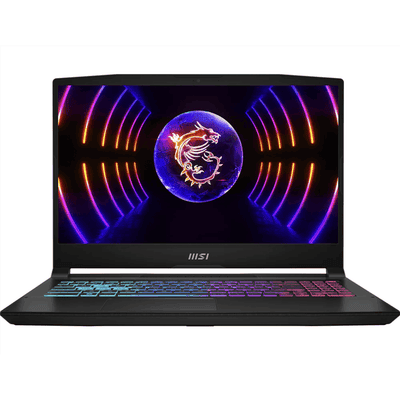
Standalone use needs no computer. Full-course play through GSPro, E6 Connect, or TGC requires a separate gaming PC. Rain Or Shine offers an optional Golf Simulation PC Kit at checkout, which includes a gaming laptop, stand, sleeve, and mousepad. You can also spec your own build; the team can help match hardware to your software and budget.
The PC requirement only matters if you plan to leave Home Tee Hero behind. If the built-in 43,000-course library and membership model suit your practice routine, you can skip the extra hardware entirely. If you want the deepest third-party ecosystems, budget for a gaming PC from day one.
The verdict on software: this package rewards buyers who want premium, self-contained home practice with minimal friction. It is less attractive if you want the cheapest possible path into sim golf, or if you dislike subscription-based course access.
You pay for convenience up front and, for course play, an ongoing membership. In exchange, you get a system that works the moment you plug it in.
Portability and Battery Life
The R50 itself is a genuinely portable unit. At 9 lbs and 16.5 x 10.6 x 7.5 inches, it fits in a car trunk or moves between rooms without help.
The SwingBay enclosure is a different story: the aluminum framing is tool-free for assembly, but the 8×10 or 9×12 configuration with its 8-foot height and 10-foot-plus width is a semi-permanent fixture. You will not carry the full setup to a friend's garage on a whim.
What you can do is relocate the launch monitor alone. The side-of-ball design means the R50 sits beside your hitting area rather than behind it, so you can use it outdoors on a range or at a driving range without dragging the enclosure.
Wi-Fi, Bluetooth, USB-C, and HDMI out keep it connected to displays and networks wherever you place it.
Size and Weight
The launch monitor's footprint is compact enough to store on a shelf between sessions. The full system footprint runs 11 feet wide, 15 feet deep, and 8.1 feet high, so plan your space around the enclosure, not the monitor.
The SwingTurf mat comes in 5×5 or 4×9 sizes with 5/8-inch foam backing and 1-inch lifelike nylon turf pile height, and an optional landing pad kit adds a 10×10 hitting area with 1-inch putting green turf matched to your enclosure size.
How Long the Battery Lasts
Garmin rates the battery at up to 4 hours per charge. That covers a typical practice session but falls short of a full day of use, so keep the USB-C charger handy for longer stretches. The trade-off is reasonable: a self-contained unit that runs untethered for several hours without a wall outlet is rare in this category.
For buyers who want one device they can move between indoor and outdoor spaces, the R50 delivers. For those who want to fold the entire simulator into a closet, the enclosure will not cooperate.
Garmin Approach R50 vs Full Swing KIT
The Full Swing KIT is the closest premium standalone rival to the R50 SwingBay. Both aim to give you a self-contained simulator experience without a separate PC, but they take different paths to get there.
Choosing between them comes down to what you value more: an integrated room built around one device, or a smaller launch monitor you pair with your own screen and enclosure.
Setup and Value Differences
The R50 SwingBay arrives as one coordinated package.
You get the SwingBay enclosure in 8×10 or 9×12 configurations, an impact screen (single or triple layer), a blackout ripstop nylon curtain, tool-free aluminum framing, triangular side netting, sandbags, ball bungees, a SwingTurf mat in 5×5 or 4×9, a ZW350ST 1080p HD laser short-throw projector with ceiling mount option, and a 25-foot HDMI cable.
The overall footprint runs 11 feet wide by 15 feet deep by 8.1 feet high. Everything is spec'd to work with the R50 from the first shot.
The Full Swing KIT ships as a launch monitor, charging cable, and carry case. It includes the E6 Perpetual Software Package, which gives you access to five simulated E6 courses, a driving range, and chipping practice areas through the Full Swing app on iOS.
To build a complete simulator room, you would need to source your own enclosure, impact screen, mat, projector, and PC separately. That flexibility can lower or raise your total cost depending on what you already own, but it adds sourcing and compatibility work the SwingBay eliminates.
The R50 itself is both the launch monitor and the simulator. It runs on a built-in 10-inch touchscreen, so standalone practice, shot data, and impact video work without any subscription.
Home Tee Hero course play, which includes 43,000+ courses, requires a Garmin Golf membership. Third-party options like GSPro, E6 Connect, or TGC 2019 are sold separately, and full-course play through those needs a separate gaming PC.
The Full Swing KIT uses a 5.3-inch Ultra-bright Full HD OLED display and runs on the Full Swing app, with no subscription required for its included E6 content. It is compatible with E6, GSPro, and TGC 2019, and a gaming PC is recommended for full simulation.
The unit weighs 4.0 pounds and offers a 5-hour battery life.
Accuracy and Data Tradeoffs
The R50 uses three high-speed photometric cameras to capture ball speed, spin rate, launch angle, and carry distance with no shot delay. Club data requires metallic stickers on the club face, and 250 are included in the package.
Ball marking is not required. Some reviewers report that club data is less consistent than ball data, and a few users note mixed outdoor spin accuracy and range-ball inconsistency.
The Full Swing KIT uses patented 24GHz Dual-Mode, ML Improved Doppler radar to capture 16 data points per swing, including carry distance, total distance, spin rate, spin axis, face angle, face to path, attack angle, launch angle, ball speed, club speed, club path, and smash factor. It requires no marked balls and no special clubs.
The tradeoff is a 2-to-3 second shot delay, which interrupts the flow of a practice session compared to the R50's instant feedback.
For pure ball data, both deliver reliable numbers. The R50 pulls ahead on club data depth when you apply the stickers, and its photometric approach avoids the delay that radar-based units introduce. The Full Swing KIT wins on portability: at 4.0 pounds and roughly half the R50's 9-pound weight, it travels more easily between locations.
The R50 SwingBay fits you best if you want premium self-contained home practice with minimal setup friction. It is less attractive if you are chasing the cheapest path to a simulator or dislike subscription-based course access.
The Full Swing KIT suits you better if you already have or plan to build your own enclosure and screen, and you prioritize a lighter, radar-based monitor with no marking requirements.
Pros and Cons
Weighing the Garmin Approach R50 SwingBay means balancing convenience against cost and a few workflow quirks.
Key Advantages
- Self-contained operation. The R50 runs on its built-in processor with a 10-inch HD touchscreen, so you skip the separate PC, tablet, or phone that simpler launch monitors need. Power it on and you are tracking shots.
- Fast setup. The tool-free aluminum frame, triangular side netting, and included sandbags assemble without specialized help. The whole enclosure arrives as one coordinated package from Rain Or Shine Golf, not a mix of third-party parts.
- Portable design. At 16.5 x 10.6 x 7.5 inches and 9 lbs with up to 4 hours of battery, you can move the unit indoors, outdoors, or between rooms. Wi-Fi, Bluetooth, USB-C, and HDMI out support flexible display and data options.
- No subscription for core use. Practice mode, shot data, and impact video work out of the box. You only need a Garmin Golf membership if you want Home Tee Hero course play with its 43,000+ courses.
- Rich ball data. Three high-speed photometric cameras deliver ball speed, spin rate, launch angle, and carry distance with no shot delay and no ball stickers required.
Drawbacks to Weigh
- High total cost. The enclosure, SwingTurf mat, ZW350ST 1080p projector, and optional PC kit add up fast. You pay a premium for the all-in-one convenience versus buying a bare launch monitor and building around it.
- Club data needs stickers. Club metrics require metallic tracking stickers on the club face. The package includes 250, but you must apply them yourself, and some reviewers report less consistent club data than ball data.
- Subscription for course play. Home Tee Hero course access requires a Garmin Golf membership. Third-party software like GSPro, E6 Connect, and TGC are sold separately, and full-course play through those needs a separate gaming PC.
- Outdoor spin accuracy varies. Some users report mixed spin accuracy outdoors and inconsistency with range balls, so indoor use remains the most reliable environment.
- Limited enclosure configurations. The SwingBay comes in 8×10 or 9×12 setups, which may not suit every ceiling height or room depth.
The R50 SwingBay fits premium home practice where minimal setup friction matters most. It is less attractive if you want the cheapest path into golf simulation or dislike subscription-based course access.
Who Should Buy and Who Should Skip It
The Garmin Approach R50 SwingBay fits a specific kind of golfer: someone who wants a premium self-contained home practice setup with minimal friction. You get the enclosure, mat, projector, and launch monitor in one order, and the system runs on its built-in processor without needing a separate computer for basic use.
Best Fit for Home Practice Golfers
You are the right buyer if you want to hit balls at home without assembling parts from multiple vendors. The R50 SwingBay arrives as a coordinated system: the SwingBay enclosure, the SwingTurf mat, the ZW350ST 1080p projector, and the R50 launch monitor itself.
Your practice routine matters too. The built-in 10-inch touchscreen and three high-speed cameras deliver ball speed, spin rate, launch angle, and carry distance with no shot delay. Practice mode, shot data, and impact video work without a subscription.
Portability adds another fit. At 16.5 x 10.6 x 7.5 inches and 9 lbs, the R50 travels between indoor and outdoor spaces. Battery power lasts up to 4 hours, and Wi-Fi, Bluetooth, USB-C, and HDMI out keep your options open.
Course play is where you need to plan. Home Tee Hero comes preloaded with 43,000+ courses, but full course play requires a Garmin Golf membership. For deeper simulation, GSPro, E6 Connect, or TGC connect as third-party options, and full-course play through those may need a separate gaming PC.
If you are comparing setups, our guide to the best launch monitors for golf simulators covers how the R50 stacks up against other standalone and camera-based options.
Buyers Who Should Look Elsewhere
Skip the R50 SwingBay if the upfront cost is your main constraint. This is a premium package, and the total system cost climbs further with optional add-ons. Buyers hunting for the cheapest path into home simulation will find leaner options elsewhere.
You should also look elsewhere if subscription-based course access bothers you. Home Tee Hero play requires a Garmin Golf membership, and you cannot unlock the full course library without it.
Club data consistency is another consideration. The R50 reads club metrics only with metallic stickers on your club faces; 250 are included, but some reviewers report less consistent club data compared with ball data. If detailed club fitting data is central to your practice, you may want a more dedicated club-tracking system.
Outdoor use has limits too. Some users report mixed spin accuracy outdoors and inconsistency with range balls. If your primary practice happens outside on non-premium balls, test your expectations before committing.
Ask us before you buy. If you are unsure whether the R50 SwingBay matches your space, budget, or practice goals, reach out and we will help you sort it out.
Where to Buy and Price
Value for Money
The R50 SwingBay sits at the premium end of the home simulator market. You are buying a coordinated package: enclosure, impact screen, mat, projector, and cabling, all spec'd to work with the R50 from the first shot. One order covers the hardware; no separate sourcing is required.
Budget for the full system cost, not just the launch monitor. The package includes the SwingBay enclosure in 8×10 or 9×12 configurations, the SwingTurf mat in 5×5 or 4×9, and the ZW350ST 1080p HD laser short-throw projector with a ceiling mount option.
You may also want a landing pad, and Garmin offers optional professional installation and a first-year SimSquad Care plan.
Full-course play carries a recurring cost. Home Tee Hero is preloaded on the R50 and includes 43,000+ courses, but course play requires a Garmin Golf membership. Core practice features are included without a subscription.
If you want GSPro, E6 Connect, or TGC, those are third-party and sold separately. Full-course play with those platforms needs a separate gaming PC, which adds to the total.
Club data requires metallic stickers on the club face. The package includes 250, but you will need replacements over time.
Our team can spec the right machine for your software and budget. Ask us before you buy.
The best fit here is premium self-contained home practice with minimal setup friction. It is less attractive if you are chasing the cheapest path into a simulator, or if you dislike subscription-based course access.
Frequently Asked Questions
How accurate is the Garmin Approach R50?
The R50 uses three high-speed photometric cameras to capture ball data including ball speed, spin rate, launch angle, and carry distance. Some users report mixed outdoor spin accuracy and range-ball inconsistency. Club data is less consistent for some reviewers because it relies on metallic stickers attached to the club face. The unit delivers instant feedback with no shot delay.
Is the Garmin Approach R50 worth its price?
The R50 SwingBay package targets buyers who want a self-contained home practice system with minimal setup friction. You get the launch monitor, enclosure, mat, projector, and cabling in one order. It is less attractive if you want the cheapest path into golf simulation or dislike subscription-based course access, since Home Tee Hero course play requires a Garmin Golf membership.
Does the R50 need a computer or subscription?
No. The R50 runs natively on its built-in processor and 10-inch HD touchscreen, so standalone use requires no separate hardware. Practice mode, shot data, and impact video work without a subscription. Home Tee Hero course play requires a Garmin Golf membership, and third-party software like GSPro, E6 Connect, or TGC requires a separate gaming PC.
Can the R50 be used indoors and outdoors?
Yes. The R50 works both indoors and outdoors, and the portable side-of-ball design lets you move it between locations. Battery life runs up to 4 hours on a charge.
What space does the R50 setup need?
The SwingBay enclosure comes in 8×10 or 9×12 configurations, with an overall footprint of 11 feet wide by 15 feet deep by 8.1 feet high. The launch monitor itself needs enough space to swing your club, with no minimum ball flight requirements. The SwingTurf mat comes in 5×5 or 4×9 sizes.
How portable is the R50 and how long is its battery?
The R50 measures 16.5 by 10.6 by 7.5 inches and weighs 9 pounds. Battery life runs up to 4 hours. Connectivity includes HDMI out, USB-C, Wi-Fi, and Bluetooth. The warranty is 1-year limited.
If you are comparing the R50 to other Garmin options, our garmin approach r10 review covers a more compact and budget-friendly alternative. Not sure which configuration fits your space, or whether to go single or triple-layer screen? Our team can help you figure it out.
Final Verdict
The Garmin Approach R50 SwingBay earns its place as the simplest path into a complete golf simulator. You get an enclosure, impact screen, mat, projector, and launch monitor in one coordinated package. No separate computer sits between you and practice. The R50 runs natively on its built-in processor and 10-inch HD touchscreen, so you power on and swing.
That standalone design is the real story here. Home Tee Hero comes preloaded, giving you immediate ball feedback and 43,000+ courses on the device itself.
Course play requires a Garmin Golf membership, which you should factor into your ongoing costs. If you want deeper simulation, the R50 connects to third-party software like GSPro and E6 Connect when you are ready to expand.
Portability sets it apart from fixed installations. You can move the system indoors or out, and the battery keeps sessions running without hunting for outlets. Club data collection relies on metallic stickers, with 250 included in the package, so plan for refills if you track multiple clubs.
We recommend the R50 SwingBay if you want one purchase that covers everything and a system that travels with you. Skip it if you need full-course play without any subscription, or if you prefer a permanent, wall-mounted setup with a larger projected image.
Your next step is simple. Confirm your space dimensions, check your ceiling height, and decide whether built-in Home Tee Hero covers your needs or if you will add GSPro later. Once those boxes are checked, you can order with confidence and start practicing the same day it arrives.