

The IZZO Golf Launch Master appeals to beginners who want carry yardages at the range without reaching for a phone. It does that job affordably, but owner reviews report carry readings that can be off by significant yardage and uneven build quality, so expectations matter.
This IZZO Golf Launch Master Review helps you decide if that trade-off fits your practice.
You get a standalone screen with optional audible readouts, plus club speed, ball speed, smash factor and carry. What you give up is launch angle, spin and any app or shot storage. We'll weigh that against the Garmin Approach R10, cover other budget radar options, and name who should skip it.
Product Overview and Key Specs
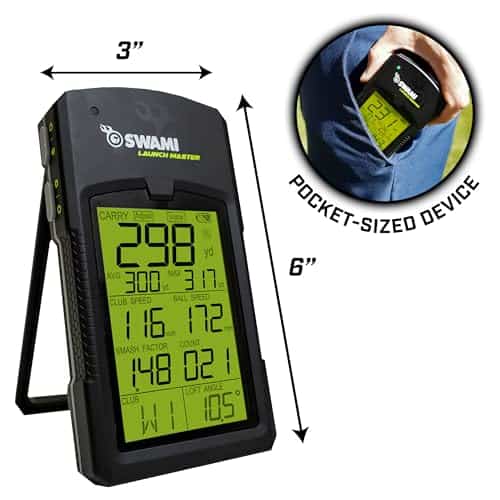
The IZZO Golf Launch Master has a narrow job: give you carry yardages at the range without a phone in your hand. It's a standalone radar unit, which matters if you'd rather glance at a display than open an app between shots. That simplicity is the appeal, and it also defines the limits.
What the Launch Master Measures
The Launch Master uses a Doppler radar sensor to capture four values:
- Club speed
- Ball speed
- Smash factor (ball speed divided by club speed, a quick read on strike quality)
- Carry distance
That's the full data set. You won't get launch angle, spin rate, or dispersion patterns here, so treat it as a carry-distance tool rather than a fitting device. For basic gapping, the carry number is the one you'll use most: hit your 7-iron, note the yardage, and build a picture of how far each club actually travels.
It also works for comparing how different balls carry and feel. Same swing, two balls, two numbers. Beginners often find that more useful than a screen full of metrics they can't interpret yet.
Power, Carry Case, and Portability
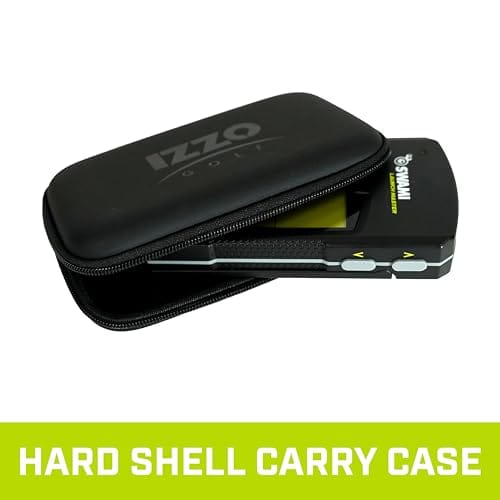
The unit runs on four AA batteries, so there's no charging cable to remember and no dependence on your phone's battery. A sturdy carry case comes in the box for protection in your bag or car trunk.
One caveat worth knowing before you buy: reviews point to uneven build and measurement quality, so long-term reliability is the question mark. If you want a unit you can trust season after season, weigh that review record carefully.
Our advice is to buy from a seller with a clear returns policy so you can check consistency in your first few sessions.
For a beginner chasing carry numbers with no app and no subscription, the Launch Master is a sensible starting point. If you need deeper data or a proven reliability record, look elsewhere first.
Setup and Everyday Use
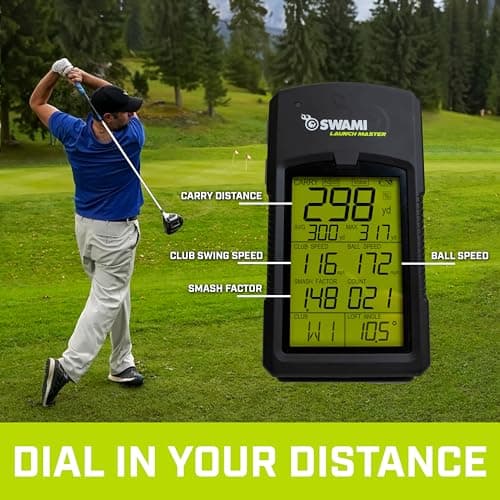
The Launch Master is built around a simple idea: set it down, hit balls, read the number. You don't pair a phone, open an app, or wait for a connection before your first swing. That makes it a natural fit for range sessions where you want feedback on each shot without a screen routine between swings.
Standalone LCD Screen Without a Phone
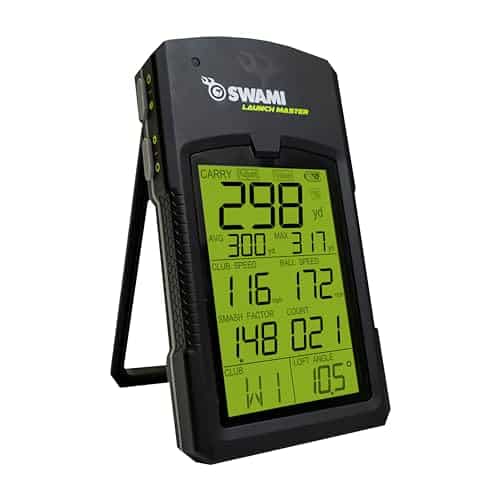
The LCD display is the only screen you need. Yardages and the unit's other readouts appear on the device itself, so a phone stays in your pocket or bag for the whole session. For a beginner who wants carry numbers and nothing else, that's the whole point: fewer steps between shots means more swings and less fiddling.
It also means no app updates, no pairing dropouts, and no battery drain on your phone. The trade-off is that you're working with the screen the unit ships with, so the depth of feedback is set by the device rather than an app.
Audible Distance Readouts
You can turn on audible distance readouts that call out the result after each shot. When you're mid-session and working through a bucket, hearing the number saves you turning to look at the screen. Some golfers will leave it on permanently; others will find it distracting on a busy range. It's optional, so you can decide per session.
Changing Clubs on the Unit
The Launch Master accepts custom club lofts, which keeps your yardages relevant to the clubs you actually carry rather than a generic default. The catch is the physical act of switching clubs on the unit: some users find changing clubs on the unit cumbersome. If you like to rotate through the bag quickly, expect a pause between clubs.
Setup stays minimal indoors with a net or outdoors on a range. If you want a phone-free, basic carry-distance tool, the Launch Master delivers exactly that. If you want deeper data or a smoother club-switching flow, look elsewhere.
Accuracy and Carry Distance Readings
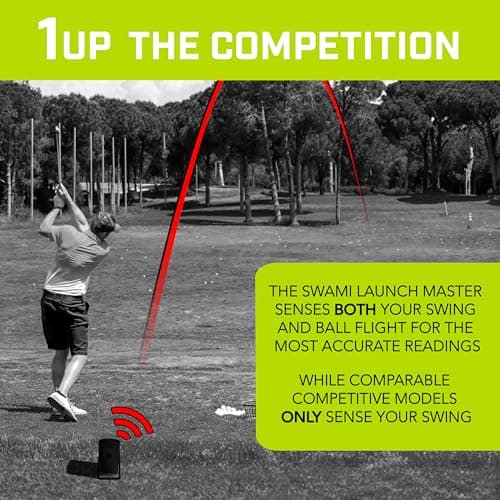
Accuracy is where the Launch Master asks you to reset expectations. The unit is built to give you a usable carry number at a low cost, and it delivers that within limits. Treat the readings as directional feedback, not tour-level measurement, and you'll get real value from it.
How Accurate Is the Launch Master?
For most practice sessions, the Launch Master gives you a workable baseline. You can hit a club repeatedly, note the carry figure, and build a picture of your distances. That's enough for basic gapping and for spotting a swing change that costs you yardage.
The catch is measurement consistency. Customer feedback cites inconsistent measurement accuracy, and individual customer reviews report carry distance readings that can be off by up to about 20 yards on some shots.
That's a wide margin. A 20-yard miss on a 7-iron can turn a club choice into a guess, so you need to be comfortable reading the trend across several shots rather than trusting any single number.
When Carry Readings Drift
Drift shows up in predictable situations. If a shot comes off the toe or the ball flies lower than normal, the Launch Master may not track the full flight, and the carry figure can land well short or long of reality. Hitting into a net close to the unit can compound this, since the radar has less flight to read.
A practical approach: hit five or six balls with the same club, discard the clear outliers, and average the rest. That habit costs you a minute and gives you a number you can actually plan around. Your tolerance for rough numbers decides whether this suits you.
Directional Accuracy for Practice
Directional accuracy is the stronger part of the package, and it's where the Launch Master earns its place for beginners. The unit gives directional accuracy only compared to higher-end monitors, so don't expect pinpoint shot shape or precise offline data.
What you get is a useful left-right read that tells you whether you're starting the ball on your intended line.
For range work, that's the feedback that matters most early on. Pair it with the compact, easy-to-carry build and you have a unit that travels well to practice sessions.
If you need tighter carry numbers for club gapping, the Launch Master will frustrate you. If you want a cheap, portable way to check direction and rough distance, it does the job.
Indoor and Outdoor Use
The Launch Master is built to move. Set it down behind your ball, pair it with your phone, and you have feedback wherever you can swing a club. That flexibility is the main reason to consider it over a fixed simulator setup. The catch is where you can safely use it, which comes down to two things: space and weather.
Indoor Nets in Limited Space
A net in a garage or spare room is the Launch Master's natural home. The unit is compact and portable, so it sits in a bag between sessions and takes up little room in a tight bay.
If you're mapping out a practice corner, our guide to the best golf launch monitors for indoor use is worth reading before you commit to a layout. Keep in mind the unit needs a clear line behind the ball to read the shot, so position it where you won't kick it mid-swing.
Outdoor Range Practice
The same portability carries over to the range. Drop it on the mat, pair your phone, and you get carry numbers without renting a bay with a built-in monitor.
For a beginner working out how far each club actually travels, that's a practical, low-fuss setup. Just be realistic about the data: customer feedback cites inconsistent measurement accuracy, so treat several shots as a trend rather than a single precise number.
Water Resistance Limits
The Launch Master is not water resistant. That rules out damp mornings, drizzle, and anything approaching rain at an outdoor range. Stick to dry conditions and pack it away if the weather turns.
Build quality is also rated as uneven in customer feedback, so treat the unit with care in transit and storage. A padded pocket in your bag is a sensible habit.
In short, this is a fair-weather, flexible practice tool. It suits the golfer who wants basic carry feedback at home and on the range in dry conditions. If you need a monitor that shrugs off weather or feels rock-solid in the hand, look elsewhere.
Metrics the Launch Master Leaves Out
The Launch Master gives you carry distance and swing numbers. It does not give you the full picture a serious practice session needs. If you want to know why a shot flew the way it did, you'll need a unit that measures more.
No Launch Angle or Spin Rate
Two numbers are missing from every shot: launch angle and spin rate. Launch angle tells you how high the ball left the face. Spin rate tells you how much the ball is turning. Together they explain why two shots with the same carry can land very differently.
Without them, the IZZO Golf Launch Master can't tell you whether your 7-iron is flying low and hot or high and soft. It also can't show shot shape, so a fade and a draw that both carry 150 yards look the same on the readout.
Who needs these most? Golfers working on trajectory and shot-making. If you're trying to hit a lower flight into wind or shape the ball around a tree, the missing data matters. So does gapping your wedges, where spin and descent angle decide whether a shot holds the green.
Beginners working on basic swing and ball metrics won't miss them much. Hitting the ball consistently and knowing your carry is a solid starting point.
No App, Video, or Shot History
The Launch Master runs without a phone. That's the point of it. It also means there's no app to open, no video to review, and no shot history to scroll back through.
Each session is a one-off. You hit balls, read the numbers, and move on. There's no log of your last ten sessions and no clip of your swing to compare against. If you like reviewing data after practice or sharing swings with a coach, this unit won't help.
That makes the no shot storage limit the bigger deal for some golfers. A player who improves by studying trends over weeks will get more from a monitor with app integration. For a comparison on that side of the market, our shot scope lm1 review covers a budget option built around tracking and app use.
If you want to see your numbers on a screen and keep them, the Launch Master is the wrong tool. If you want to hit balls in the yard and see carry, it does the job.
Our view: the Launch Master suits beginners who want a phone-free carry number. Golfers chasing launch angle, spin, or a record of their progress should look at a monitor that measures and stores those.
IZZO Golf Launch Master vs. Garmin Approach R10
Both units are battery-powered and portable, so the choice comes down to how much data you want and what you plan to do with it. The Launch Master keeps things simple for travel and practice.
The Garmin Approach R10 adds more metrics and simulation support. Our garmin approach r10 review covers that device in more depth if you want the full picture.
Metrics and Sim App Support
The Launch Master is built around basic carry data. If your goal is to see how far the ball travels and keep a practice session moving, that scope fits. The trade-off is depth: you won't get the fuller ball-flight picture.
The Approach R10 tracks carry distance, ball speed, spin rate, launch angle, and apex height, and it measures more than 12 metrics in total, including club head speed. That extra data helps you tell why a shot flew the way it did, not just how far it went.
It also pairs with the Garmin Golf app, and it supports E6 Connect and GSPro for simulation play. The Launch Master doesn't offer that simulation layer.
For a golfer working on dispersion and gapping, the R10's spin and launch numbers are the difference between guessing and adjusting. For a golfer who just wants a carry figure on the range, the Launch Master covers the need without the app overhead.
Price and Use Case Fit
The Launch Master suits travel and practice. It's the pick if you want a phone-free, basic carry tool you can toss in a bag and use without setup fuss. Its simplicity is the point.
The Approach R10 is the better fit if you want more metrics and sim app support. It works indoors or outdoors, and its rechargeable battery runs up to 10 hours of continuous use. That makes it a more complete practice and play device for someone who intends to dig into the numbers or use virtual courses.
If your plan is to analyze your swing across multiple metrics, the R10 earns its place. If you want a straightforward carry readout for range sessions and trips, the Launch Master is the simpler match. Decide based on whether you'll actually use the extra data, because that's the real dividing line here.
Other Budget Radar Options
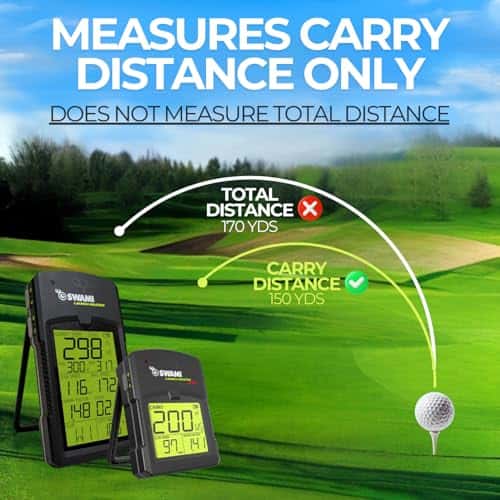
If the Launch Master leaves you wanting, two rivals in the same budget bracket are worth a look. Both use Doppler radar like the Launch Master. Each one trades a little something to hit its price, and knowing which trade matters to you makes the choice easier.
PRGR Launch Monitor for Basic Speed and Carry
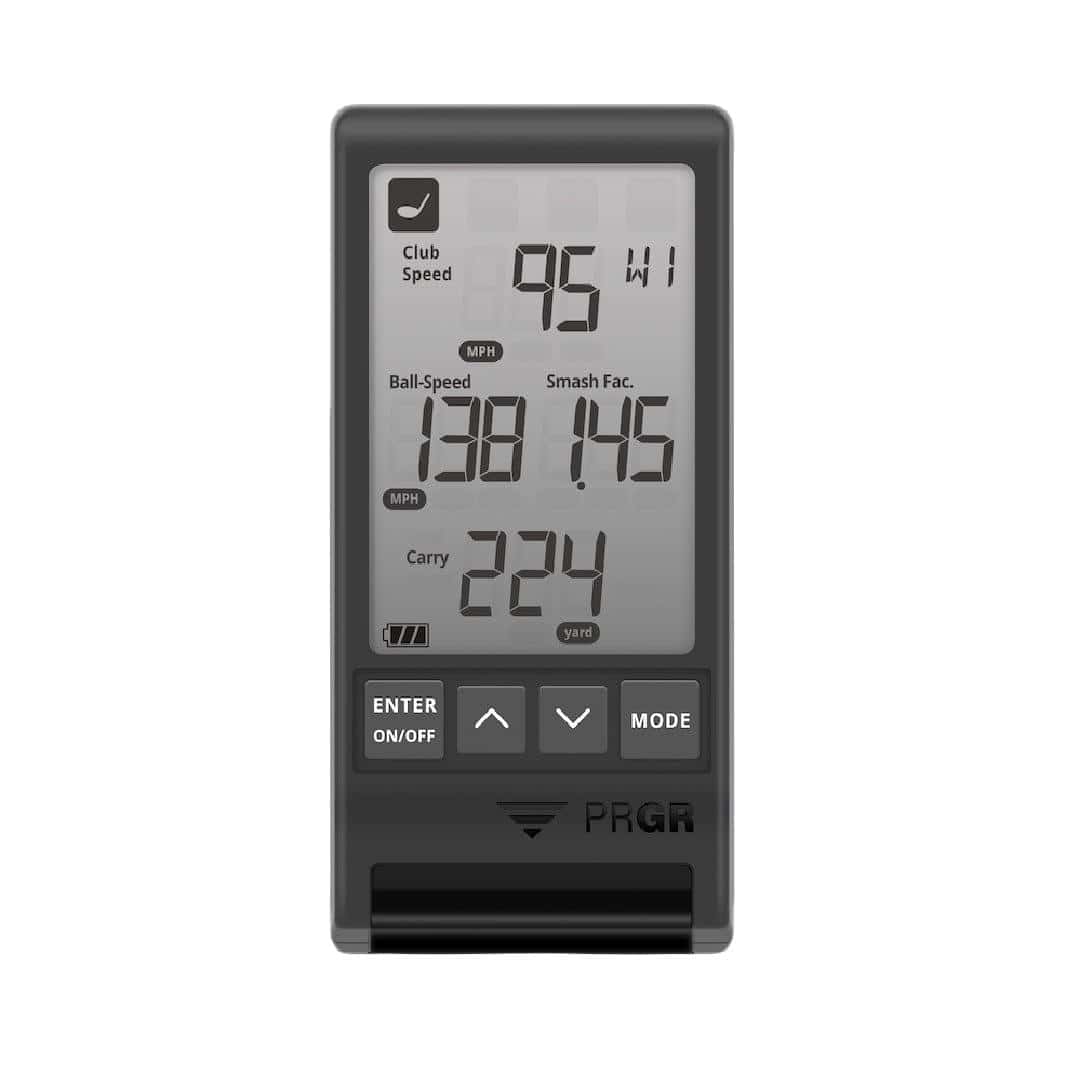
The PRGR Launch Monitor is the cheaper radar option for basic ball and club speed plus carry. Its built-in LED screen shows ball speed, carry distance and total distance without a phone, app or PC. At 5 oz. and pocket-sized, it's easy to carry to the range or use at home.
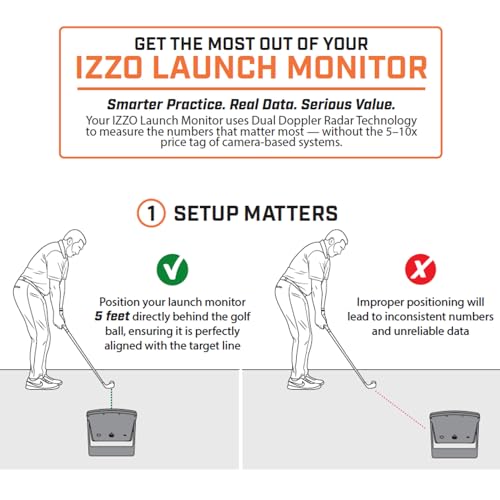
Doppler radar tracks ball flight, and it works indoors into a net or outdoors. For operation, you set it 4.5 feet behind the ball. It also measures club speed on its own, without a ball strike, so you can check swing speed in a few swings.
The Launch Master and PRGR cover similar ground: both track club speed, ball speed, smash factor and carry. The Launch Master is affordable compared with other launch monitors in its category, though it carries the lowest average rating in some beginner monitor roundups.
Customer feedback on the Launch Master cites inconsistent measurement accuracy, and individual reviews report carry distance readings that can run short. The PRGR gives you the same core numbers in a pocket-sized package, but it costs more than the Launch Master.
Neither unit gives you spin rate, launch angle or apex height. If you want those, look at our guide to the best launch monitors under $500, where the next tier of radar and camera units starts.
For a beginner who wants carry distance with no phone and no subscription, the PRGR is the stronger pick of the two. If the lowest upfront spend matters most, the Launch Master still gets you on the radar. Either way, you're buying basic carry data, not a full fitting tool.
Pros and Cons
The IZZO Golf Launch Master is a simple radar unit for golfers who want basic carry numbers without a phone. It has clear strengths and a few real drawbacks. Here is how it stacks up.
Where the Launch Master Works Well
The Launch Master delivers basic carry distance with no phone or app required. That makes it a straightforward tool for beginners who want quick feedback on how far the ball travels.
- Phone-free operation: You get carry distance readings without connecting a device, so there is no app setup or pairing to deal with.
- Simple setup: The unit is ready to use with minimal fuss, which suits a practice session where you want to focus on swinging, not configuring.
- Basic carry data: For a beginner working on distance control, a carry number alone can be useful feedback.
Where It Falls Short
The Launch Master's limitations show up when you want more than carry distance or when you need reliable numbers.
- Inconsistent measurement accuracy: Customer feedback cites uneven accuracy, and individual reviews report carry distance readings that can vary.
- Build quality concerns: Review aggregations note uneven build quality, and the Launch Master has the lowest average rating in its beginner group.
- No ball flight data: Without metrics like launch angle or spin, the unit can't tell you whether your 7-iron is flying low and hot or high and soft.
If you need more than basic carry, the Garmin Approach R10 adds more metrics and simulation support. Both use Doppler radar, but the R10 tracks carry distance, ball speed, spin rate, launch angle, and apex height, and it measures more than 12 metrics. That depth matters if you want to understand your ball flight, not just how far it goes.
The Launch Master suits the golfer who wants a phone-free carry number and accepts the trade-offs. If you need reliable, detailed data, look at the R10 or a similar monitor.
Where to Buy and Price
See the table for buying options. The IZZO Golf Launch Master sits at the entry end of the radar launch monitor market, and that position is the whole case for buying it. You get basic carry distance and a screen you read without reaching for your phone, which is more than a rangefinder session gives you for range work.
If you want deeper data, the money is better spent elsewhere. Judged on basic metrics and a phone-free display, the Launch Master delivers what it promises.
Who the Launch Master Suits and Who Should Skip It
You're probably weighing the IZZO Golf Launch Master against a pricier monitor with more data. The deciding factor is simple: do you need spin and launch angle, or just a reliable carry number? Here's how to tell which camp you're in.
Best Fit: Beginners and Travel Practice
The Launch Master makes sense if you want basic swing data without a phone in your hand. The standalone LCD shows club speed, ball speed, smash factor and carry, and optional audible readouts call out distance after each shot. Beginners get simple, easy-to-read numbers that answer the first question most players ask: how far did it go?
It runs on AA batteries and comes with a hard carry case, so it suits indoor nets and outdoor ranges. You can set custom club lofts for yardages that match your set. If you're a budget buyer who values portability over advanced data, this is the fit.
Worth asking yourself whether a basic launch monitor is worth it at all. For a beginner working on carry distances, it can be. The phone-free screen and audible readouts keep setup minimal.
Skip It If You Need Spin Data
The Launch Master has no launch angle or spin rate. Without them, you can't tell whether a shot flew low and hot or high and soft, which matters as you work on gapping and short-game control. There's also no app, video capture or shot data storage, so sessions stay in the moment.
Owner reviews raise other flags. Some report carry distance readings off by significant yardage, and build and measurement quality described as uneven. The unit isn't water resistant, so wet range use is a risk.
If you need verified accuracy, spin and launch angle metrics, or simulator integration, look elsewhere. The same goes if you want long-term reliability backed by a strong review record.
The Launch Master works as a starter monitor, but you may outgrow it as your data needs increase. For a deeper look at what else is out there, see our guide to what makes a golf launch monitor worth it.
Frequently Asked Questions
How accurate is the IZZO Golf Launch Master?
Customer feedback cites inconsistent measurement accuracy, and individual reviews report carry distance readings that can drift from what you see on the range. Treat the numbers as a rough guide, not a precise measurement you can build gapping off.
What metrics does the Launch Master measure?
It gives you basic carry distance data. Without club data such as launch angle or spin, the IZZO Golf Launch Master can't tell you whether your 7-iron is flying low and hot or high and soft. You get the outcome without the explanation behind it.
Can the Launch Master be used indoors and outdoors?
It works as a practice aid in both settings, but the carry numbers are the only thing you're getting either way. If you want to build a full indoor bay around it, check the space first with our golf simulator room size guide. A radar that only reports carry won't tell you much about how the ball behaves into a screen.
Does the Launch Master need a phone or app?
No. The unit reports carry distance on its own, which is the main reason to pick it. You don't pair a phone, run an app, or manage a connection before you hit a shot.
Is it good value against other budget radars?
It's good value if carry distance and no phone setup are all you want. If you need more than basic carry, the Garmin Approach R10 adds more metrics and simulation support, and both use Doppler radar like the Launch Master. Paying more buys you data depth, not a different sensing method.
The verdict on the Launch Master
Buy the IZZO Golf Launch Master if you're a beginner who wants a simple, phone-free way to see how far you're carrying the ball. Skip it if you plan to work on dispersion, gapping or short-game spin, because the unit doesn't measure enough to support that.
For a first season of practice, the simplicity is the point. For anyone chasing a lower handicap, the missing data will send you shopping again.
Final Verdict
The IZZO Golf Launch Master gets the basics right for a specific kind of golfer: someone who wants carry distance and club speed without pulling out a phone. Its LCD screen, audible readouts, AA batteries, and hard case make it a genuinely standalone range tool. For beginners building a yardage map, that simplicity has real value.
But the trade-offs are just as clear. You get no launch angle, spin, or shot shape, so you can't diagnose why a shot flies the way it does. Owner reviews cite carry readings that can be off by significant yardage and build quality that feels uneven.
There's no app, no shot storage, and no water resistance for wet range days. Those are real limits, not minor inconveniences.
Buy the Launch Master if you want a budget radar monitor for basic gapping and you accept directional, not tour-level, accuracy. Skip it if you need verified numbers, advanced metrics, or simulator integration.
The Garmin Approach R10 is the better step up for data and sim play, and other budget radar options are worth a look if you want a different balance.
Our recommendation: treat the Launch Master as a starter monitor, not a long-term investment. If your game grows, you'll likely outgrow it. For now, check the Where to Buy table for current pricing and confirm the return policy before you commit. Simple can be enough, as long as you know what you're giving up.