

If you want reliable swing speed numbers without paying for a full simulator, the PRGR Launch Monitor is aimed squarely at you. It uses Doppler radar to track ball flight, and you can use it indoors or outdoors. This PRGR Launch Monitor Review focuses on where that simple setup helps your training and where it leaves gaps.
Ball speed is its strongest reading: in side-by-side tests it came within about 1 mph of TrackMan. The trade-off is distance: carry estimates are less reliable because launch and spin aren't measured. You'll also need careful positioning and good lighting for consistent reads.
We'll cover speed training without a ball, indoor versus outdoor use, and how it compares with the Garmin R10. That should tell you whether this radar fits your practice or whether you need fuller ball-flight data.
PRGR Launch Monitor Overview and Specs
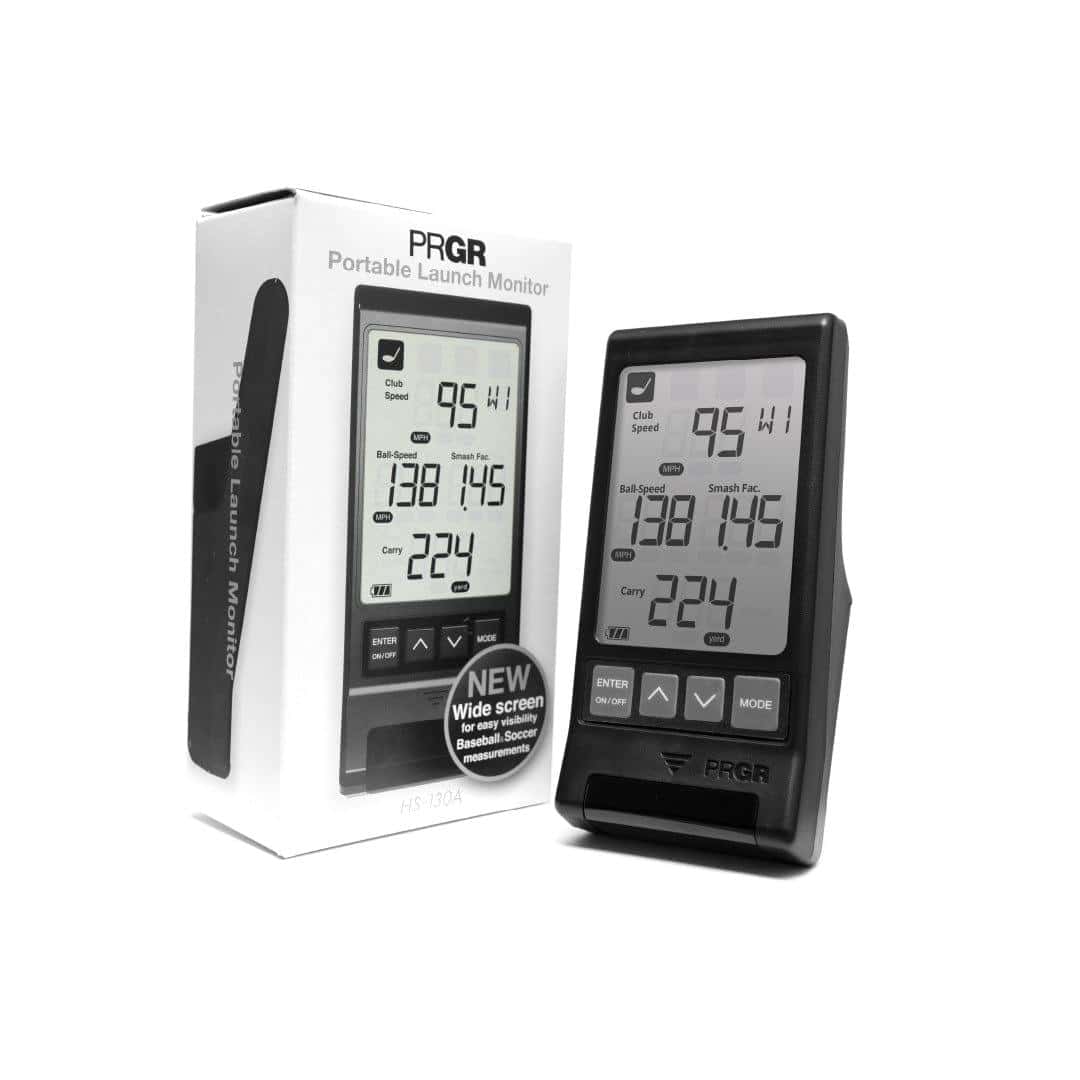
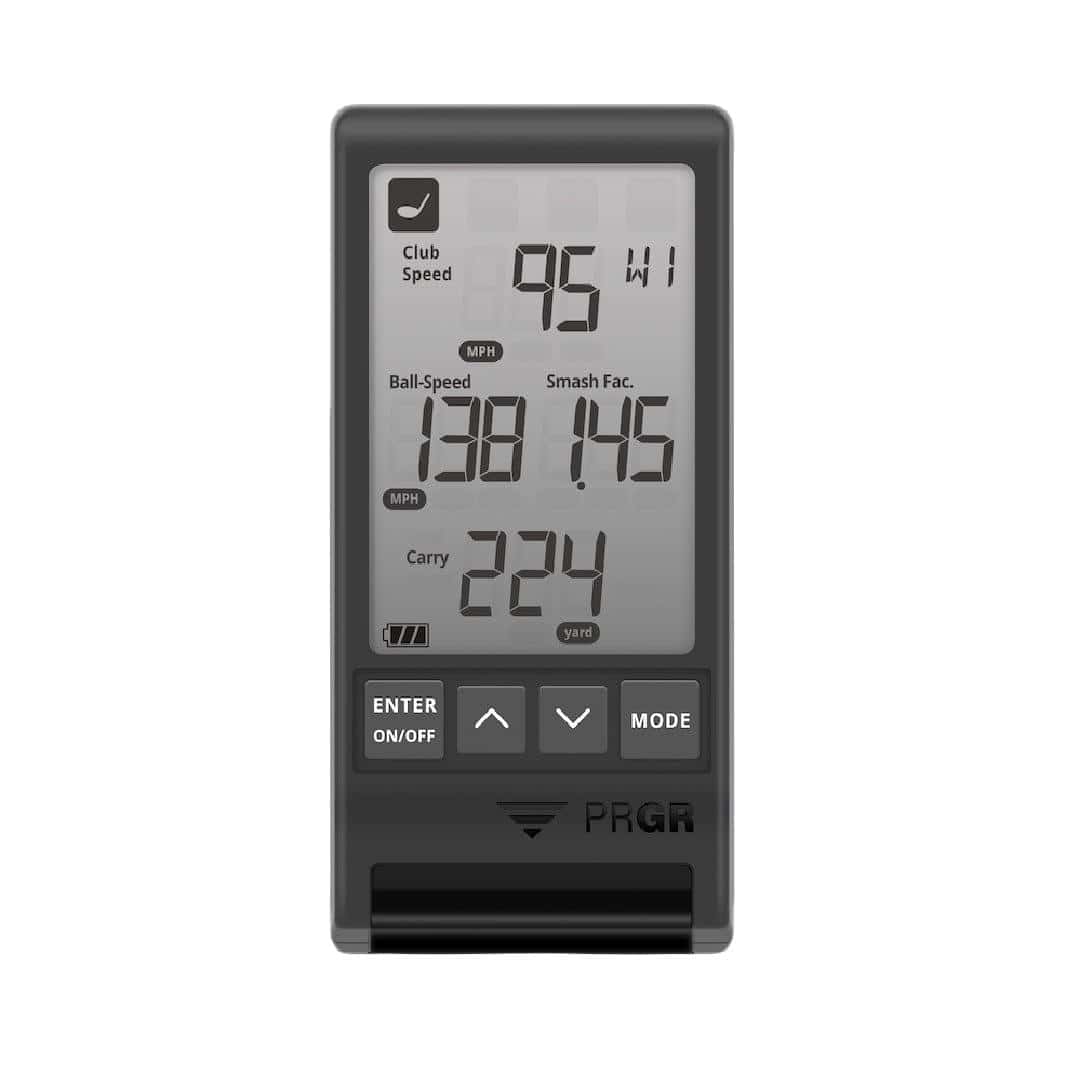
The PRGR Launch Monitor is a pocket-sized Doppler radar device that tracks ball flight and shows your numbers on its own built-in LED screen. That standalone design sets it apart from app-based units: you don't need a phone, tablet, or PC to see a shot.
It suits golfers who want quick feedback for speed training or range sessions without building a full simulator setup.
What the PRGR Measures
The PRGR uses Doppler radar to track ball flight. It reports ball speed and related club and ball numbers on the unit's screen. It is not a simulator hub, so it does not integrate with GSPro.
If you want PC simulation, you'll need a different launch monitor. The PRGR is best treated as a standalone shot-data tool, not the centerpiece of an indoor build.
Size, Weight and Warranty
The unit measures 5.59 inches high, 3.11 inches wide, and 1.93 inches deep. It weighs 5 ounces, so it slips into a golf bag pocket and moves from range to garage without fuss. PRGR backs it with a one-year warranty.
In the box you get the PRGR Launch Monitor hardware. No subscription is required to use the device.
Doppler Radar and On-Unit Display
Doppler radar tracks ball flight directly, and the built-in LED screen displays results without a PC. Place the unit 4.5 feet behind the ball. The display delay is about one second, so feedback arrives quickly after each shot.
Because results show on the unit, you can leave your phone in your pocket during a session. That simplicity is the main appeal here: set it down, hit balls, read the screen.
For a fuller picture of how this unit stacks up against a popular radar alternative, see our garmin approach r10 review in the comparison section. The PRGR is one of several options in this budget radar category, and it earns its place through portability and a screen that works on its own.
Setup and Positioning
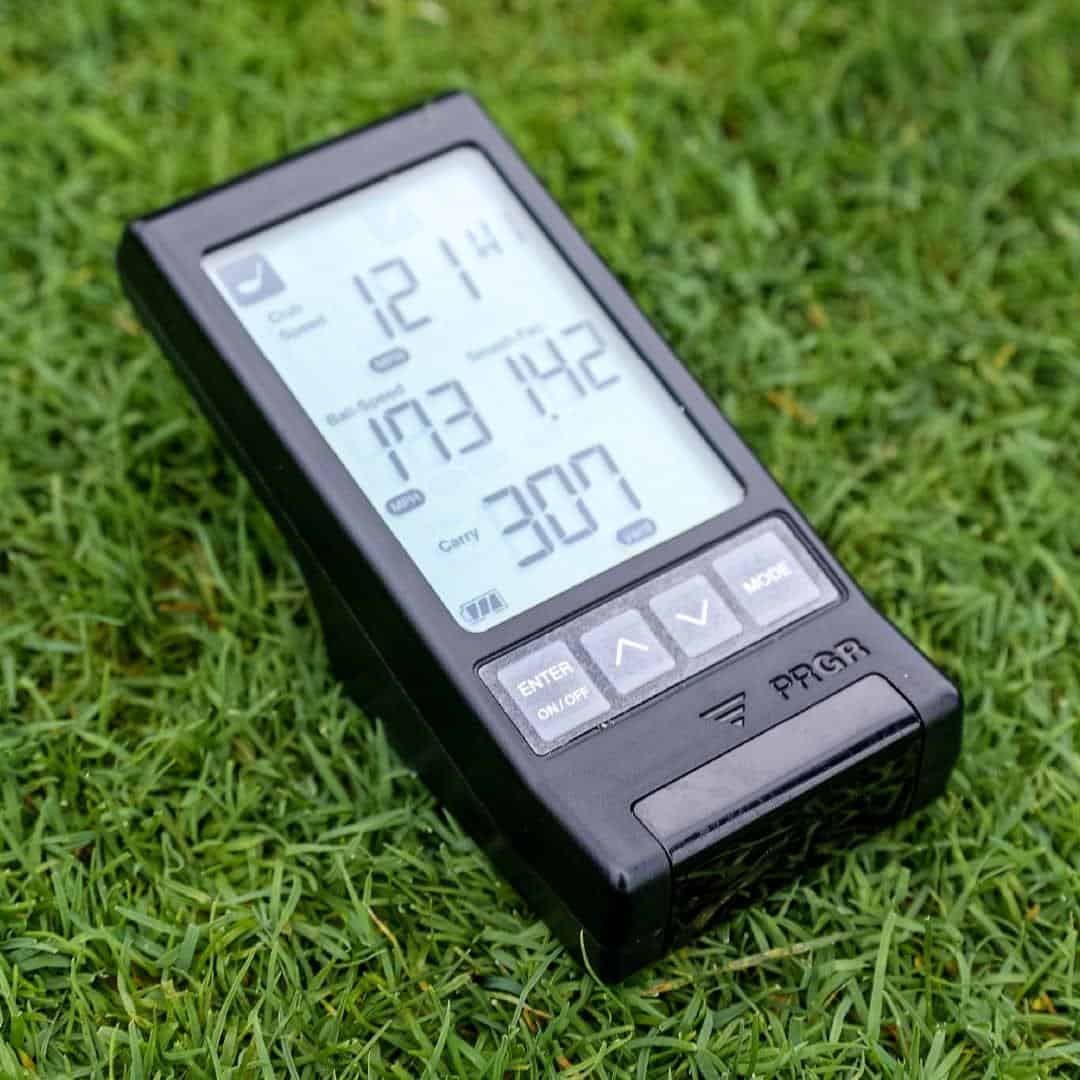
Getting the PRGR Launch Monitor ready takes almost no effort. It runs on AA batteries, so there's no charging, no pairing, and no app to install before your first swing. Turn it on, set it down behind the ball, hit, and read the numbers.
That simplicity is the point. You can take it to the range, drop it in your bag, or pull it out at home, and the whole routine stays the same. The one thing you have to get right is where the unit sits relative to the ball.
Placing the Unit 4.5 Feet Behind the Ball
Position the PRGR 4.5 feet behind the ball, with the unit facing the target line. The manufacturer's space requirement is 4'-6' behind the ball, so 4.5 feet sits comfortably inside that window.
If your hitting area is tight, you need enough clear floor or mat space behind the ball to fit the unit without standing on top of it.
A simple order of operations keeps your sessions repeatable:
- Set the ball on your hitting spot and pick your target line.
- Step off roughly 4.5 feet directly behind the ball.
- Place the unit there, square to the target line.
- Turn it on and take your shot.
At the range, check that the unit isn't sitting where a stray ball or your shadow crosses it. At home, keep the placement consistent from session to session so your speed numbers stay comparable.
Selecting the Club on the Unit
Before you hit, select the club you're using on the unit itself. This is a manual step, and it's worth doing every time you switch clubs. The PRGR is a standalone device with no pairing or companion app required, so the club selection happens on the unit and the numbers appear on it.
For speed training, that means one quick press when you move from driver to iron, then you're back to swinging. The setup is basic by design, and that's what makes it easy to repeat at the range or in the garage.
Speed and Distance Accuracy
The PRGR Launch Monitor uses Doppler radar to measure club and ball speed, then estimates carry and total distance from those readings. That approach has limits, but Golf Insider's testing showed the speed numbers are closer to a high-end radar than the price suggests. Here's how it compared with TrackMan.
Ball Speed Compared With TrackMan
In Golf Insider UK's comparison tests, the PRGR's ball speed came within about 1 mph of TrackMan. That's a strong result for a budget unit. Ball speed is the measurement the radar captures directly, so it's the figure you can trust most when you're working on strike quality or speed training.
If you're weighing radar vs camera launch monitors, this is radar's strength: direct speed capture without a camera setup. The trade-off is that radar estimates distance rather than tracking the full flight.
Club Speed Readings From Reviewer Tests
Club speed is where the gap widens. Golf Insider UK reported PRGR club head speed readings that differed from TrackMan by roughly 4 to 8 mph. That margin matters if you're using club speed to track swing changes or fit shafts, because a few mph can shift your gapping and training targets.
Use club speed as a trend line rather than an absolute number. If you're comparing sessions over weeks, the PRGR will show whether you're getting faster. Treat the exact figure with some caution.
Smash Factor and Carry Distance
The built-in LED screen shows club speed, ball speed, smash factor, carry distance, and total distance. No phone, app, or PC is needed, which keeps range sessions simple.
Smash factor is calculated from the two speed readings, so its accuracy depends on the club speed figure. Carry and total distance are estimates, and they can be off because the PRGR does not measure spin. Practical Golf's testing found swing speed, ball speed, and carry numbers close to TrackMan under good conditions, but conditions affect radar.
For gapping clubs into a net or on the range, carry distance is useful as a relative guide. Just don't treat it as a precise number for course planning. The five data points give you enough to work on speed and strike, as long as you read the distance figures as estimates.
Swing Speed Training Without a Ball
The PRGR Launch Monitor's most useful feature for many golfers isn't ball tracking at all. It's the ability to read club speed on a practice swing, with no ball and no impact. That turns a small radar unit into a speed-training tool you can use in the backyard, garage, or anywhere you have a few feet of clear space.
Club Speed Without Hitting a Ball
The PRGR reads your club speed on a practice swing without a ball. You take a normal swing, the radar picks up the clubhead, and you get a number. No net, no mat, no ball to chase.
That matters for overspeed and Stack-style training. Those programs ask you to swing at maximum effort repeatedly, often with lightweight or weighted clubs, and they don't require a ball at all. The PRGR gives you portable feedback during that work. You can set it up, swing, and check the reading without leaving the house.
One caveat comes from the test data. In Golf Insider UK's comparison tests, the PRGR's club head speed readings differed from TrackMan by roughly 4 to 8 mph. Treat the absolute number as a training reference, not a precise measurement. What you're watching for is the trend across sessions.
The unit's radar also tracks ball flight in Practice Swing Mode, so the same device covers both dry swings and hit balls.
Using Speed Readings for Practice
A speed number only helps if you use it consistently. A few ways to make the readings work for you:
- Log every session. Write down the readings so you can compare week to week rather than guessing.
- Track the trend, not the peak. A single fast swing means little. A rising average over several weeks shows the work is landing.
- Keep setup repeatable. Same spot, same distance behind the ball, same club. Consistency in how you place the unit keeps the numbers comparable.
- Pair speed work with ball work. Use dry swings for max-effort speed, then hit balls to check that the speed carries into real contact.
Because the PRGR is small and travels light, it slots into a warm-up routine or a hotel-room session as easily as a home practice bay. For a golfer building speed, that portability is the real draw.
If you're still working out your practice space, our golf simulator room size guide covers the clearances you'll need.
Indoor and Outdoor Use
The PRGR Launch Monitor is rated for both indoor and outdoor use, so you can take it to the range, set it up in your sim bay, or hit into a net in the backyard. At 5 oz. and pocket-sized, it's easy to move between locations.
That versatility is the main reason it suits speed training: you're not tied to one spot.
Indoor Net Practice
Indoor net practice is a natural fit when you don't need full simulator data. The PRGR gives you ball speed and club speed, which is enough for speed work and basic feedback.
Set it up 4.5 feet behind the ball, facing the target line, and you're ready to swing. The unit is small enough to sit on the floor without getting in your way.
Outdoor Range Use
At the range, the PRGR works the same way: place it behind the ball and hit. The pocket-sized design means it slips into your bag alongside your clubs. You get the same speed readings you'd see indoors, with the added benefit of seeing ball flight. For golfers who split practice between home and range, this is the main appeal.
Space, Alignment and Lighting
Radar performance can suffer in tight indoor spaces or poor lighting, so give the PRGR room to work. A bay with a few feet behind the ball helps. Alignment matters too: if the unit isn't square to your target line, readings can drift.
Indoors, keep the area well lit and avoid clutter that might interfere with the radar. Outdoors, you have fewer constraints, but direct sunlight can still affect the display. In short, the more space and light you can provide, the more consistent your readings will be.
If you're tight on space, check our golf simulator room size guide before you commit. And for a deeper look at how the PRGR's speed numbers compare to a high-end monitor, see our accuracy section.
Where the Radar Falls Short
The PRGR Launch Monitor earns its place as a speed-training tool, but it has limits you should know before you buy. Most of them trace back to how Doppler radar works rather than to a fault in this unit. Understand the method and you'll know when to trust the screen and when to ignore it.
Distance Estimates Without Spin Data
Spin is calculated from club path data rather than measured optically. That means carry and total distance are estimates built on a model, not a direct reading of how the ball behaved. Two shots with the same ball speed can produce very different real-world distances once spin changes, and the PRGR can't see that difference.
For speed training and swing work, this matters little. For dialling in carry numbers on approach shots, treat the distance figures as a guide and confirm them on a launch monitor that measures spin directly. If you need directly measured spin and full club data, look at photometric (camera-based) launch monitors instead.
Occasional Outlier Club Speeds
Club speed is the headline number here, and it's the one to watch most closely. Reviewers have flagged occasional outlier club speed readings that need to be discarded. A single hot or cold reading can distort a session average, so review your data rather than accepting every shot.
Our advice: hit a batch of swings, then discard the obvious outliers before you judge progress. Consistency across a set tells you more than any single swing. Ball speed holds up better, so lean on it as your cross-check.
Missed Wedge and High Launch Shots
Some setups miss or fail to track wedge and high launch shots. A lofted wedge sends the ball steeply upward, and the radar's field of view can lose it. If your practice is built around short-game work, expect gaps in the data.
Before you write off a shot as a bad strike, check whether the unit registered it at all. Repositioning the unit so it has a clear view of the flight can reduce misses, though the limitation stays part of the design.
None of these are dealbreakers for the PRGR's intended job. They are reasons to pair it with a camera-based system if full shot data is your goal.
Pros and Cons
The PRGR Launch Monitor earns its place as a speed-training tool, and the strengths and weaknesses on this list follow from that role. If you want ball and club speed feedback without paying premium prices, it delivers. If you want a full simulation setup, the limits show up quickly.
What Works Well
- Ball speed accuracy. In Golf Insider UK's comparison tests, ball speed came within about 1 mph of TrackMan. That is close enough to trust for gapping and speed work.
- Club speed for swing training. The same tests put club head speed within roughly 4 to 8 mph of TrackMan. Not lab-grade, but useful for tracking trends over weeks of practice.
- No app or subscription. The on-unit display shows your numbers directly, so you can hit balls at the range without pulling out your phone or paying a monthly fee.
- Pocket-sized build. At 5 oz and small enough to slip into a bag pocket, it moves easily between the range and your home setup.
- Indoor and outdoor use. With correct positioning and alignment, it works in both settings.
Where It Falls Short
- Distance estimates are less reliable. Without spin data, carry and total distance numbers are rough guidance, not truth.
- Misreads happen. Occasional outliers in club speed frustrate some users, and the unit can miss wedge shots or very high launch shots, especially indoors.
- Setup needs care. Careful positioning and good lighting are required for consistent readings. A rushed setup produces poor data.
- Limited metrics. There is no simulator play, and the metric set is thinner than what the Garmin R10 or Mevo+ offer.
The pattern is clear: buy it for speed feedback, not for a virtual round. If you accept that trade, the strengths outweigh the quirks.
Where to Buy and Price
See the table for buying options. The PRGR Launch Monitor sells for around $230, which is low for a radar unit. Prices are accurate at the time of writing and are subject to change.
The trade-off is data depth: you get ball speed and club head speed, not spin or launch, and no simulator capability. If you want more data for a little more money, our guide to the best launch monitors under $500 covers the step-up options.
Who It Is For and Who Should Skip It
The PRGR Launch Monitor makes most sense for one job: measuring swing and ball speed without spending much. If you want carry distances you can trust to the yard, or a simulator that lets you play courses, this device will leave you looking elsewhere. The split comes down to what you need the numbers for.
Best Fit for Budget Speed Training
Buy the PRGR if your priority is speed work and basic feedback. In Golf Insider UK's comparison tests, ball speed came within about 1 mph of TrackMan, and club head speed landed within roughly 4 to 8 mph. That is enough to track swing changes over a range session.
The on-unit display means no app and no subscription, and the pocket-sized body suits range trips or a net in the garage. Golfers comparing portable launch monitors often land here because the setup is simple: place it 4.5 feet behind the ball, facing the target line, and hit.
- You want a cheap speed trainer with a screen.
- You hit outdoors or have a well-lit, aligned indoor bay.
- You accept occasional outlier club speed readings and ignore them.
- You do not need spin or launch data.
Who Should Look at Fuller Systems
Skip the PRGR if you want simulator play or reliable distance gapping. It doesn't measure spin, so carry and total distance are estimates and can vary shot to shot. Some users also see unrealistic club speed spikes, and the smaller radar sensor can miss wedge or high launch shots in some tests.
Indoor accuracy depends heavily on space and alignment, so a tight room adds variability. If you need full ball-flight tracking and course play, a fuller-featured launch monitor such as the Garmin R10 or Mevo+ covers those jobs.
The trade-off is price against depth of data, and only you can weigh that. For pure speed training on a budget, the PRGR is the simpler pick.
Alternatives Worth Comparing
The PRGR Launch Monitor is a speed-training tool first. Its integrated LED screen shows data on the unit itself, so you don't need to connect a phone or tablet. That convenience comes with limits: the metric set is narrow, and there are no simulator features. If you want more data or virtual golf, these alternatives are worth a look.
Shot Scope LM1 for More Data
The Shot Scope LM1 is another budget launch monitor, and it gives you more data than the PRGR for some golfers. If you want a wider metric set without moving into higher price tiers, it's the closest like-for-like swap. Our shot scope lm1 review breaks down exactly what it tracks and how it compares.
Higher-Priced Units for Simulator Play
Once you add simulator play to the wish list, the field opens up. These units cost more, but each adds something the PRGR doesn't offer.
- Garmin Approach R10: Tracks 14 metrics and supports simulator play through the Garmin Golf app and E6 Connect. It's lightweight and portable, with up to 10 hours of battery life, so it works indoors or at the range. For golfers who want more data and virtual courses, it's the natural step up.
- FlightScope Mevo+: Provides deeper ball-flight data and simulation at a higher price point. If you're building a home bay and want richer feedback, this is the upgrade path.
- Rapsodo MLM2 Pro: Adds phone video and more metrics for players focused on swing analysis. The dual cameras record impact at 240 FPS, and the shot-tracer overlay helps you see ball flight. Indoor setup requires specific spacing: a minimum of 8 feet from ball to screen and 6.5 to 8 feet behind the ball for the monitor.
Each of these moves you beyond speed training into full practice and simulation. The trade-off is cost and, for some, more complex setup. If your goal is simply faster clubhead speed with minimal fuss, the PRGR still makes sense. If you want to see spin, launch, and virtual rounds, one of these will serve you better.
Frequently Asked Questions
In Golf Insider UK's comparison tests, the PRGR's ball speed came within about 1 mph of TrackMan. Club head speed landed within roughly 4 mph. It does not measure spin or launch angle, so carry and total distance estimates can be off.
Does the PRGR work indoors and outdoors?
Yes. The Doppler radar tracking works both indoors and outdoors. Radar excels at outdoor ball-flight tracking, and the PRGR is purpose-built for that use case.
Can the PRGR measure swing speed without hitting a ball?
Yes. The monitor can measure club speed independently, without a ball strike. That makes it useful for working on tempo or swing speed at home, in your office, or anywhere you don't have room to hit a ball.
What data does the PRGR launch monitor show?
The PRGR displays five data points: club speed, ball speed, smash factor, carry distance, and total distance. A built-in LED screen shows your numbers directly on the device.
Is the PRGR worth buying as a budget launch monitor?
Multiple reviewers describe the PRGR as a budget-friendly, simple launch monitor that offers strong value. It suits golfers who want core speed and distance data without an app, subscription, or PC. If you need spin or launch angle, look elsewhere.
How do you set up the PRGR launch monitor?
Setup is simple: place the unit on the ground behind the ball, turn it on, and start hitting. It requires no special ball or club marking and has a 1-second shot delay. The PRGR measures 5.59" (H) x 3.11" (W) x 1.93" (D) and weighs 5 oz., so it fits in a pocket.
Does the PRGR need an app or subscription?
No. The PRGR runs standalone with no phone, app, or PC required. It also does not connect to GSPro, E6, or other simulator software.
Final Verdict
The PRGR earns its place as a budget radar for speed training. It delivers ball speed within about 1 mph of TrackMan and club speed within a few mph, giving you reliable feedback for swing work.
The built-in LED screen means no app or subscription, and the pocket-sized build makes it easy to move between range and home. For pure speed training, that's a strong package.
But know the limits. Without launch and spin data, carry and total distance estimates are less reliable, and you may see occasional speed spikes or missed wedge shots, especially indoors. If you need accurate distance gapping or simulator play, the PRGR will frustrate you.
Indoor accuracy also depends on careful positioning and good lighting, so give it space and align it properly. That setup requirement is the deciding factor for many buyers.
Buy the PRGR if your priority is affordable, standalone speed training and you can ignore the occasional outlier. Skip it if you want full ball-flight tracking, consistent distance numbers, or simulator software. In that case, save for a fuller-featured model like the Garmin R10 or Mevo+.
Next step: check the Where to Buy table for current pricing, then decide based on your space and data needs. For speed gains on a budget, the PRGR is a smart pick that keeps you swinging.