

The appeal of the Blue Tees Rainmaker is simple: your numbers show up on the unit itself, so your phone can stay in your pocket at the range. The catch is what owners report on short chips and indoor spin. Our Blue Tees Golf Rainmaker review helps you decide which of those matters more for the way you practice.
We'll go through the display and data it gives you, how it connects to GSPro and E6 Connect, what stays free once the included Premium period ends, and how it compares with the Garmin Approach R10 and SkyTrak ST MAX. If you want a portable unit for full-swing range sessions, you'll know by the end whether this one fits.
First Impressions
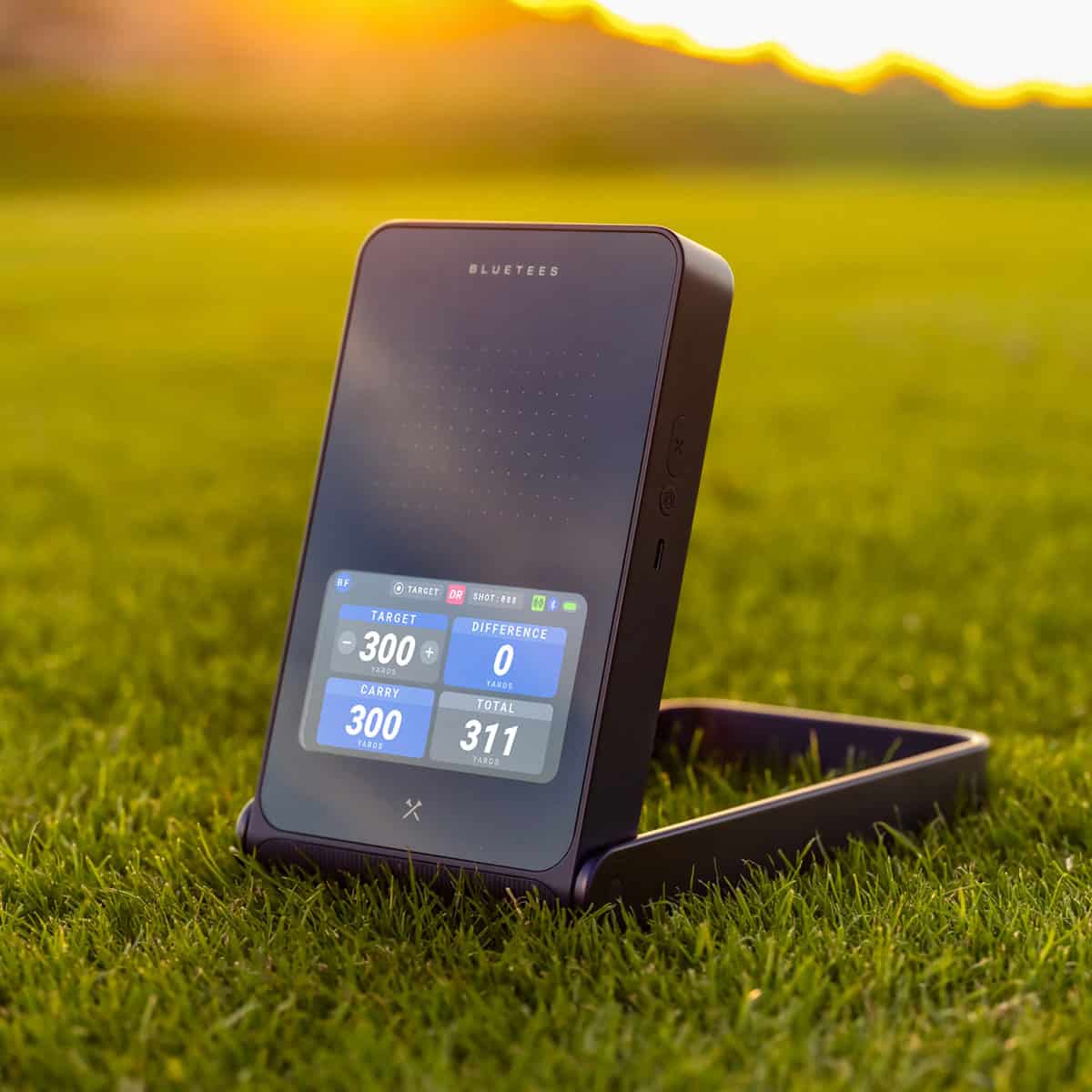
The Rainmaker is a K-Band (24 GHz) Doppler radar unit that measures carry distance from 15 to 340 meters. It's a launch monitor you set down, switch on, and hit into, with no permanent installation. That's the appeal for anyone who practices in a garage, garden, or at the range.
What comes in the box
You get three things: the launch monitor, a detachable remote, and a zipper case. The remote takes a CR2025 battery. The case makes the Rainmaker easy to carry to the range, which fits its portable practice role.
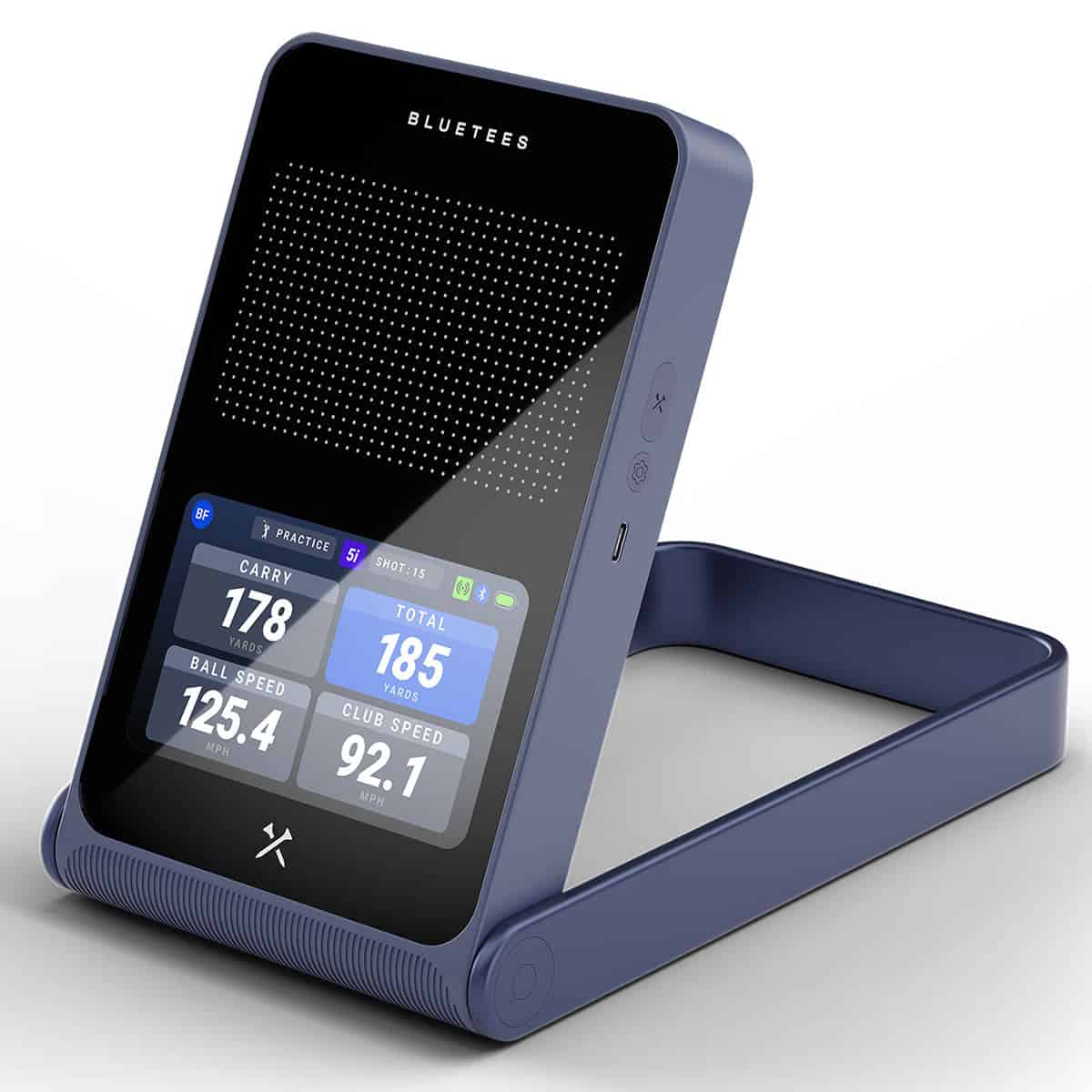
It measures 130.2 mm × 231.5 mm × 27 mm (5.1″ × 9.1″ × 1.1″) and it weighs 719.7 g. The 4.3-inch display runs at 480 × 272 pixels and 800+ nits, so it stays readable in daylight.
Battery life is roughly 7 hours depending on use, and a full charge from empty takes about 3 hours. The unit is rated for 0°C to 50°C (32°F to 122°F), with the remote and device stored at room temperature.
Setting it up behind the ball
Placement is fixed: 1.5 m (5 ft) behind the ball, at the same height as the ball, directly in line with your target. Line it up wrong and the numbers suffer, so take the time. Owners report alignment sensitivity, and some reviewers report that shot-to-read delay can feel long.
Once positioned, you hit. No club stickers, no special balls. The unit returns ball speed, launch angle, carry, total, spin, apex, hang time, club speed, club path, attack angle, and smash factor.
It stores up to 1,000 shots locally. Bluetooth is BLE 5.0, and the menus cover English, French, German, Swedish, and Japanese Imperial.
Who it feels built for
The range-practice golfer who wants on-device feedback without paying premium prices. The Rainmaker is a portable radar unit for outdoor sessions in light rain or damp grass, and it's splash-resistant only to IPX4. Owners also report occasional no-reads on short shots, so don't count on it for a full short-game session.
If you need tour-level precision or dependable indoor spin data, this isn't the unit for you.
Design, Display, and Portability
The Rainmaker is built around a simple idea: put the data on the device so you can practice without your phone. Its 4.3-inch TFT LCD shows your numbers after every swing, and the unit stores up to 1,000 shots onboard. For range work, that removes the fumble between shots and keeps your session moving.
Built-in screen and detachable remote
A 4.3-inch color screen is small enough to keep the housing compact, and it's the main reason the Rainmaker works as a standalone unit. You get your readings on the device instead of on a phone in your pocket.
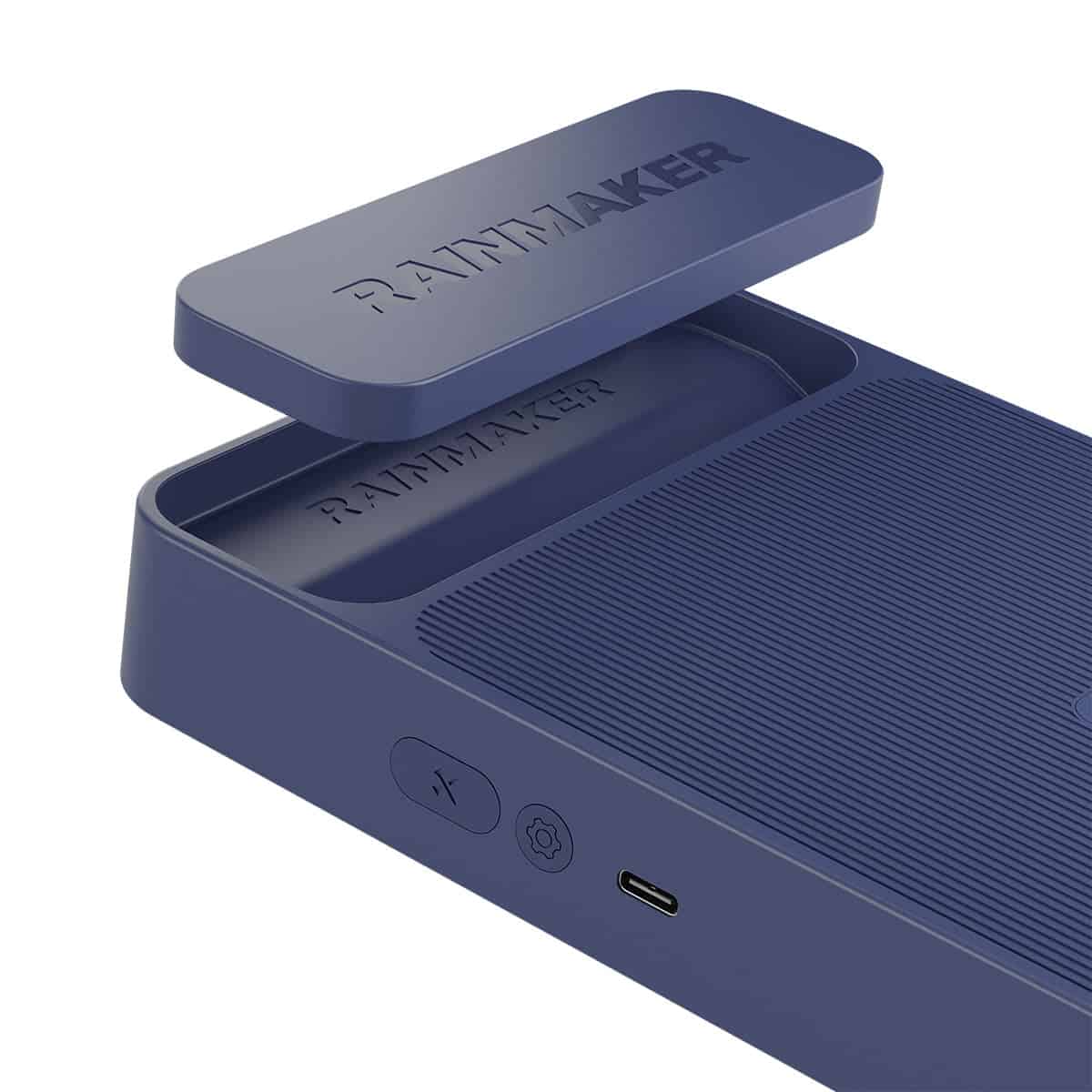
The detachable remote lets you control the onboard screen from your hitting position, so you don't have to walk back to the device between shots. It runs on a CR2025 coin battery, which is easy to replace.
Alignment still matters: set the unit 1.5 m behind the ball, at the same height, in line with your target. The screen displays carry distances from 15 to 340 m (16 to 372 yd), so the visible range covers a full practice bag.
Carrying case and weight
It weighs 719.7 g (25.4 oz).
A zipper case comes in the box, and the flat dimensions make it easy to toss in a car boot or carry bag.
Battery life runs about seven hours, with roughly a three-hour charge. A full session fits comfortably in one charge, and the offline operation means no app updates interrupt your practice.
What the IPX4 rating means outdoors
IPX4 means splash resistance. The Rainmaker handles light rain and damp grass, so a drizzle won't send you inside. It is not submersible, so don't leave it in standing water or a downpour.
Some reviewers report alignment sensitivity, so check the unit is square to your target line before you start. Get that right and the display gives you quick, on-device feedback you can trust for range practice.
Launch Monitor Data and Accuracy
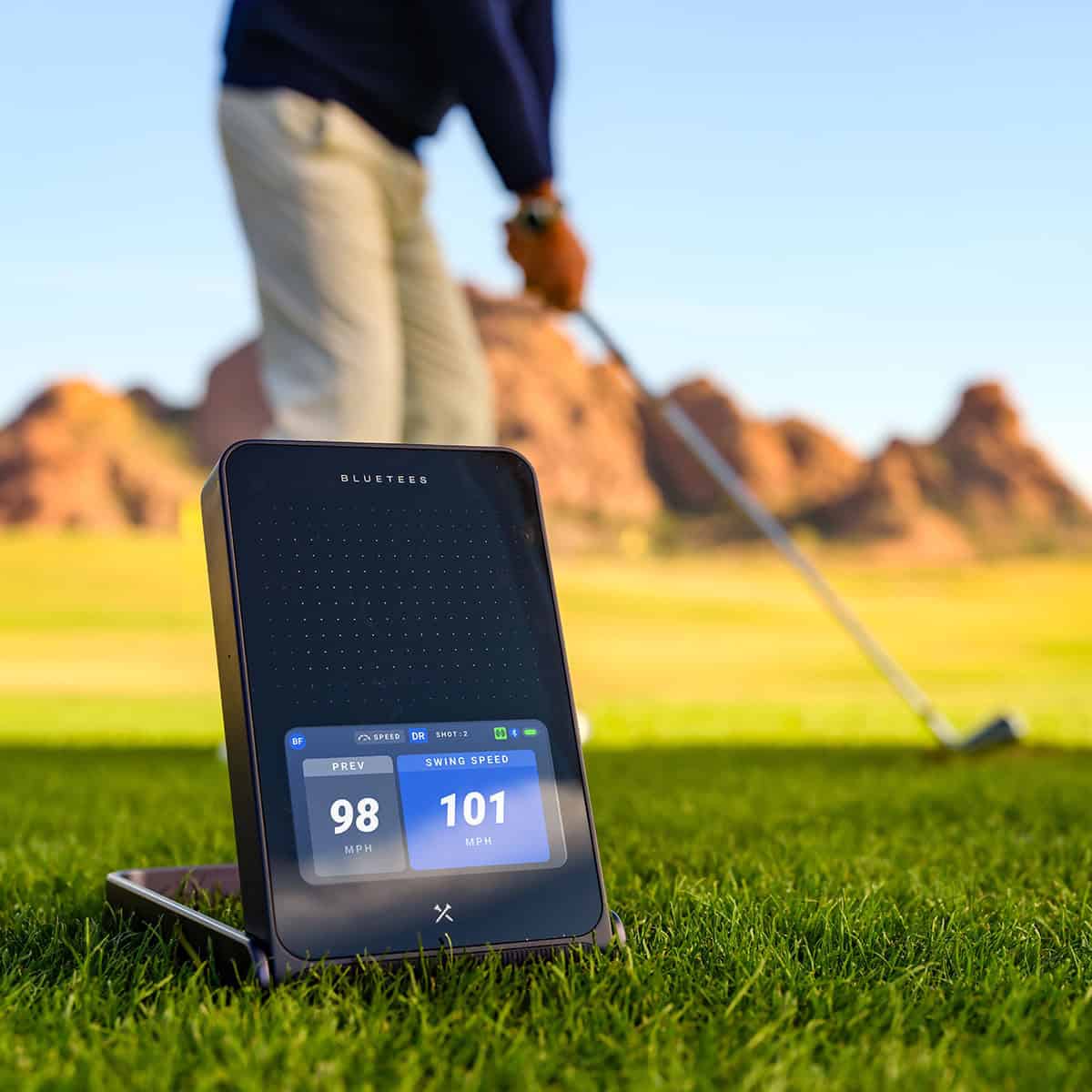
Doppler radar drives the Rainmaker, and it captures more than 20 ball and club metrics using radar alone. No club stickers, no special golf balls. The built-in 4.3-inch color display shows your numbers after every shot in a configurable tile grid, so you can leave your phone in your pocket.
The unit stores up to 1,000 shots locally for later review. Units switch between yards/mph and meters/km/h.
The 20+ metrics it tracks
You get the numbers that matter for practice, split into three groups:
- Distance and flight: ball speed, launch angle, carry, total, apex, hang time, descent data.
- Spin: spin rate from radar.
- Club and strike: club speed, club path, attack angle, smash factor.
Advanced metrics unlock through the Launch App. If you are new to these figures, our guide on how to read launch monitor data explains what each one tells you about your swing. The Rainmaker presents data without clutter, which helps when you are working on one change at a time.
How the core numbers hold up
What the Rainmaker delivers is a useful practice picture, not a tour-grade fitting tool. Ball speed, launch angle, and carry are the numbers you will lean on most, and they give you a clear read on strike and start line.
Some reviewers report a delay between the shot and the numbers appearing on screen, and a few note inflated total distance in their testing. Treat total distance as a guide rather than a precise number. For a clearer view of what top-tier units deliver, see our roundup of the most accurate portable launch monitors.
Where readings can drift
Indoor spin is the weak spot. Some reviewers report unreliable spin numbers without RCT support, which matters if you practice in a bay and rely on spin to check your short game. Radar also depends on correct placement: 1.5 m behind the ball, at the same height, in line with your target.
Misalignment shifts your path and launch readings. Some reviewers also report no-reads on short chips. If you want consistent indoor spin data, this unit may not be the right fit.
Simulator and App Features
Simulator support is where the Rainmaker moves past range duty. If you already have a home setup, the unit connects to GSPro and E6 Connect for virtual course play. It supports both, so you pick the one that matches your subscription and course library. The on-device screen handles practice; the simulation platforms handle rounds.
GSPro and E6 Connect Support
Plug the Rainmaker into either platform and you're playing courses rather than reading numbers. That makes it worth considering if budget simulator play is the goal and you already run GSPro or E6 Connect at home.
We'd treat it as the entry into that software ecosystem, not as a tour-grade indoor system. If you're still choosing a platform, our GSPro vs E6 Connect comparison explains how the two differ.
Launch App Tools and My Bag
The Blue Tees LAUNCH App is where practice gets structured. It adds dispersion mapping, 3D ball-flight visualization, and My Bag, a dynamic club profile that builds your real distances for each club.
In practice, dispersion mapping shows you where your shots land relative to target, and My Bag gives you a distance reference that's built from your own swings rather than a printed spec sheet. There's a nice side benefit: the device pairs with Bluetooth rangefinders for club recommendations.
No specific rangefinder model is named, so check your model's pairing support before you count on it.
The free experience covers the core, but some advanced app features require paid Premium access. Advanced shot analysis, additional calculated metrics, cloud storage, and connected GAME app features sit behind that subscription. If you cancel, the core features remain available.
Your numbers stay useful without the extra layer, though you'll lose the deeper analysis and cloud tools. Anyone who wants dispersion mapping, 3D flight, and My Bag as part of a regular practice routine should factor the Premium cost into the total. Our golf simulator subscription costs guide covers what software plans typically add.
The hardware and app work together well enough that you can practice offline and then take the same data into a simulated round.
Rainmaker vs. Alternatives
The Rainmaker sits in a crowded field of portable launch monitors, and the right pick depends on what you want to do with it. Here is how it stacks up against three common alternatives, based on the features and use cases each is built for.
Versus Garmin Approach R10
Check price for Garmin Approach R10
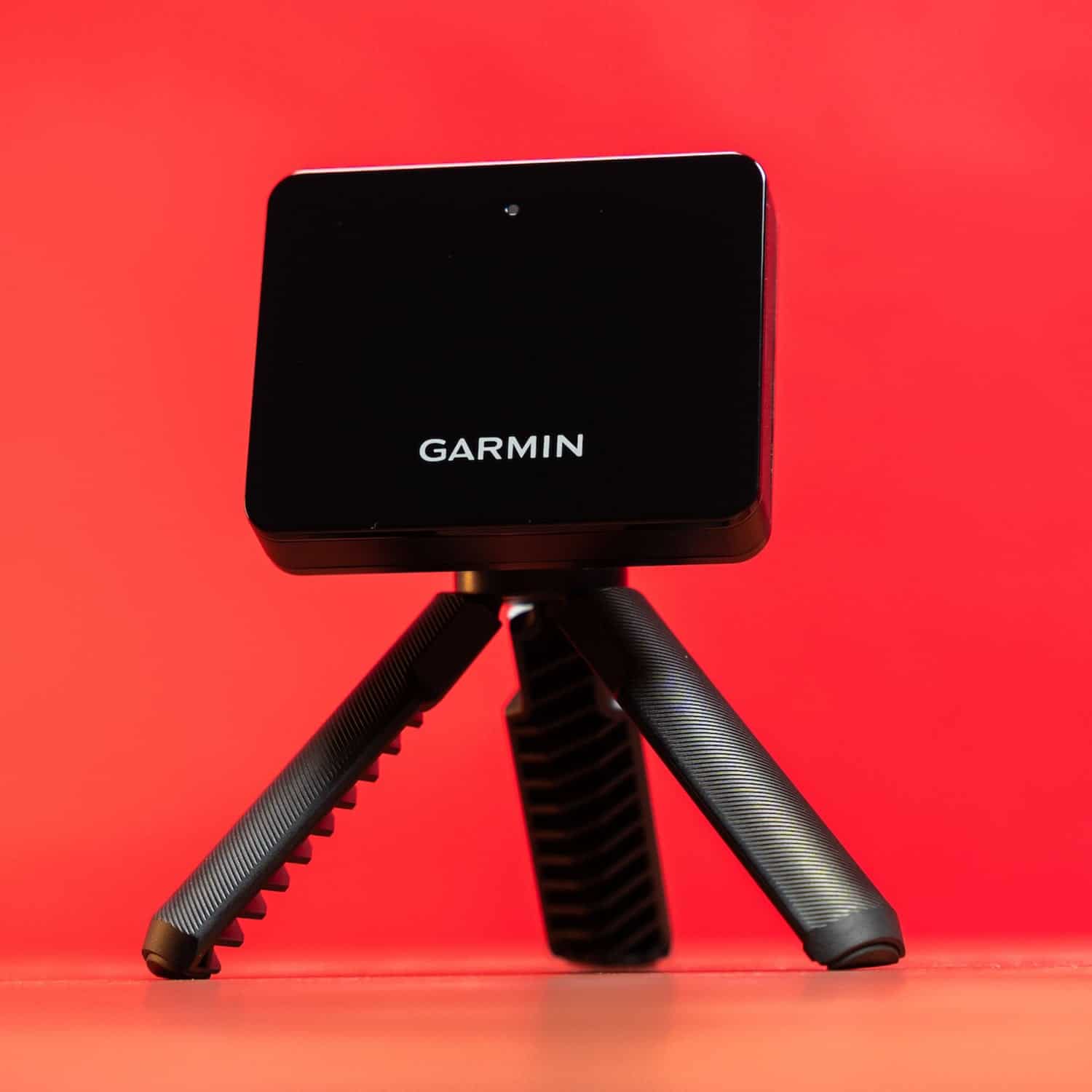
The Garmin Approach R10 is the closest budget-friendly portable alternative. If you are comparing app ecosystems and simulator use, the R10 is the natural benchmark, and our garmin approach r10 review covers that ground in detail.
The Rainmaker counters with a 4.3-inch on-device display and more than 20 metrics, so you can practice without a phone in your hand. Where the R10 leans on its app, the Rainmaker gives you immediate feedback on the unit itself.
Versus Swing Caddie SC4 PRO
Check price for Swing Caddie SC4 PRO Portable Golf Launch Monitor & Simulator
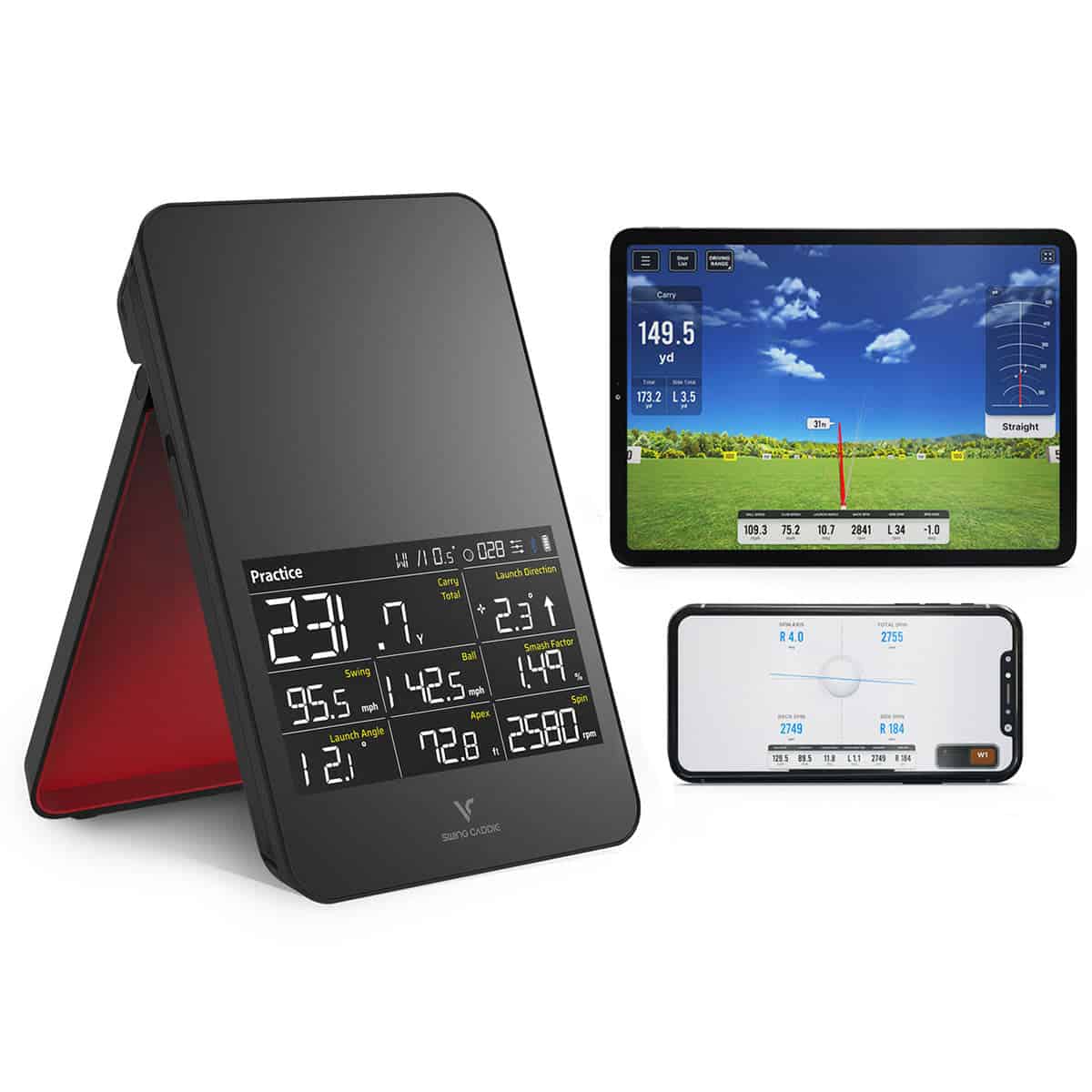
The Swing Caddie SC4 PRO is a common radar-based alternative for golfers who prioritize portability and practice metrics. Both are radar units aimed at range work. The Rainmaker works with both GSPro and E6 Connect, while the SC4 PRO works with E6 Connect.
If you want a launch monitor that doubles as a sim brain, the Rainmaker is the more flexible choice of the two. For a broader look at options in this bracket, see our roundup of affordable launch monitors under $1000.
Versus SkyTrak ST MAX
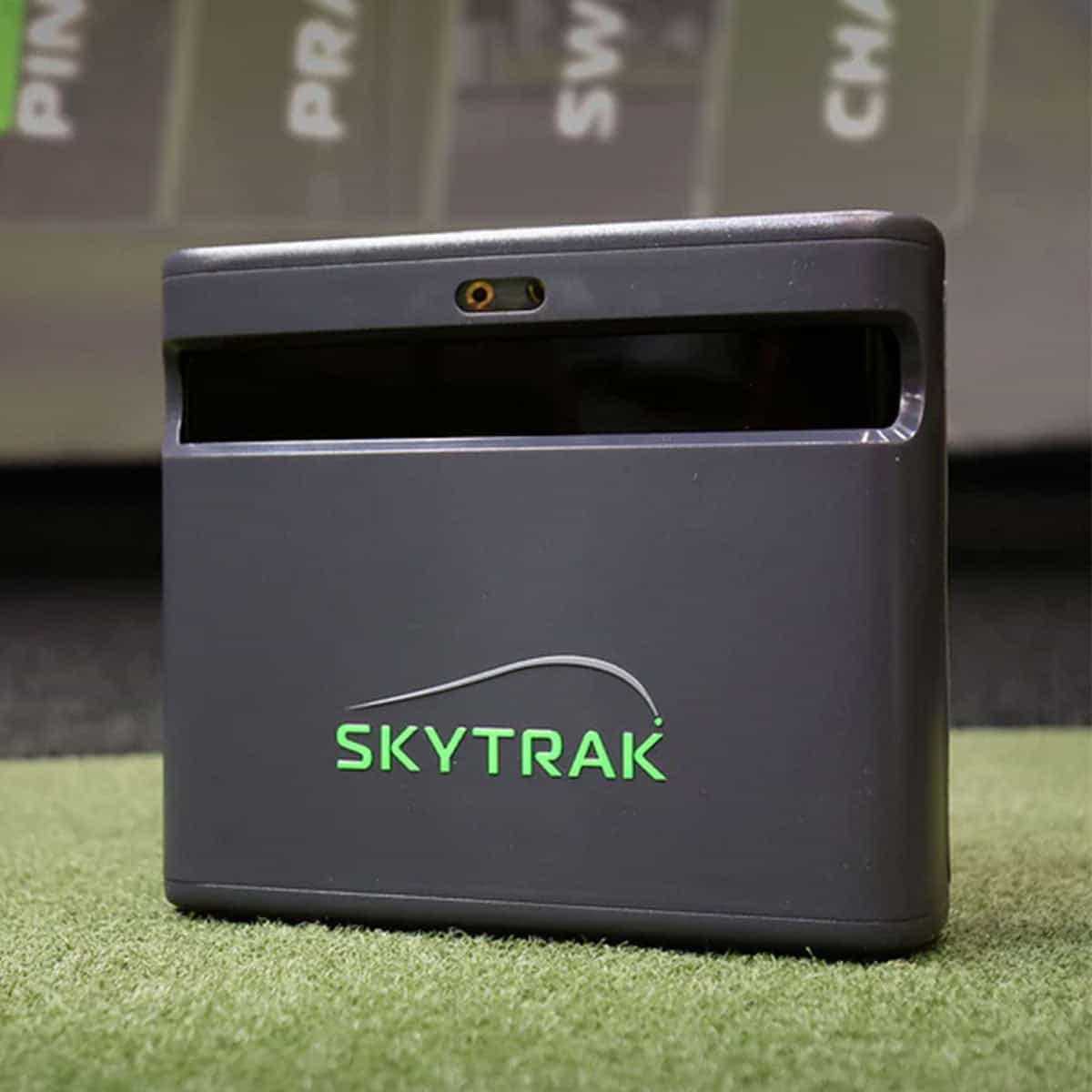
Check price for SkyTrak ST MAX Golf Launch Monitor and Simulator
The SkyTrak ST MAX is a useful comparison point for buyers who want stronger simulation-focused performance. If your priority is a dedicated indoor sim experience, the ST MAX is built for that role.
The Rainmaker is the better fit for range practice with on-device feedback and for budget GSPro or E6 Connect play. It is not a tour-grade system, and the ST MAX is the more simulator-first machine.
Whichever you choose, the Rainmaker's package options (COMPLETE SimStudio, ESSENTIALS, or BYO) let you scale the setup to your space. Just be honest about whether you need a sim-first device or a practice-first one.
Pros and Cons
The Rainmaker earns its keep as a data-first practice tool for the range. The limitations matter just as much, especially if you plan to use it indoors or for short-game work.
Main strengths
- No subscription for core data. The 20+ metrics, including ball speed, launch angle, carry, spin, club path and smash factor, appear on the built-in 4.3-inch display after each swing. You do not need a paid plan to see your numbers.
- Works outdoors without fuss. The K-Band radar needs no stickers or special balls, and the IPX4 rating means it handles light rain and damp grass. That makes it a practical unit for year-round outdoor range sessions.
- Portable enough to move daily. At 719.7 g total and 27 mm thick, it slips into a golf bag pocket. The detachable remote and zipper case are included, so you can set it up and pack it away quickly.
- Budget-friendly simulator entry. It works with GSPro and E6 Connect, so the Rainmaker can drive a home simulator setup without a premium launch monitor outlay.
Main limitations
- Short chips and pitches may not register well. This is a real gap if you want to practice greenside feel or partial wedges. The unit is better suited to full-swing range work.
- Some reviewers report data quirks. Post-shot delay, occasional inflated total distance, and indoor spin reliability concerns come up in user reports. Treat those as patterns to watch, not measured results.
- Alignment is sensitive. Reports suggest the unit needs careful placement 1.5 m behind the ball at the same height and in line with the target. A rushed setup can skew reads.
Tradeoffs to weigh before buying
The Rainmaker trades short-game coverage and pinpoint indoor spin accuracy for portability, outdoor durability and no required subscription for core metrics. If your practice is mostly full-swing range sessions or budget GSPro play, those tradeoffs favor the unit.
If you need tour-level precision or reliable indoor spin data, look at the SkyTrak ST MAX instead. The Garmin Approach R10 and Swing Caddie SC4 PRO are other portable options worth comparing, though the Rainmaker's strengths are clear for outdoor, data-first practice.
Subscription and Ownership Costs
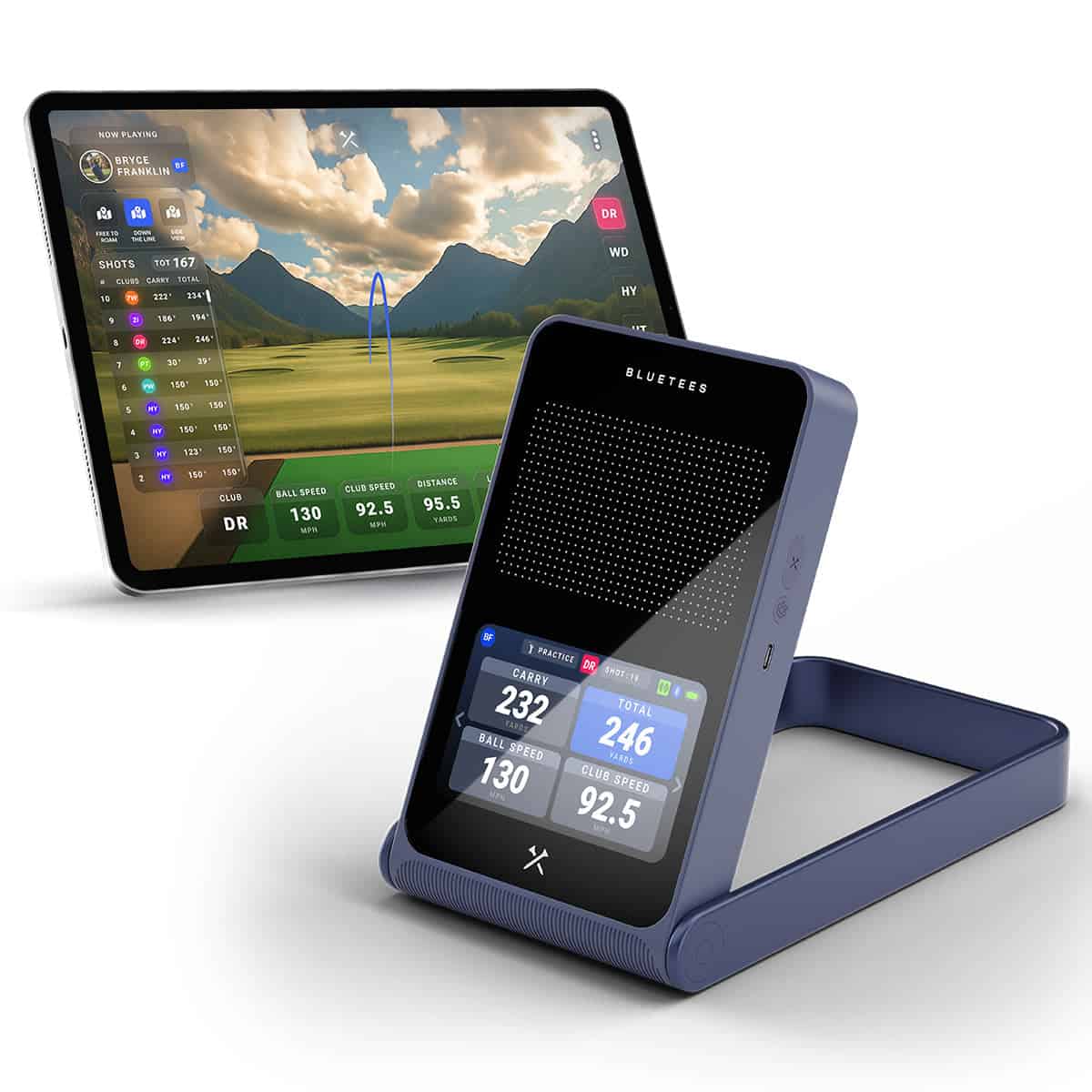
The Rainmaker includes 12 months of Launch App Premium access at no additional cost. That first year gives you the full app experience, and it sets up the main ownership question: what happens when the included period ends.
The answer is straightforward. Core Blue Tees launch monitor features work without a subscription. Your unit keeps reading shots and showing data on the 4.3-inch display after the first year. The Premium tier is what unlocks the deeper app tools, so you can decide then whether those extras matter for how you practice. If you'd rather avoid an ongoing plan altogether, compare launch monitors with no annual fee.
What changes after the first year
Once the included 12 months run out, the split is between on-device basics and app-based analysis. Core launch monitor features remain available without a subscription, so the Rainmaker does not become a paperweight. You keep the shot data the unit calculates on its own.
The Premium subscription is what adds advanced shot analysis, additional calculated metrics through the Blue Tees Physics Engine, cloud storage, and the full connected experience between the Launch and GAME apps. Dispersion mapping, 3D ball flight, and My Bag distance profiling sit on the app side, with the advanced features behind Premium.
So the practical question is how much you rely on the app. If you mainly want range feedback on the unit itself, the free core features cover that. If you want dispersion maps, cloud history, and the GAME app connection for rangefinder pairing, Premium is the tier that delivers them.
Worth noting: if you are weighing this against other budget units, our guide to the best launch monitors under $500 puts the entry-price options side by side.
Weigh the ongoing cost against how often you will use the app features. A golfer who checks carry and ball speed on the display gets full value from the core set. A golfer building a practice library in the cloud will want to budget for Premium after year one.
Who the Rainmaker Suits
The Rainmaker fits a specific golfer: someone who wants numbers after every swing without spending premium launch monitor money. If your practice happens at the range or in the backyard and you want feedback on the built-in screen rather than your phone, this unit makes sense. If you need tour-level precision or dependable indoor spin data, look elsewhere.
Best for range and backyard practice
The 4.3-inch TFT LCD shows your data right after each swing, and the three training modes (Practice, Target Distance, and Swing Speed) run directly on the device with no app or internet connection. A practice session isn't cut short by a dropped connection or a forced app update.
The battery runs about seven hours, so a full session fits within a single charge. You can set it up at the range, in your backyard, or anywhere you have room to swing. The Rainmaker pairs with Bluetooth rangefinders through the GAME App for club recommendations based on your actual carry distances and tendencies.
It's also a sensible entry point for simulator play: it works with GSPro and E6 Connect, giving you a budget route into software-based golf without a premium-priced unit. In light rain or damp grass, the IPX4 rating means splash resistance, nothing more. Don't leave it out in a downpour.
Less suited to tour-level precision
Some reviewers report a noticeable delay between shot and read, and short chips and pitches may not register well. Others report inflated total distance numbers in some testing and indoor spin accuracy concerns, which matters if you plan to practice wedge gapping or spin control indoors. Careful alignment is also reported as a setup requirement.
If you want fast, tour-level accuracy, the Rainmaker isn't that product. Golfers comparing it against options like the Garmin Approach R10, Swing Caddie SC4 PRO, or SkyTrak ST MAX should treat it as a budget-first choice built around carry and club data, not precision.
Buy it if you want on-device feedback at the range, portable outdoor practice, or low-cost GSPro and E6 Connect play. Skip it if you need dependable indoor spin numbers or tour-level precision. For more on how these units stack up, see our launch monitor buying guide.
Where to Buy and Price
The Rainmaker retails at $599, and that figure covers more than the radar unit. You get the first year of Launch App Premium included, which matters if you plan to use dispersion mapping and cloud storage from day one.
The table above lists authorized retailers and current pricing. Prices are accurate at the time of writing and are subject to change.
What the $599 price includes
Your purchase covers the launch monitor, a detachable remote, and a zipper case. The remote runs on a CR2025 battery. The unit charges in about 3 hours and runs for roughly 7 hours per charge, depending on use.
The first 12 months of Launch App Premium come bundled in. After that, Premium renews at $79 per year. Core launch monitor features remain usable without a subscription, so basic ball and club data stays available if you let Premium lapse.
Premium adds advanced shot analysis, additional calculated metrics, cloud storage, and connected GAME app features, including rangefinder pairing.
Check your phone before you buy. The app requires iOS 14.0+ or Android 10.0+. Older devices won't run it.
The Rainmaker carries an IPX4 rating, so treat it as splash-resistant, not submersible. It handles damp grass and light rain; it won't survive a dunk in a pond.
Against the Garmin Approach R10, Swing Caddie SC4 PRO, and SkyTrak ST MAX, the Rainmaker sits at the lower end of the price range. That's the trade-off: you pay less, and the feature set reflects it. For a budget-focused setup, our guide to the best golf launch monitors under $600 is worth a read.
If you want GSPro or E6 Connect simulation, the Rainmaker supports both, and the included Premium year helps offset the cost of getting started.
Frequently Asked Questions
Is the Blue Tees Rainmaker accurate?
The Rainmaker tracks more than 20 metrics, including ball speed, launch angle, carry, total distance, spin, apex, hang time, club speed, club path, attack angle, and smash factor. Some reviewers report a post-shot delay and inflated total distance in their testing, and indoor spin readings can be inconsistent. Treat it as a practice aid rather than a tour-level unit.
Does it need a subscription?
No. The Rainmaker works without a subscription, and three training modes run without a phone or internet connection. Advanced shot analysis, additional calculated metrics, cloud storage, and connected GAME app features require the Premium plan.
Does it work with GSPro and E6 Connect?
Yes, the Rainmaker is compatible with GSPro and E6 Connect for simulator play. That makes it one of the more affordable ways to get into a home simulator setup.
How long does the battery last?
The 5,100 mAh lithium-ion battery provides about 7 hours of operating time, depending on use. A full charge takes roughly 3 hours.
Is it waterproof or only splash-resistant?
The Rainmaker carries an IPX4 rating, which means it is splash-resistant, not submersible. It can handle light rain or damp grass, but do not leave it out in a downpour or drop it in water.
Core features remain available without Premium. Advanced shot analysis, additional calculated metrics, cloud storage, and connected GAME app features require the Premium plan, so those stop working if you cancel.
Final Verdict
The Rainmaker makes sense if you want launch monitor data without paying premium prices. It tracks more than 20 ball and club metrics with no stickers or special balls, shows your numbers on a built-in TFT LCD screen, and runs three training modes offline.
Its core launch monitor functions work without a subscription, and it pairs with GSPro and E6 Connect for simulation. That package is a lot for the money.
It is not the tool for everyone. Reviews report a noticeable delay between shot and read, short chips and pitches that may not register, and indoor spin data that is less reliable without RCT support. Advanced app features sit behind paid Premium access. If you need tight indoor spin numbers or fast, tour-level precision, look elsewhere.
Our recommendation is simple. Buy the Rainmaker if you want carry distance and club data, a screen that works away from your phone, and portability that makes setup easy behind the ball. Skip it if you practice mostly indoors on wedges and chips, or if spin accuracy drives your decisions.
Before you order, measure your hitting space and confirm your software setup. Check the Where to Buy table for current pricing, then commit. The Rainmaker rewards the golfer who wants useful data outdoors without a premium bill. If that is you, it earns its place in the bag.