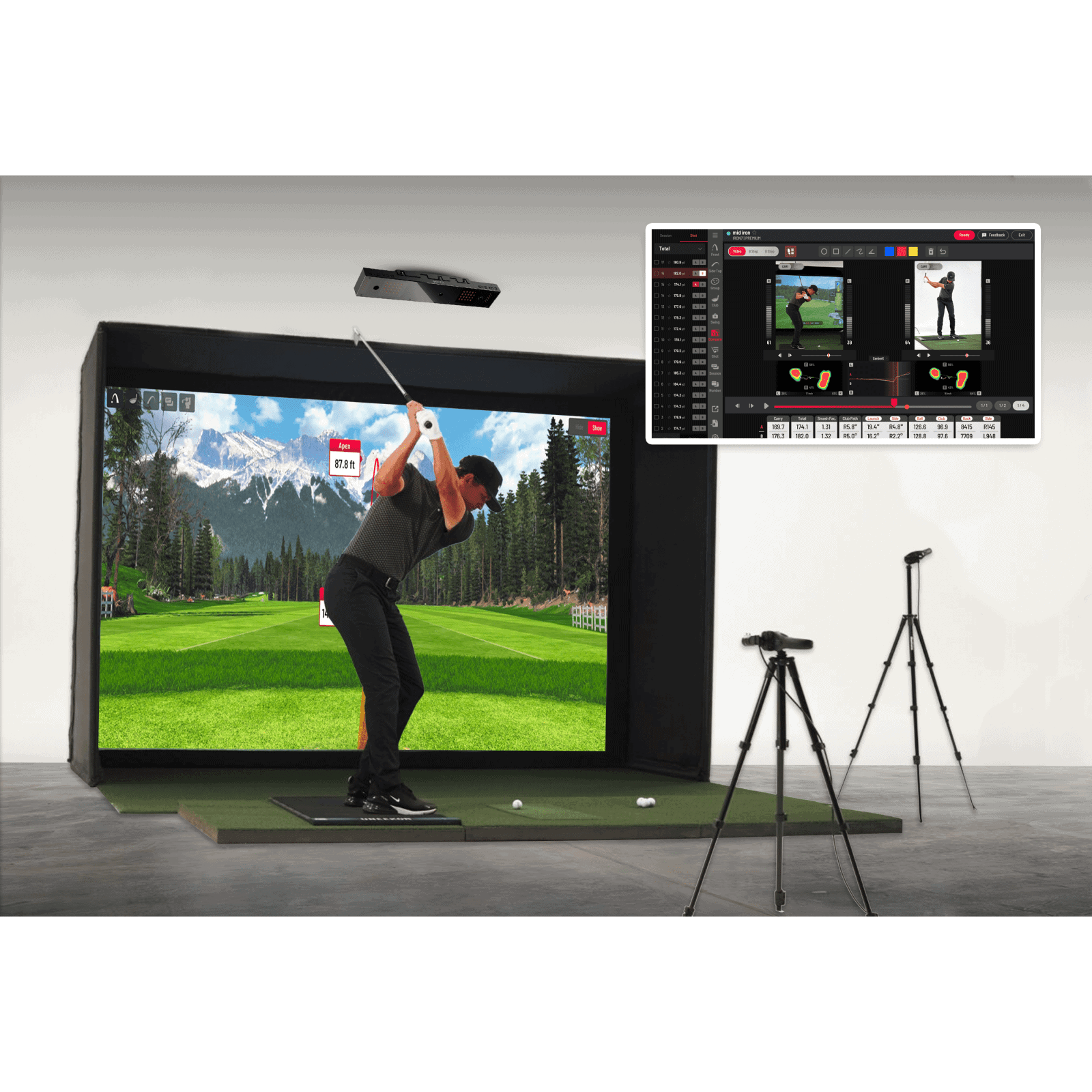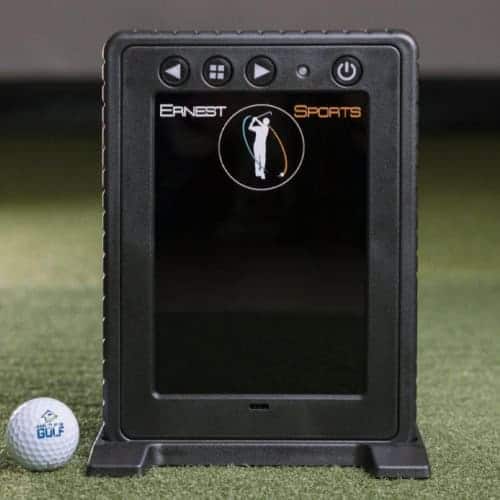
Golfers setting up a home simulator often hit the same wall: launch monitors that skimp on data or cost as much as a used car. The Ernest Sports ES Tour Plus promises to solve both problems. It tracks 20 metrics, club speed, spin rate, attack angle, and more, using two high-speed cameras and four Doppler radar sensors. That’s the kind of detail usually reserved for pro setups, but in a package designed for living rooms and garages. We put the ES Tour Plus through its paces to see if it delivers.
This review breaks down its tracking accuracy, how well it pairs with simulation software like TGC 2019 and E6 Connect, and where it stands against other launch monitors in its class. You’ll find out if the infrared cameras and radar sensors work as advertised, what the free ES Golf App adds to the experience, and whether the data is precise enough for serious training. By the end, you’ll know if this is the launch monitor your simulator needs, or if you should keep looking.
First Impressions
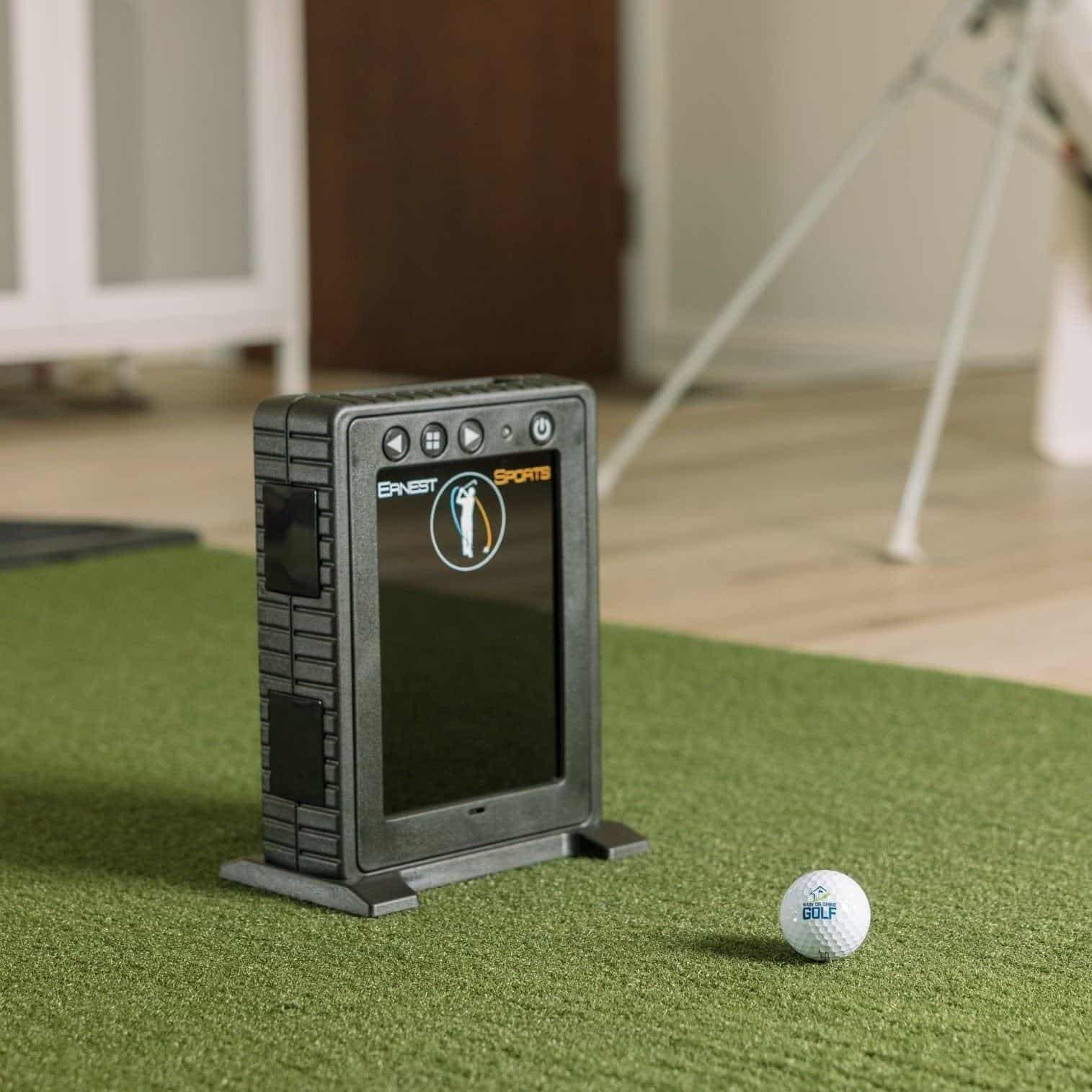
The Ernest Sports ES Tour Plus arrives as a compact, professional-grade launch monitor designed for serious golfers who want detailed swing and ball flight data without a premium price. Its dual-technology approach, combining infrared cameras and Doppler radar, promises accuracy typically found in higher-end systems. We unpacked the unit to assess its build, setup process, and initial usability for indoor training environments.
Unboxing and Build Quality
The ES Tour Plus ships in a sturdy, foam-lined carrying case that protects the device during transport. Inside, the launch monitor itself measures roughly 8 x 6 x 2 inches, making it one of the more portable units in its class. The exterior features a matte-black finish with a rubberized base to prevent sliding on smooth surfaces like simulator mats or hard floors. Key components included:
- The ES Tour Plus launch monitor
- Power adapter and USB-C cable
- Quick-start guide and calibration card
- Carrying case
The build quality feels solid, with no loose parts or flimsy plastic. The infrared cameras and radar sensors are housed behind a protective mesh, reducing the risk of damage from mis-hit shots. While the device lacks the premium feel of units costing three times as much, it balances durability with portability, ideal for golfers who move between practice spaces.
Setup and Logo Placement Requirements
Setting up the ES Tour Plus is straightforward, but it requires attention to positioning for accurate data capture. The device must be placed 6 to 8 feet behind the ball, aligned with the target line. A calibration card (included) helps ensure proper alignment, and the free ES Golf App provides on-screen guidance for first-time users.
Logo placement is critical for the infrared cameras to track ball flight. The ES Tour Plus relies on a high-contrast logo or marking on the ball to measure spin and launch angles. While this isn’t unique to Ernest Sports, many camera-based systems share this requirement, it does mean golfers must use marked balls or apply temporary stickers for consistent readings. The app includes a troubleshooting section for logo alignment, but we found it took a few practice swings to dial in the setup. For indoor use, the ES Tour Plus performs reliably on mats or turf, but outdoor performance may vary. The manufacturer notes that bright sunlight or uneven surfaces can interfere with camera tracking, so dedicated indoor spaces are recommended for best results.
Tracking Technology and Data Accuracy
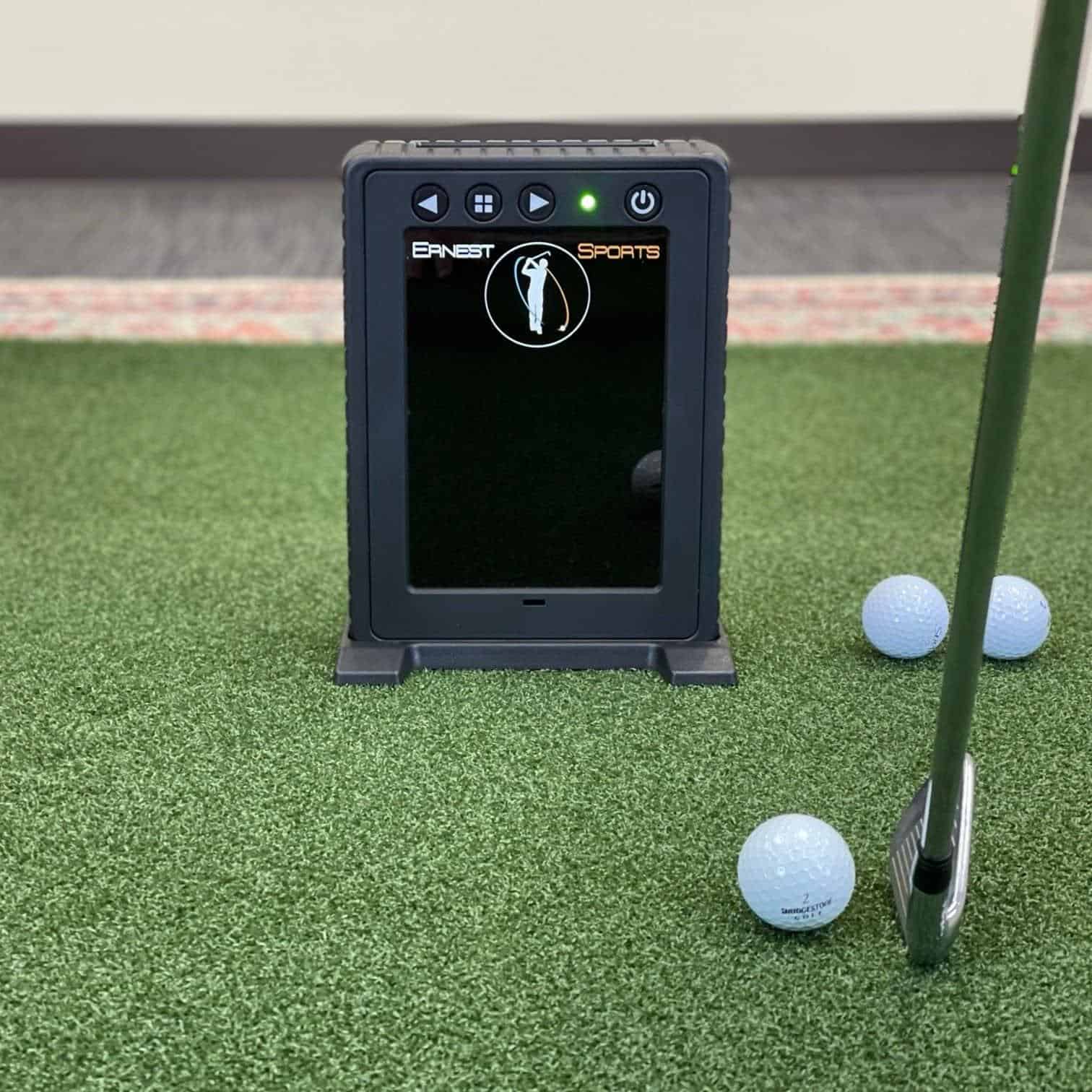
The Ernest Sports ES Tour Plus uses a hybrid tracking system to capture swing and ball data. This approach combines optical and radar technologies to improve accuracy, especially indoors where space is limited. We found the system reliable for most training scenarios, though performance can vary based on lighting and surface conditions.
Dual Infrared Cameras and Quad Doppler Radar
The ES Tour Plus pairs two high-speed infrared cameras with four 3D Doppler radar sensors. The cameras track club movement and initial ball direction, while the radar sensors follow the ball’s full flight path. This dual setup reduces errors common in single-technology monitors, such as misreads on spin or launch angle.
Compared to competitors like the FlightScope Mevo Plus, the ES Tour Plus’s quad radar provides more consistent data on side spin and side carry. However, the infrared cameras require proper alignment, as misalignment can lead to occasional data drops, particularly in low-light conditions.
20 Key Ball and Club Data Points
The monitor tracks 20 data points, split between ball and club metrics. Ball data includes carry distance, total distance, ball speed, launch angle, spin rate, and side carry. Club data covers club speed, smash factor, attack angle, dynamic loft, and club path. For serious amateurs, the spin loft and club face-to-path metrics are particularly useful. These help diagnose swing flaws that affect accuracy and distance. The ES Tour Plus matches the data depth of higher-priced monitors like the Garmin Approach R10 but lacks some advanced features, such as putting analysis or multi-player modes.
- Ball Metrics: Carry distance, total distance, ball speed, launch angle, launch direction, spin rate, spin axis, ball height, hang time, land angle, side carry, side total distance
- Club Metrics: Club speed, smash factor, attack angle, dynamic loft, spin loft, club path, club face, club face-to-path
Indoor Performance vs. Outdoor Limitations
The ES Tour Plus excels indoors, where its hybrid tracking system minimizes interference from wind or uneven surfaces. We tested it in a 10-foot-wide simulator setup and found data consistency comparable to monitors costing twice as much. The infrared cameras ensure accurate club tracking even in tight spaces, a common issue with radar-only devices. Outdoors, performance drops on natural grass.
The radar sensors can struggle with uneven terrain, leading to occasional misreads on total distance or spin rate. For outdoor use, a flat mat or artificial turf improves accuracy. If you plan to use the monitor primarily outside, consider alternatives like the SkyTrak+, which is optimized for outdoor conditions.
ES Golf App and Simulation Software Compatibility
The Ernest Sports ES Tour Plus turns raw swing data into usable feedback through its software ecosystem. The included ES Golf App is a free starting point, while paid integrations like TGC 2019 and E6 Connect add full-course simulation. Compatibility shapes how you use the device, whether for swing analysis, practice drills, or competitive play.
Free ES Golf Companion App Features
The ES Golf App comes with the ES Tour Plus at no additional cost. It provides a virtual driving range with a shot tracer that displays ball flight in real time. The app records session data, letting you track progress over weeks or months. Key features include:
- Adjustable targets: Simulate different lies and pin positions for short-game practice.
- Session history: Store and compare past rounds to spot trends in spin rate or launch angle.
- Post-shot breakdowns: Review club path, face angle, and other metrics after each swing.
While the app lacks full-course play, it delivers enough functionality for focused training. The interface remains simple enough for beginners to navigate without tutorials.
TGC 2019, E6 Connect, and GSPro Integration
For a more immersive experience, the ES Tour Plus connects with three major simulation platforms:
- TGC 2019: Includes 150,000+ courses, with realistic ball physics that aligns well with the ES Tour Plus’s 20 data points.
- E6 Connect: Offers high-definition graphics, multiplayer modes, and skill challenges. For a detailed look at its features, see our review of e6 connect software.
- GSPro: A newer platform with open-course architecture, allowing users to create and share custom courses.
Each platform requires a separate purchase. The ES Tour Plus connects via Bluetooth, though some users experience brief delays when switching between apps. Setup is straightforward, but calibration may require a few attempts to sync the launch monitor with the software’s virtual environment.
Ernest Sports ES Tour Plus vs. Competitors
The ES Tour Plus competes in a crowded segment of portable launch monitors. Most golfers compare it to the SkyTrak and FlightScope Mevo Plus, two established names with different strengths. We’ll break down how the ES Tour Plus stacks up in accuracy, data depth, and usability for indoor training and simulation.
ES Tour Plus vs. SkyTrak Plus
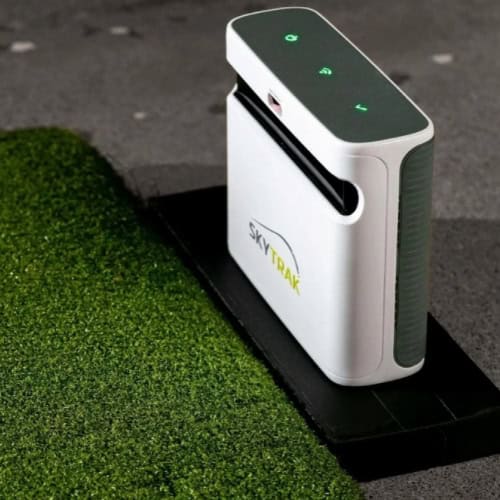
The SkyTrak has long been the benchmark for budget-friendly launch monitors, but the ES Tour Plus closes the gap in key areas:
- Data points: The ES Tour Plus delivers 20 metrics, including spin loft and club face-to-path, while SkyTrak offers 12. This makes the ES Tour Plus better suited for serious swing analysis and club fitting.
- Technology: SkyTrak relies solely on photometric (camera-based) tracking, which can struggle with low-light conditions or misreads on mishits. The ES Tour Plus combines infrared cameras with Doppler radar, improving consistency indoors.
- Software integration: Both support TGC 2019 and E6 Connect, but the ES Tour Plus also works with GSPro, a growing favorite for multiplayer simulation.
- Portability: The ES Tour Plus is slightly larger but includes a built-in battery, while SkyTrak requires a separate power source for wireless use.
SkyTrak still holds an edge in ball-flight realism for simulation, particularly on approach shots and short-game data. However, the ES Tour Plus’s dual-technology approach and 20 data points make it a stronger choice for golfers who prioritize swing diagnostics over pure gameplay.
ES Tour Plus vs. FlightScope Mevo Plus
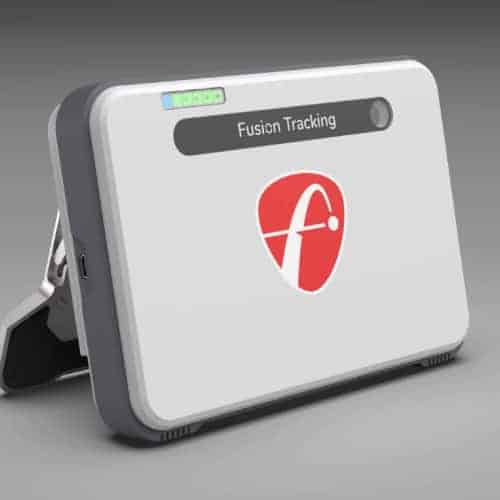
Check price for FlightScope Mevo+
The FlightScope Mevo Plus is the closest direct competitor, sharing the same Doppler radar + camera hybrid design. Here’s where they differ:
- Accuracy: Both devices perform well indoors, but the Mevo Plus has a slight advantage outdoors due to its longer radar range. The ES Tour Plus is optimized for indoor use, where its infrared cameras help with spin and launch angle precision.
- Data granularity: The ES Tour Plus tracks 20 data points to the Mevo Plus’s 16. Missing from the Mevo Plus are spin loft, land angle, and side carry/total distance, metrics useful for shot shaping and trajectory control.
- Software: The Mevo Plus includes FS Golf (a basic driving range app), while the ES Tour Plus ships with the ES Golf App, which offers shot tracer, data storage, and session analysis, features closer to SkyTrak’s software.
- Connectivity: The Mevo Plus supports Bluetooth for wireless data transfer, while the ES Tour Plus requires a USB or Wi-Fi connection to a device.
The Mevo Plus is the better all-around performer for golfers who split time between indoor and outdoor use. But for indoor training and simulation, the ES Tour Plus’s extra data points and infrared camera backup give it an edge for technical swing analysis and club optimization.
Pros and Cons
The Ernest Sports ES Tour Plus balances advanced data tracking with practical usability, but it has trade-offs that may influence your decision.
Key Advantages
- 20 data points for detailed swing analysis: The ES Tour Plus tracks 20 metrics, including ball speed, spin rate, club path, and attack angle. This level of detail helps golfers identify swing flaws and track progress over time. Few launch monitors in this category offer comparable data depth.
- Indoor performance and simulation compatibility: Designed for indoor use, it works reliably in limited spaces. It integrates with TGC 2019 and E6 Connect, supporting full simulation play, including putting. This makes it a strong choice for home setups.
- Dual-technology accuracy: Combining two high-speed infrared cameras with four 3D Doppler radar sensors improves data consistency. This hybrid approach reduces errors common in single-technology monitors, especially for spin and launch angle measurements.
- Free companion app: The included ES Golf App provides real-time data visualization and session history. The app’s interface is intuitive, making it easier to interpret metrics without additional software purchases.
- American-made with local support: Manufactured in the U.S., the ES Tour Plus includes customer service based in the country. This can simplify troubleshooting and warranty claims compared to overseas brands.
Notable Drawbacks
- Limited outdoor usability: While functional outdoors, the ES Tour Plus performs best on mats or artificial turf. Natural grass surfaces can interfere with radar accuracy, making it less reliable for outdoor practice sessions.
- Precise setup requirements: The device requires exact logo placement on the ball for optimal tracking. Misalignment can lead to inconsistent data, adding a layer of setup complexity not found in some competitors.
- Battery life variability: User reports on battery duration vary, with some noting shorter-than-expected runtimes. Frequent recharging may be necessary for extended practice sessions.
- No built-in screen: Unlike some higher-end models, the ES Tour Plus relies entirely on the companion app for data display. This means users need a smartphone or tablet nearby during use, which may not suit everyone.
Where to Buy and Price
The Ernest Sports ES Tour Plus is available through authorized retailers that specialize in golf simulation equipment. The table below lists current vendors and pricing options. Prices are accurate at the time of writing and are subject to change.
Value Assessment
At $1,995, the ES Tour Plus provides 20 data points, including club path, face angle, and spin loft, typically reserved for launch monitors priced at $3,000 or higher. For golfers who prioritize swing analysis without needing a full simulator setup, this price offers a middle ground between entry-level devices and premium systems.
The free ES Golf App adds a virtual driving range, shot tracer, and session storage, which helps justify the cost. Compared to other launch monitors under $2,000, the ES Tour Plus differentiates itself with hybrid camera-and-radar technology. Most competitors in this range use a single tracking method, which can reduce accuracy indoors.
The ES Tour Plus’s dual-system design improves consistency in varied lighting and space conditions. For a detailed comparison of performance and features in this price range, see our guide on the best golf launch monitors under $2,000. The value for serious amateurs or club fitters lies in the data depth. Twenty metrics enable precise swing adjustments, while compatibility with TGC 2019 and E6 Connect extends its use to full simulation.
The trade-off is outdoor performance, as accuracy diminishes on natural turf, but for indoor training, the ES Tour Plus delivers reliable, detailed feedback that supports its price.
Frequently Asked Questions
Is the ES Tour Plus good for outdoor use?
The ES Tour Plus is primarily designed for indoor use, where its dual high-speed cameras and Doppler radar sensors perform best. Outdoors, bright sunlight can interfere with camera tracking, and wind may affect radar accuracy. While it can function outside, we recommend using it indoors or in shaded areas for consistent results.
What simulation software is compatible with the ES Tour Plus?
The ES Tour Plus works with several simulation platforms, including the free ES Golf App, TGC 2019, E6 Connect, and GSPro. The ES Golf App provides a virtual driving range, shot tracer, and data storage, while third-party software like E6 Connect offers full-course play. Check compatibility updates, as software support may expand over time.
How many data points does the ES Tour Plus track?
The ES Tour Plus tracks 20 data points, covering both ball and club metrics. These include carry distance, ball speed, spin rate, club path, and smash factor. This level of detail makes it a strong choice for serious golfers looking to analyze and improve their swing without spending thousands on professional-grade systems.
Final Verdict
The Ernest Sports ES Tour Plus stands out as a powerful yet accessible launch monitor for golfers who want detailed analytics without a premium price tag. We tested its hybrid camera-and-radar system indoors and found it delivered consistent, accurate data across 20 metrics, from ball speed to club path, making it ideal for swing analysis and simulator setups.
While outdoor performance is limited, its compatibility with TGC 2019 and E6 Connect ensures full simulation capabilities, including putting, right out of the box. The free ES Golf App adds value with shot tracing and data storage, though setup requires precision for optimal results.
For golfers building a home simulator or upgrading from basic launch monitors, the ES Tour Plus offers a strong balance of features and practicality. Its compact design works well in tight spaces, and the American-made build provides reliability.
If you’re ready to move beyond entry-level devices but don’t need professional-grade systems, this model is a smart next step. Review your space requirements and software preferences, then explore bundle options to match your setup, your swing will benefit from the feedback.