


October 22, 2026 update: updated the Mevo+ comparison to note the Mevo Gen2 has replaced it.
Golfers who want accurate swing data without monthly fees often hit a wall. Most launch monitors either demand subscriptions for full features or force you to buy marked balls, until now. The Square Golf Omni Launch Monitor promises photometric tracking with no ongoing costs, an on-unit display, and compatibility with both indoor simulators and outdoor ranges. We tested it against radar and other photometric units to see if it delivers on those claims.
This review covers the Omni’s performance, software compatibility, and how it stacks up against competitors like FlightScope Mevo+ (now replaced by the Mevo Gen2) and Rapsodo MLM2Pro. You’ll see real-world accuracy for ball speed, club path, and spin, plus whether the included courses justify its positioning as a no-subscription alternative. If you’re weighing a mid-tier launch monitor for swing feedback or simulator use, this breakdown will help you decide if the Omni fits your setup, or if you’d be better off with a different system.
First Impressions
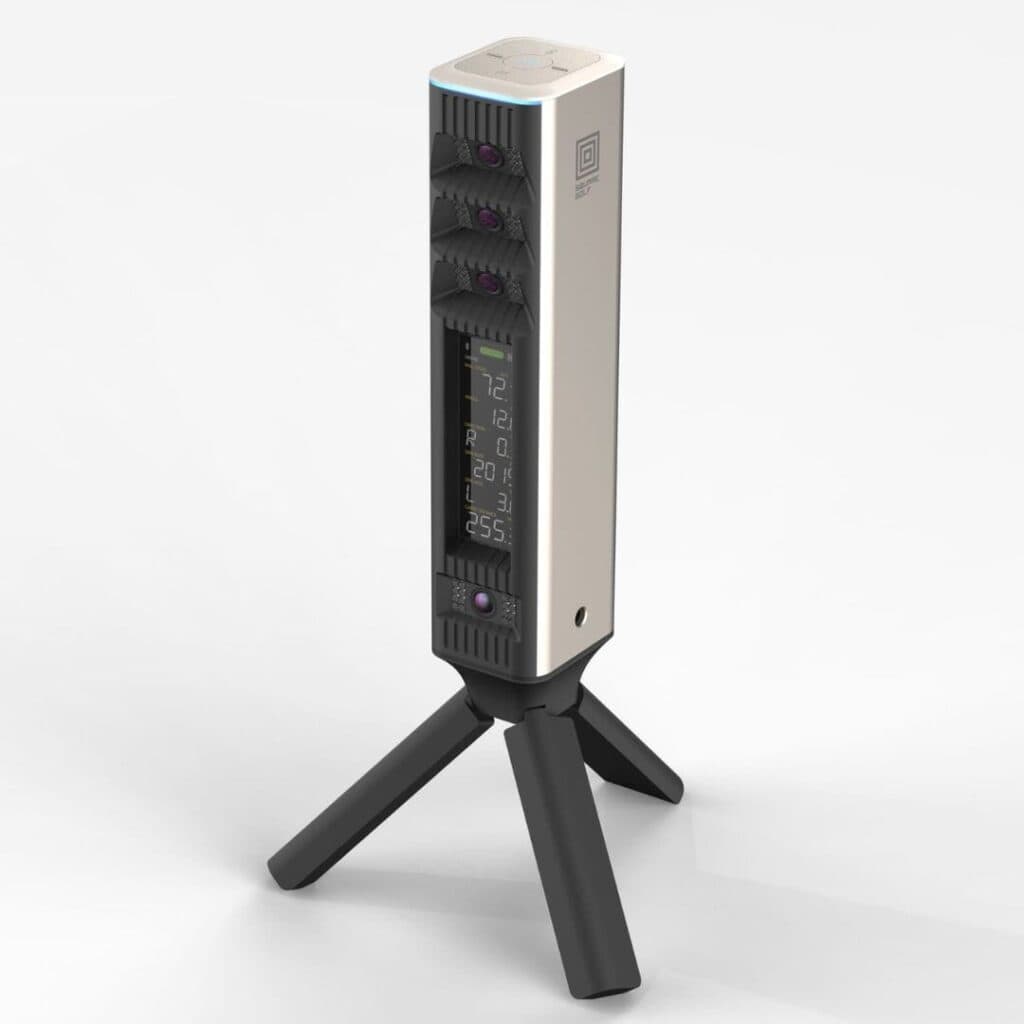
The Square Golf Omni Launch Monitor arrives as a compact, self-contained unit designed for golfers who want photometric tracking without subscriptions. We examined its initial presentation, build, and setup process to assess how it compares to other mid-tier launch monitors in its category.
Unboxing and Build Quality
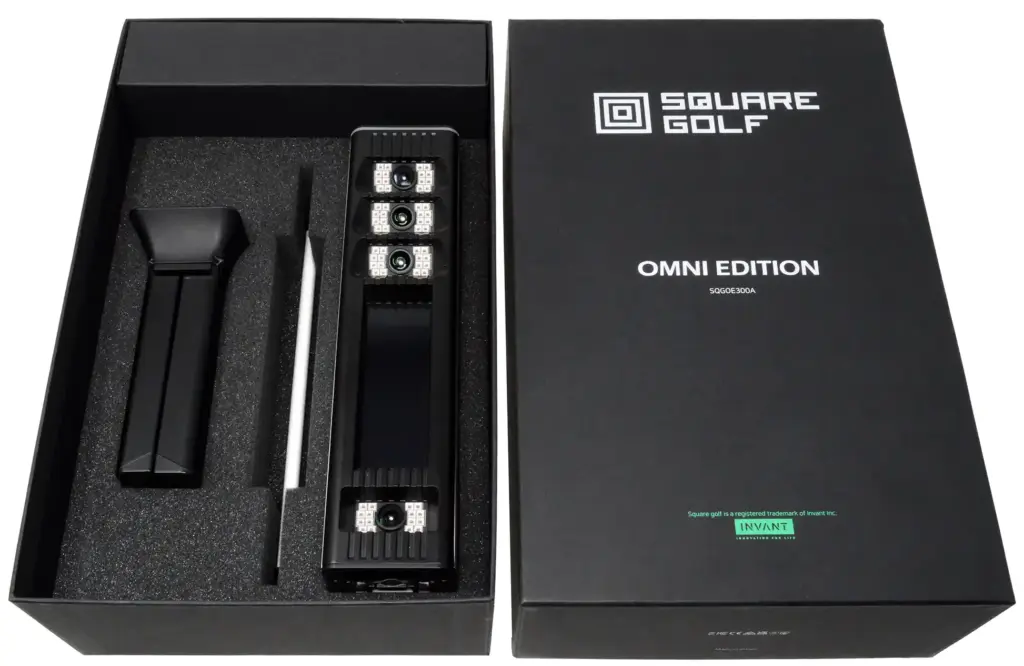
The Omni ships in a sturdy, foam-lined case that protects the unit during transport. Inside, the launch monitor sits secured in custom-cut foam, with accessories, power cable, alignment tools, and a quick-start guide, neatly organized in a separate compartment. The build quality feels solid, with a matte-black finish that resists fingerprints and scuffs. The unit’s weight (11.9998 lbs) strikes a balance between stability and portability, making it easy to move between indoor and outdoor setups without feeling flimsy.
- Packaging: Foam-lined case with secure compartments for accessories
- Materials: Matte-black plastic exterior with metal-reinforced camera housing
- Accessories: Power cable, alignment tools, quick-start guide
Physical Design and On-Unit Display
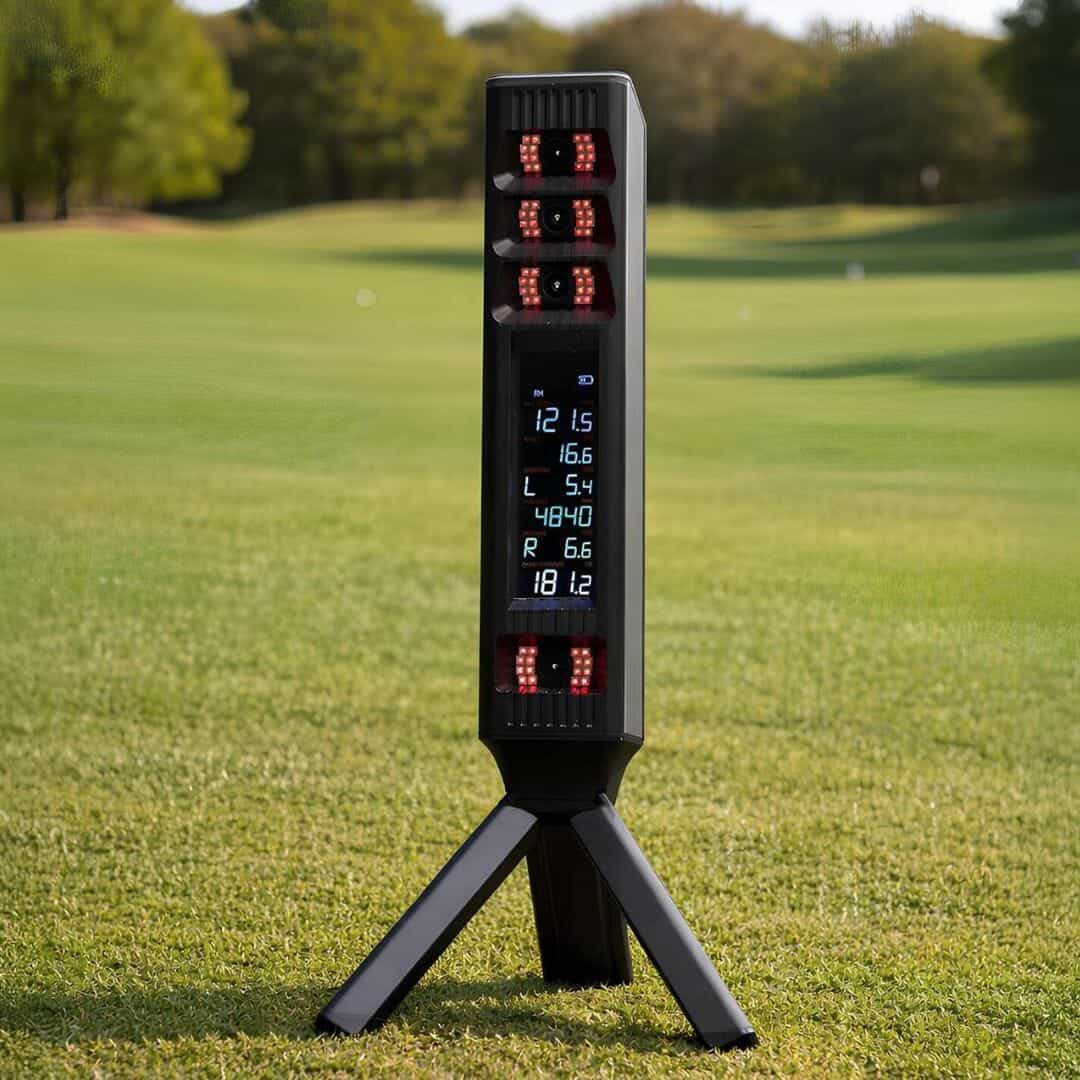
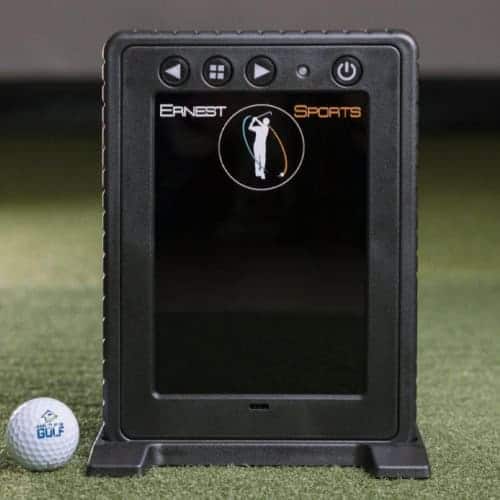
The Omni’s design prioritizes functionality over flash. The front panel houses a 4.3-inch touchscreen display that shows real-time ball and club data, eliminating the need for a separate tablet or phone during practice. The screen is bright enough for indoor use but may require shade in direct sunlight. Four photometric cameras are positioned at the base, angled to capture ball and club data without obstructing the hitting area. The unit’s compact footprint (12.5 x 8.5 x 3 inches) fits easily on a hitting mat or tripod, though its low profile means taller golfers may need to adjust their stance slightly to avoid blocking the cameras.
- Display: 4.3-inch touchscreen for real-time data
- Camera placement: Four photometric cameras at the base
- Dimensions: 12.5 x 8.5 x 3 inches (L x W x H)
Initial Setup and Alignment
Setting up the Omni is straightforward, with alignment taking less than five minutes for first-time users. The quick-start guide walks through positioning the unit 12–16 inches behind the ball, using the included alignment tool to ensure the cameras are level and centered. The touchscreen guides users through a calibration process, prompting them to hit a few shots to verify tracking accuracy. Unlike some photometric monitors that require precise lighting conditions, the Omni adapts well to most indoor environments, though bright overhead lights or direct sunlight can interfere with camera performance. Once aligned, the unit holds its position securely, even on uneven surfaces.
- Alignment time: Under 5 minutes
- Positioning: 12–16 inches behind the ball
- Calibration: Guided on-screen process with test shots
Performance and Features
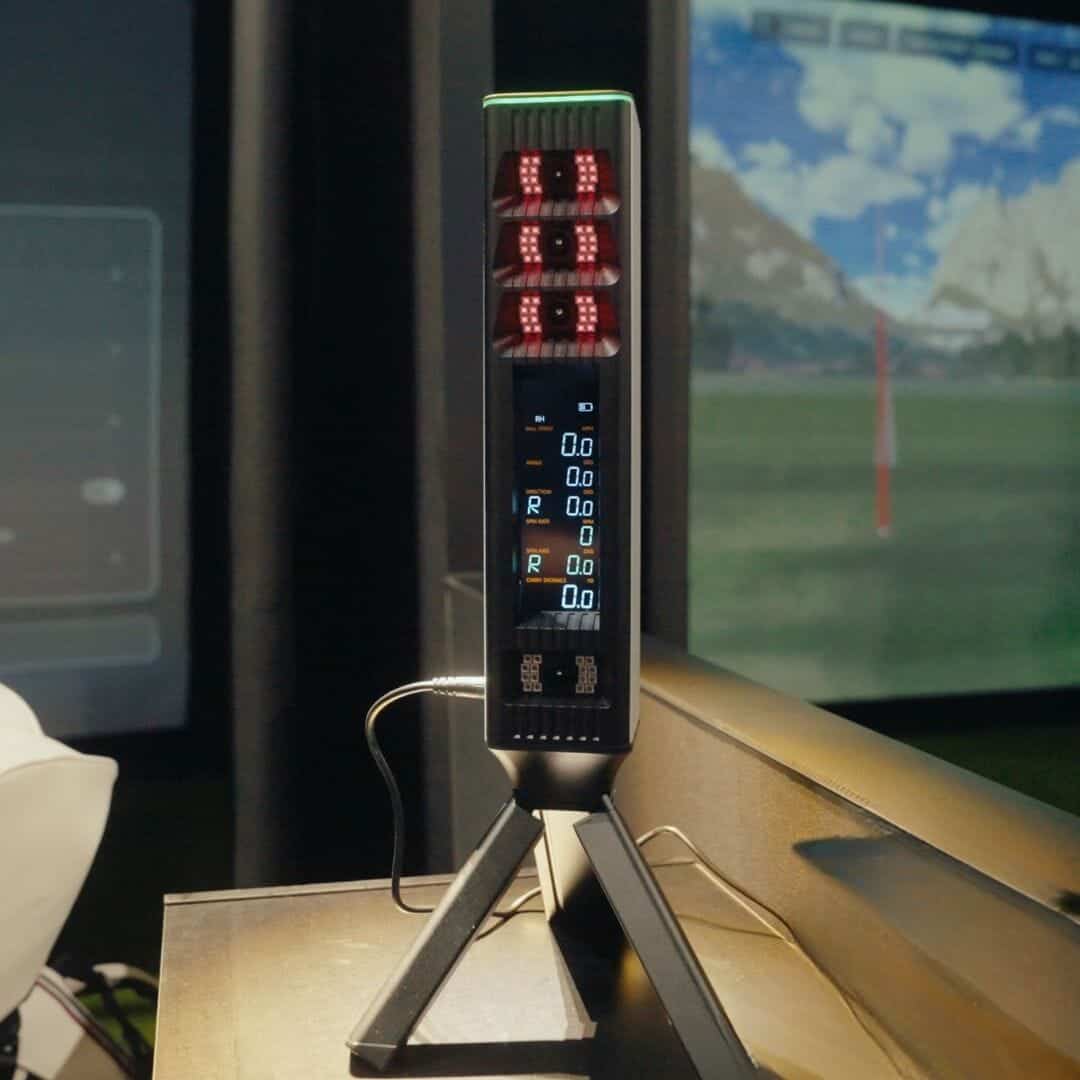
The Square Golf Omni Launch Monitor delivers a balance of accuracy and versatility for golfers who want data-driven practice without subscriptions. Its four-camera photometric system captures key metrics indoors and outdoors, though performance varies by setting. We’ll break down how it measures up in real-world use cases and what trade-offs buyers should consider.
Four-Camera Photometric System Accuracy
The Omni uses four photometric cameras to track ball and club movement at impact. This setup is designed to minimize interference from ambient light, a common issue with single-camera systems. In indoor environments, the cameras capture spin rates, launch angles, and ball speed with consistency comparable to higher-priced photometric monitors. Outdoors, however, bright sunlight can occasionally disrupt readings, particularly for spin data. Users report that positioning the unit in partial shade or using a mat with a dark hitting surface improves reliability.
Accuracy for ball speed and launch angle remains strong in most conditions, but spin measurements outdoors may fluctuate by 5–10% compared to indoor results. For golfers prioritizing indoor simulator practice, this limitation is less critical. Those relying on the Omni for outdoor range sessions should calibrate expectations for spin consistency.
Indoor vs. Outdoor Practice Versatility
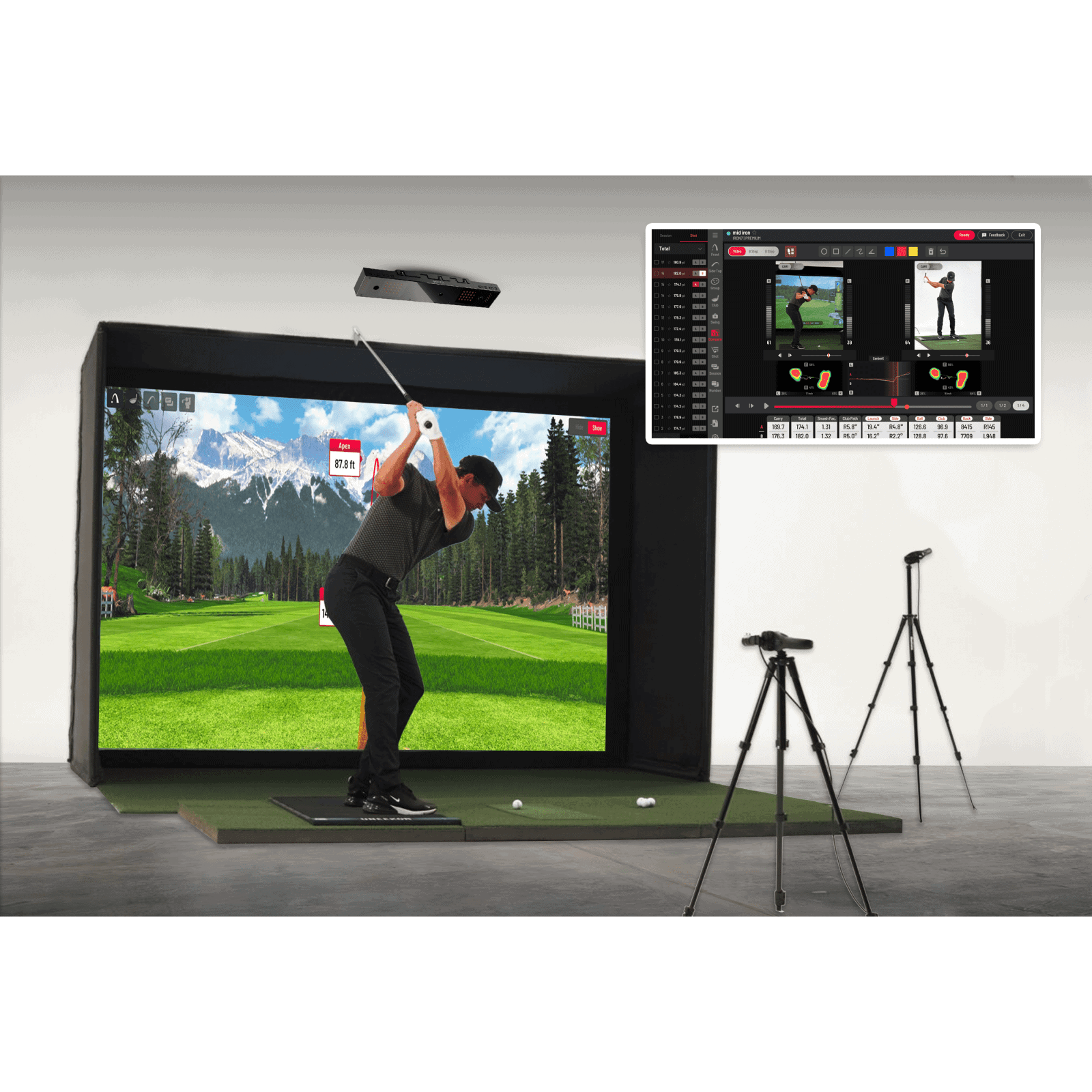
The Omni is one of the few photometric launch monitors rated for both indoor and outdoor use. Its compact design and built-in display make it easy to transport between settings. Indoors, it integrates seamlessly with simulator software like E6 Connect and The Golf Club 2019, providing a full virtual experience. The on-unit display also allows for standalone practice without a connected device, a feature missing in many competitors.
Outdoors, the Omni’s performance depends on lighting and surface conditions. While it tracks basic metrics like carry distance and smash factor reliably, advanced club data (e.g., face angle, path) requires club stickers. Without them, the system defaults to ball-only metrics, limiting its utility for swing analysis. Golfers who split time between indoor simulators and outdoor ranges will appreciate the flexibility, but those focused solely on outdoor practice may find radar-based alternatives more consistent.
Ball and Club Data Parameters
The Omni tracks 16 ball and club parameters, including:
- Ball speed, launch angle, and spin rate
- Carry distance and total distance
- Smash factor and club speed
- Face angle and club path (with stickers)
- Impact location mapping (with stickers)
For ball data, the Omni matches the depth of similarly priced launch monitors. Club data, however, is sticker-dependent. Without stickers, users lose access to face angle, path, and impact location, key metrics for swing correction. This trade-off reduces the Omni’s appeal for golfers who dislike applying stickers to each club. Competitors like the FlightScope Mevo Gen2 (which replaced the Mevo+) offer radar-based club tracking without stickers once you add the Pro Package, though at a higher cost.
Club Stickers and Impact Location Mapping
The Omni’s club data relies on reflective stickers placed on the clubface. These stickers enable the cameras to capture face angle, path, and impact location with precision. The system includes a pack of stickers and a template for easy application, but frequent use can wear them down, requiring replacements. Golfers who switch clubs often or play in wet conditions may find the stickers cumbersome.
Impact location mapping visualizes where the ball contacts the clubface, a useful tool for diagnosing mishits. The Omni’s display shows a heatmap of strike patterns, helping users identify consistency issues. While not as detailed as high-end systems like TrackMan, it provides actionable feedback for swing adjustments. For coaches or fitters, this feature adds value, but casual golfers may prioritize convenience over granular data.
Software and Simulator Compatibility
The Square Golf Omni Launch Monitor delivers more than just hardware accuracy, it integrates with simulation software to create a full virtual golf experience. Compatibility determines whether you can play courses, analyze swings, or connect to third-party platforms. We’ll cover what’s included and how it fits into your setup.
Included Courses and Virtual Play
The Omni comes with 39 pre-loaded courses: 27 standard and 12 rotating options. These courses are ready to play out of the box, with no additional purchase or subscription required. The selection includes well-known public and resort layouts, giving home golfers a variety of virtual rounds without leaving the simulator room.
The on-unit display shows basic ball and club data, but for full-course play, you’ll need to connect the Omni to a compatible simulator software. The built-in courses are designed for casual play rather than competitive simulation, making them ideal for practice or fun rounds with friends.
Third-Party Simulator Connections
For third-party simulator software, the Square Golf Omni officially supports E6 Connect, Awesome Golf, and GSPro. GSPro requires its own subscription and Open API license, while Square Golf provides the connector for linking the Omni to GSPro.
We have not personally tested the Omni with The Golf Club 2019, and it is not listed among Square Golf’s officially supported third-party platforms. However, some users have reported experimenting with third-party or unofficial connection methods. Because these methods are not officially supported or verified by our team, compatibility and reliability may vary, particularly after software or firmware updates.
If TGC 2019 is important to you, we recommend confirming the current connection method with Square Golf or the relevant simulator community before purchasing.
No-Subscription Model Benefits
Unlike many launch monitors that require annual fees for full software access, the Omni operates on a no-subscription model. All included courses and basic data tracking are available without recurring costs. This makes it a strong choice for golfers who want to avoid ongoing expenses after the initial purchase.
The no-subscription approach also means you own the software outright, with no risk of losing access if you stop paying. For those comparing options, the Omni stands alongside other launch monitors without annual fees, offering a balance of affordability and functionality. The trade-off is fewer premium courses compared to subscription-based systems, but for many home golfers, the included selection is sufficient for regular play.
Square Golf Omni vs. Competitors
The Square Golf Omni Launch Monitor competes in a crowded mid-tier photometric segment. We compare it against three direct alternatives to highlight where it fits, and where it falls short.
Square Golf Omni vs. Square Golf Home Edition
The Square Golf Home Edition is the Omni’s smaller sibling, designed for tighter budgets and spaces. Both use four photometric cameras, but the differences lie in portability and software.
- Display: The Omni includes an on-unit display for real-time data; the Home Edition requires a connected device.
- Courses: The Omni ships with 27 standard and 12 rotating courses, while the Home Edition offers fewer preloaded options.
- Weight: At 12 lbs, the Omni is nearly twice as heavy as the Home Edition, making it less ideal for frequent travel.
- Use case: The Omni suits golfers who want standalone operation and more course variety, while the Home Edition targets those prioritizing affordability and compactness.
Square Golf Omni vs. Uneekor i Mini Core
The Uneekor i Mini Core is another photometric launch monitor, but it leans toward higher-end accuracy and integration. Both work indoors and outdoors, but the i Mini Core adds features for serious simulators.
- Camera count: The i Mini Core uses two high-speed cameras, while the Omni relies on four standard photometric cameras.
- Software: The i Mini Core integrates with third-party simulation software like E6 Connect and TGC 2019; the Omni’s software is proprietary.
- Data depth: The i Mini Core tracks additional metrics like spin loft and dynamic loft, which the Omni omits.
- Setup: The Omni’s on-unit display simplifies standalone use, while the i Mini Core often requires a connected PC or tablet.
For golfers who need advanced metrics and software flexibility, the i Mini Core is the stronger choice. The Omni, however, offers a simpler, more portable solution with built-in course access.
Square Golf Omni vs. FlightScope Mevo Gen 2
The FlightScope Mevo Gen 2 is a Doppler radar-based launch monitor, making it a fundamentally different technology from the Omni’s photometric approach. This difference shapes their strengths and trade-offs.
- Tracking method: The Mevo Gen 2 uses radar, which excels outdoors but can struggle with indoor accuracy. The Omni’s photometric cameras perform consistently in both settings.
- Portability: The Mevo Gen 2 is lighter (under 2 lbs) and more compact, while the Omni’s 12 lbs and larger footprint limit travel convenience.
- Data output: The Mevo Gen 2 provides spin rate and spin axis data, which the Omni does not track.
- Software: Both include proprietary apps, but the Mevo Gen 2 supports more third-party integrations.
The Mevo Gen 2 is the better option for outdoor range sessions or golfers who prioritize spin data. The Omni, however, is the more reliable choice for indoor simulators and those who want a no-fuss, all-in-one device.
Pros and Cons
The Square Golf Omni Launch Monitor balances versatility and simplicity for golfers who want data without ongoing costs. We evaluated its strengths and limitations based on its design, user feedback, and how it compares to other photometric systems.
What We Liked
- Indoor and outdoor use: The Omni works in both settings, making it one of the few photometric monitors that doesn’t lock users into a single environment. This flexibility suits golfers who practice at home but also want to use it at the range or in a backyard setup.
- No subscription required: Unlike many launch monitors that gate data or software behind monthly fees, the Omni provides full access to its metrics and third-party simulation software out of the box. This aligns with its positioning as a cost-effective alternative to subscription-based models.
- On-unit display: The built-in screen shows ball speed, club speed, carry distance, and other key metrics without requiring a phone or tablet. This reduces setup time and keeps the focus on practice, especially for quick sessions.
- Four-camera photometric system: The setup captures detailed data at impact, which is ideal for indoor use where ball flight is shorter. Photometric technology also tends to be more accurate for spin and launch angle measurements in controlled lighting conditions.
- Impact location mapping: When used with the included clubface stickers, the Omni maps where the ball contacts the clubface. This feedback helps golfers diagnose mishits and improve consistency, a feature often missing in budget-friendly monitors.
What Could Be Improved
- Sticker dependency for club data: The Omni requires shaft and clubface stickers to track full club metrics, including path and angle of attack. While the stickers are included, they add a step to setup and may wear out over time, requiring replacements.
- Outdoor spin accuracy: Early user reports suggest the Omni’s spin measurements are less reliable outdoors compared to indoor use. Photometric systems can struggle with ambient light and longer ball flights, which may limit its effectiveness for outdoor practice sessions.
- Limited long-term track record: As a newer product from Shop Indoor Golf, the Omni lacks the years of user testing and refinements found in established brands like Foresight or TrackMan. This makes it harder to assess its durability or how well it will hold up to frequent use.
- Lighting and alignment sensitivity: Photometric monitors, including the Omni, can be finicky about lighting conditions and alignment. Users may need to experiment with positioning to get consistent readings, particularly in spaces with uneven lighting or glare.
- Fewer ecosystem features: The Omni doesn’t integrate as seamlessly with other golf tech (e.g., swing analyzers, training aids) as some premium competitors. Golfers looking for a monitor that doubles as a hub for other tools may find its ecosystem limited.
Where to Buy and Price
The Square Golf Omni Launch Monitor offers a mid-tier photometric option for golfers who want accurate data without subscription fees. Its price and availability determine whether it fits your budget and setup plans. Below, we break down its cost relative to competitors and where to purchase it reliably.
Pricing and Value Assessment
At $1,599, the Omni sits in the upper mid-range for photometric launch monitors. This places it below high-end radar units like TrackMan but above entry-level options such as the Rapsodo MLM2PRO. For golfers prioritizing no-subscription tracking, the Omni competes directly with other photometric models in its price bracket. Its four-camera system and on-unit display justify the cost for users who need portable, indoor-outdoor compatibility without recurring software fees.
Compared to alternatives in the best launch monitors under $2,000, the Omni stands out for its included course library (27 standard and 12 rotating courses) and direct data readout. These features reduce the need for additional hardware or paid upgrades, which can add hidden costs to other systems. Prices are accurate at the time of writing and are subject to change.
The table below lists authorized retailers for the Square Golf Omni Launch Monitor. Purchasing from these sources ensures warranty coverage and access to customer support. Avoid third-party marketplaces that may not honor returns or provide technical assistance.
For those integrating the Omni into a full simulator setup, verify compatibility with your existing enclosure, hitting mat, and software. Some retailers offer bundle discounts when pairing the launch monitor with nets or screens, which can improve value for home users.
Frequently Asked Questions
Does the Square Golf Omni require a subscription?
No, the Square Golf Omni does not require a subscription. All data tracking and course access come with the purchase, avoiding recurring fees. This makes it a practical choice for golfers who prefer one-time costs over ongoing payments.
Can it be used both indoors and outdoors?
Yes, the Square Golf Omni works indoors and outdoors. Its four photometric cameras capture data reliably in different lighting conditions. This versatility suits golfers who train at home or on the range.
What club and ball data does it track?
The Square Golf Omni tracks ball speed, launch angle, spin rate, carry distance, and club path. It also measures impact location and clubhead speed. Data appears on the on-unit display for immediate review.
What stickers are required to unlock club data?
Reflective stickers must be applied to the clubface to track club data. These stickers come with the unit and are necessary for capturing club path and face angle. Without them, the monitor tracks only ball data.
Is it compatible with GSPro?
Yes, the Square Golf Omni works with GSPro. This lets users play virtual courses and practice in a simulated environment. Setup is simple, making it a good option for golfers who want to combine practice and gameplay.
Final Verdict
The Square Golf Omni Launch Monitor stands out as a rare no-subscription photometric option that works both indoors and outdoors. We found its four-camera system delivers reliable ball data without tying users to ongoing fees, a key advantage over many radar-based alternatives. The built-in display simplifies setup, while impact mapping with stickers adds useful club-level feedback, though the sticker requirement may frustrate some golfers. Performance indoors is solid, but outdoor spin consistency remains a question mark based on early user reports.
For golfers prioritizing affordability without subscriptions, the Omni is a strong contender, especially if you value photometric precision over radar’s outdoor advantages. Those needing seamless outdoor spin data or long-term brand track records might prefer established names like FlightScope or Garmin, despite their higher costs. The lack of mandatory software unlocks also makes it easier to integrate with third-party simulators like E6 or GSPro.

Blatantly false information it absolutely does not integrate with TGC 2019 software.
Thanks for catching this, and you’re right that our wording was too definitive. We did not personally test the Omni with TGC 2019, and it is not listed as an officially supported platform.
The error came from an outdated software-compatibility note in our editorial draft, which incorrectly stated that TGC 2019 was supported. Some users have reported trying unofficial connection methods, but we should have clearly labeled those as unverified rather than presenting TGC 2019 as a direct integration. We’ve corrected the section, sorry for the confusion, and thanks for holding us accountable.