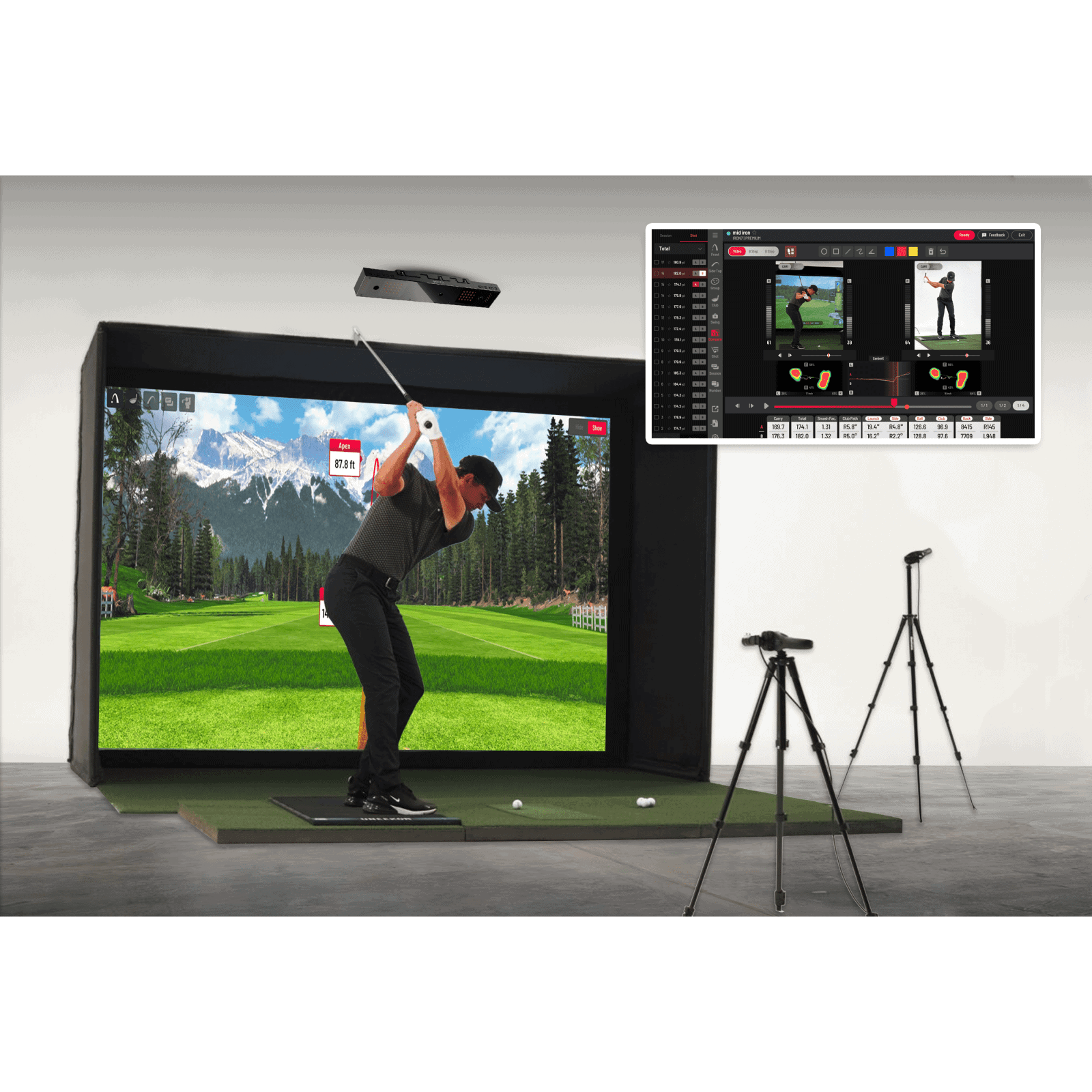


Ceiling-mounted launch monitors keep your simulator floor clear, but most still force you to stick markers on every ball. The ProTee VX changes that. We tested this photometric system in a permanent home setup and found it delivers sticker-free ball and club data without sacrificing accuracy. Its dual high-speed cameras and AI processing track spin, speed, and path from an overhead position, so you can swing any premium ball straight from the box.
Installation isn’t plug-and-play, you’ll need a wired connection and solid ceiling mounting, but the payoff is a clean hitting zone and consistent readings. In our review, we compare the VX against portable radar units and other ceiling-mounted competitors, break down its key features, and highlight where it falls short. If you’re building a dedicated sim room and want overhead tracking without the hassle of ball stickers, this guide shows whether the ProTee VX is the right fit for your setup. If readings drift, see fixing inconsistent ProTee shot reads.
First Impressions
The ProTee VX launch monitor arrives as a ceiling-mounted solution for golfers who want accurate ball and club data without stickers or markers. Unlike floor-based systems, it keeps the hitting area clear while delivering precise measurements. We found its design unobtrusive yet sturdy, blending into most simulator setups without dominating the space.
Unboxing and Build Quality
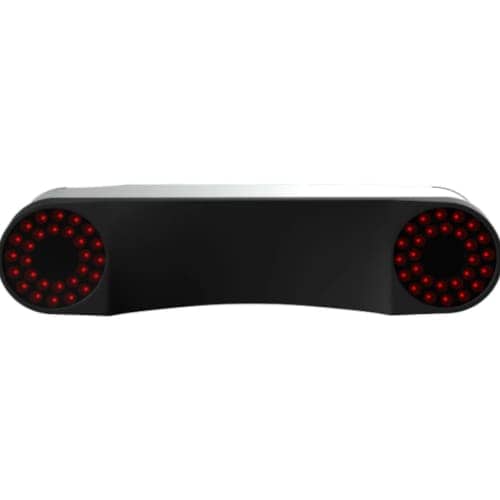
The ProTee VX ships in a compact, well-protected package. Inside, the main unit, mounting hardware, and cables are organized efficiently. The build quality stands out immediately, solid aluminum housing and precision-machined components suggest long-term reliability. The dual high-speed cameras are securely mounted, with no visible play or misalignment.
Key unboxing notes:
- The main unit measures approximately 12 x 8 x 4 inches, smaller than many competitors
- Includes all necessary mounting brackets and screws for standard ceiling joists
- Wired connection requires careful cable routing during installation
The included documentation is clear, with step-by-step diagrams for assembly. We noticed the power supply is external, which simplifies internal electronics but adds one more component to manage during setup.
Ceiling-Mount Installation and Room Requirements
Installing the ProTee VX requires careful planning. The ceiling mount positions the unit 9 to 10 feet above the hitting surface, with a recommended minimum room height of 9.5 feet. The system needs a clear line of sight to the ball and club, so obstructions like ceiling fans or light fixtures must be avoided.
Room requirements:
- Minimum ceiling height: 9.5 feet (10 feet recommended for taller golfers)
- Floor space: At least 10 x 15 feet for comfortable swinging
- Hitting zone: Centered under the unit, with 3 feet of clearance on all sides
- Power and connectivity: Nearby outlet for the power supply and wired connection to a PC or simulator
The mounting process involves securing the bracket to ceiling joists, then attaching the unit. Alignment is critical, even a slight tilt can affect data accuracy. The system includes a laser alignment tool to simplify this step. Once mounted, the unit’s adjustable arms allow fine-tuning the camera angles for optimal coverage.
For golfers with lower ceilings, the ProTee VX may not be the best fit. However, those with dedicated simulator rooms will appreciate how the ceiling mount keeps the floor uncluttered, allowing for a more natural swing.
Performance and Key Features
The ProTee VX launch monitor delivers precise data tracking through its advanced camera system and AI-driven analysis. Designed for golfers who want accurate metrics without disrupting their swing, it eliminates common frustrations like ball stickers while maintaining compatibility with popular simulator software. Below, we break down its core performance features and how they benefit different setups.
Dual High-Speed Photometric Camera System
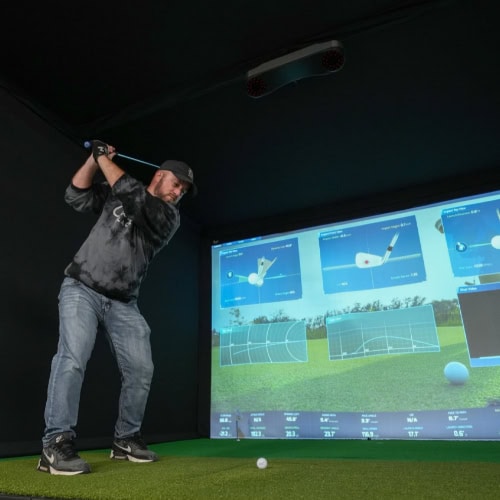
The ProTee VX uses two ceiling-mounted high-speed cameras to capture ball and club movement at 1,000 frames per second. This dual-camera setup ensures redundancy, reducing occlusion issues that single-camera systems sometimes face. The cameras track the ball’s flight from impact through the first few feet, while AI algorithms calculate spin, launch angle, and speed with minimal latency. For golfers using overhead mounting, this system keeps the hitting area clear, which is especially useful in compact simulator rooms.
Sticker-Free Ball and Club Path Data Tracking
Unlike radar-based launch monitors that often require ball stickers for accurate spin readings, the ProTee VX tracks both ball and club data without any markers. Its photometric cameras analyze the ball’s dimple pattern and clubface movement directly, providing reliable metrics like clubhead speed, face angle, and path. This feature is particularly valuable for golfers who prioritize a natural feel during practice sessions. For more options focused on club data, our guide on the best launch monitors for club data covers alternatives with similar capabilities.
Software Compatibility and Integrations
The ProTee VX integrates seamlessly with leading golf simulator software, including TGC 2019, E6 Connect, and ProTee Play. This flexibility allows users to choose their preferred simulation environment without sacrificing data accuracy. The system also supports video feedback, letting golfers review their swing mechanics alongside the tracked metrics. For those building a full simulator setup, the ProTee VX’s compatibility with overhead mounting makes it a strong candidate, especially when paired with enclosures or nets designed for ceiling-mounted launch monitors. If you’re comparing options for a complete system, our article on the best launch monitors for a golf simulator system provides additional context.
ProTee VX vs Competitors
The ProTee VX launch monitor competes in a crowded field of photometric systems, each targeting golfers who want sticker-free ball and club data without floor-mounted hardware. Its ceiling-mounted design and dual-camera setup set it apart from some competitors, but how does it stack up against the market leaders? We compare it to two key alternatives to highlight where it excels and where it falls short.
ProTee VX vs Uneekor EYE XO2
Both the ProTee VX and Uneekor EYE XO2 use ceiling-mounted photometric cameras to capture ball and club data, but their approaches differ in key ways:
- Camera placement and coverage: The EYE XO uses three cameras to cover a wider hitting zone, while the ProTee VX relies on two cameras with AI algorithms to compensate. This makes the EYE XO more forgiving for off-center hits but requires more ceiling space.
- Data output: The ProTee VX provides 27 data parameters, including club path, face angle, and impact location. The EYE XO offers 24, with slightly less granularity in club data but more detailed spin measurements.
- Software integration: The EYE XO includes Uneekor’s in-house software, which supports multiplayer modes and course play. The ProTee VX integrates with third-party software like GSPro and TGC 2019, giving users more flexibility but requiring separate purchases.
- Installation: The ProTee VX’s dual-camera setup is simpler to install than the EYE XO’s three-camera system, making it a better fit for smaller rooms or DIY setups.
For golfers who prioritize software versatility and easier installation, the ProTee VX is the stronger choice. However, those who want wider hitting zone coverage and built-in software may prefer the EYE XO.
ProTee VX vs Trackman iO
The Trackman IO is a premium radar-based launch monitor with a ceiling-mounted design, making it a direct competitor to the ProTee VX in the high-end home simulator market. Here’s how they compare:
- Technology: The Trackman iO uses Doppler radar, which tracks ball flight outdoors and indoors, while the ProTee VX relies on photometric cameras. Radar systems like Trackman are generally more accurate for ball flight data, especially in outdoor settings, but the ProTee VX’s AI-driven photometric system closes the gap indoors.
- Data parameters: Trackman iO provides 40+ data points, including advanced metrics like spin axis and descent angle. The ProTee VX offers 27, focusing on core ball and club data. For most home users, the ProTee VX’s data is sufficient, but serious players may prefer Trackman’s depth.
- Connectivity: The ProTee VX requires a wired connection, while the Trackman iO supports wireless connectivity, reducing cable clutter. However, the ProTee VX’s wired setup ensures stable data transmission without latency.
- Use case: The Trackman iO is designed for both indoor and outdoor use, making it a better choice for golfers who want a single system for all environments. The ProTee VX is optimized for dedicated indoor simulator rooms and excels in that setting.
For golfers who need outdoor compatibility or advanced ball flight metrics, the Trackman iO is the superior option. But for those focused on indoor performance and sticker-free data, the ProTee VX offers a compelling alternative at a lower cost. The ProTee VX is one of several options worth weighing against TrackMan.
Pros and Cons
The ProTee VX launch monitor offers a mix of advanced features and practical considerations for golf simulator users. Below, we break down what stands out and where there’s room for improvement.
What We Liked
The ProTee VX excels in several areas that make it a strong choice for dedicated simulator setups:
- No stickers or special balls required: Unlike many launch monitors, the ProTee VX uses dual high-speed cameras and AI algorithms to track ball and club data without the need for reflective stickers or proprietary golf balls. This simplifies setup and ensures a more natural swing experience.
- Ceiling-mounted design: The monitor mounts above the hitting area, keeping the floor clear of trip hazards and reducing clutter. This design is ideal for permanent or semi-permanent simulator installations.
- Compatibility with major software: The ProTee VX integrates seamlessly with popular golf simulator software platforms, including E6 Connect, TGC 2019, and FSX 2020. This flexibility allows users to choose their preferred simulation experience.
- Real-time feedback: The system provides instant ball and club data, including launch angle, spin rate, and club path. This feedback is valuable for players looking to refine their technique or analyze their performance.
- No subscription fees: Unlike some competitors, the ProTee VX does not require ongoing subscriptions for data access or software updates, making it a cost-effective long-term solution.
What Could Be Improved
While the ProTee VX offers impressive features, there are a few limitations to consider:
- Wired connection requirement: The monitor relies on a wired connection for data transfer, which may limit placement options or require additional cable management solutions. Wireless alternatives could offer more flexibility.
- Minimum ceiling height: The system requires at least 9 feet of ceiling clearance to function properly. Rooms with lower ceilings may not be compatible, restricting installation options for some users.
- No outdoor use: The ProTee VX is designed exclusively for indoor use. Golfers who want to practice outdoors or in open spaces will need to explore other launch monitor options.
Where to Buy and Price
The ProTee VX launch monitor is sold through authorized golf simulator retailers. Since it mounts to the ceiling, buyers often purchase it alongside full simulator packages. Vendors that offer installation support can help streamline setup. The table above shows current purchasing options from verified sellers.
Pricing and Value Assessment
The ProTee VX costs $6,500. Prices are accurate at the time of writing and are subject to change. This places it in the mid-to-high range for photometric launch monitors, but it eliminates ongoing costs by requiring no annual subscription. Over time, this can make it a more economical choice compared to models with recurring fees.
The ceiling-mounted design frees up floor space, which is useful in dedicated home simulator rooms. Wired connectivity removes concerns about battery life or sensor alignment. For golfers who want sticker-free ball and club data, the overhead setup avoids common frustrations with ground-based systems.
If you’re comparing options, the ProTee VX stands out for its lack of subscription fees. Other launch monitors without annual costs may offer similar data accuracy, but few combine this with a ceiling-mounted form factor. The AI-driven tracking also reduces the need for manual adjustments, saving time during practice sessions.
Frequently Asked Questions
Does the ProTee VX need club stickers or marked balls?
No, the ProTee VX does not require club stickers or marked balls. It uses dual high-speed cameras and AI algorithms to track ball and club data without physical markers. This makes it more convenient for golfers who prefer a sticker-free experience.
Is the ProTee VX subscription-based?
No, the ProTee VX does not require a subscription. All data tracking and software integration are included with the purchase, eliminating ongoing costs for basic functionality.
What software does the ProTee VX work with?
The ProTee VX is compatible with popular golf simulation software, including ProTee Play, E6 Connect, and TGC 2019. It connects via a wired setup, ensuring stable performance during gameplay.
Is the ProTee VX portable?
The ProTee VX is designed as a ceiling-mounted system, making it less portable than floor-based alternatives. It’s best suited for dedicated home simulator rooms where permanent installation is feasible.
How much ceiling height does the ProTee VX need?
The ProTee VX requires a minimum ceiling height of 9 feet to function properly. This ensures the dual cameras capture the Full Swing Kit path and ball flight without obstruction. Taller ceilings may be needed for players with higher swing arcs.
Final Verdict
The ProTee VX launch monitor delivers a unique ceiling-mounted solution for golfers who want accurate ball and club data without stickers or markers. Its photometric camera system and AI-driven tracking provide reliable metrics, making it a strong choice for dedicated simulator setups. However, its wired connection and installation requirements may limit flexibility for some users.
Who Should Buy the ProTee VX?
The ProTee VX is ideal for golfers who:
- Want sticker-free tracking for both ball and club data without manual adjustments.
- Prefer a ceiling-mounted system to keep the floor clear and maintain a clean hitting area.
- Have a dedicated simulator room with sufficient ceiling height and space for installation.
- Need wired connectivity for stable data transmission without latency issues.
- Are setting up a permanent simulator and don’t require portability.
This monitor suits players who prioritize accuracy and a clutter-free setup over mobility. Its dual high-speed cameras and AI algorithms ensure consistent performance, making it a solid investment for serious golfers.
Who Should Look Elsewhere?
The ProTee VX may not be the best fit for:
- Golfers who need a portable or temporary setup, its ceiling-mounted design requires permanent installation.
- Those with limited ceiling height or irregular room layouts, as the system has specific spatial requirements.
- Players who prefer wireless connectivity, the wired connection may restrict placement options.
- Budget-conscious buyers looking for a lower-cost alternative, its advanced features come at a premium.
If flexibility or ease of setup is a priority, consider ground-based or portable launch monitors. For golfers who don’t need overhead mounting, other photometric or radar-based systems might offer better value.
If you’re ready to upgrade your simulator with a ceiling-mounted monitor, check current availability and bundle options in our Where to Buy section. The ProTee VX simplifies tracking without sacrificing accuracy, ideal for golfers who want to focus on their swing, not their setup.
Happy Golfing!