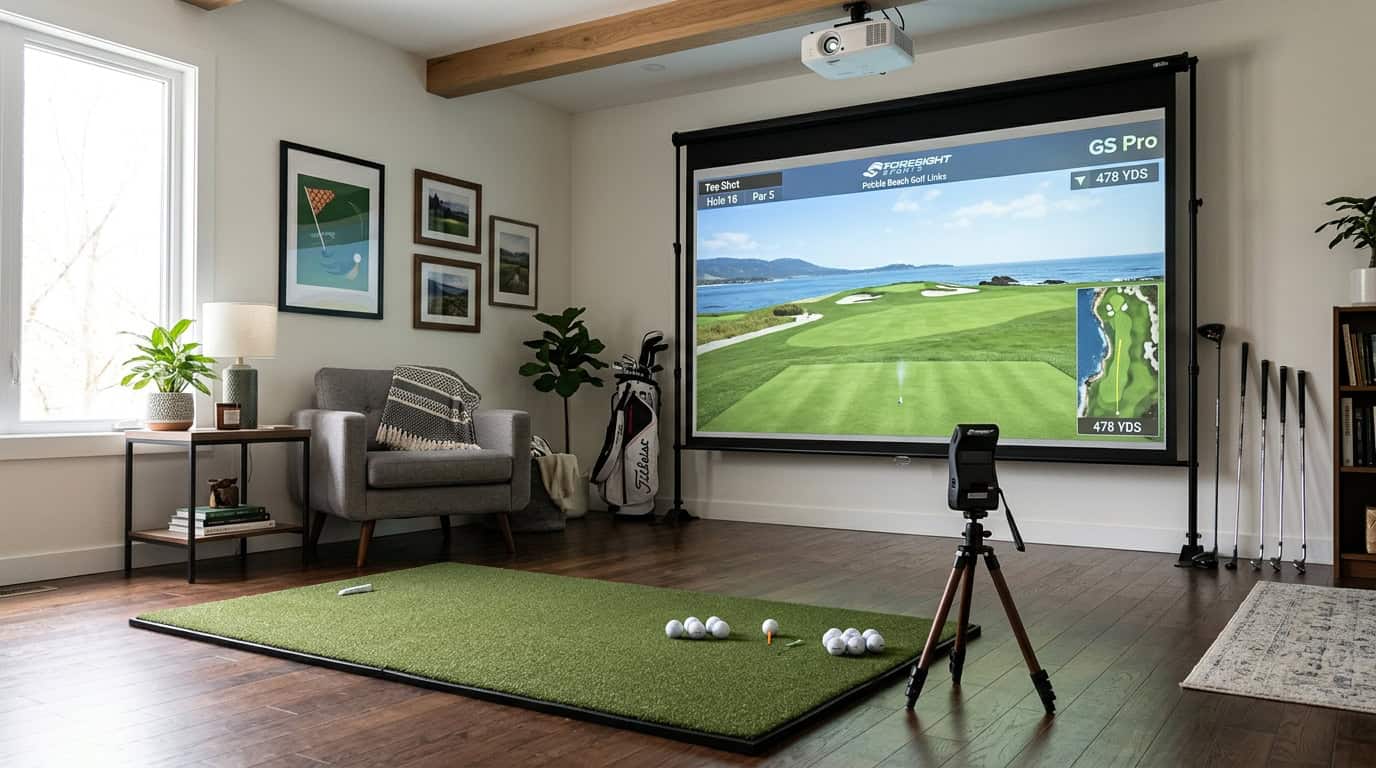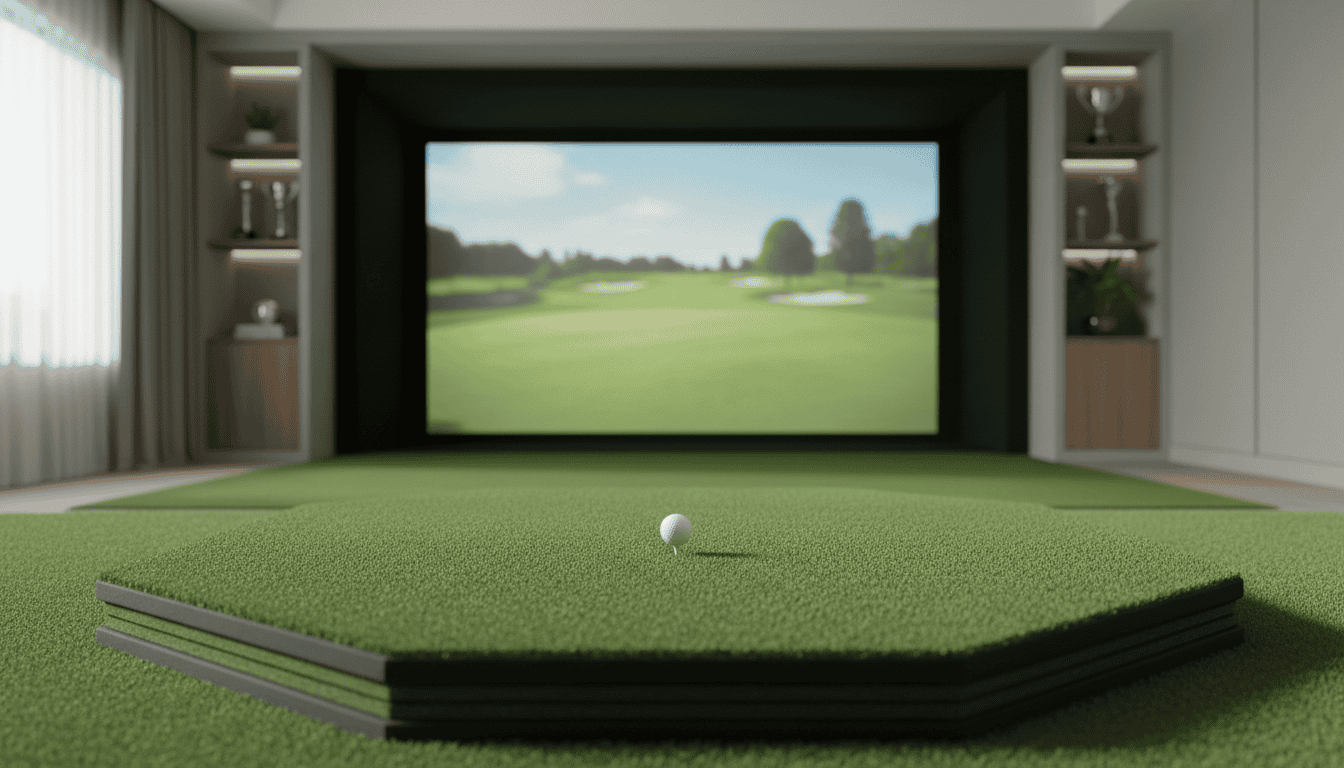
A golf simulator mat does more than protect your floor, it shapes your swing, absorbs shock, and can prevent joint pain after long practice sessions. Stand on the wrong surface, and you’ll feel every mis-hit in your knees or lower back. Choose the right one, and you’ll practice longer, swing more naturally, and reduce injury risk without sacrificing realism.
Most golfers focus on the launch monitor or projector first, only to realize later that their mat is either too thin, too slippery, or too stiff for daily use. The best mats balance three things: comfort underfoot, accurate ball feedback, and durability. Some prioritize softness for joint protection, while others mimic fairway turf for a more realistic feel. Height, size, and modular designs also matter, especially if your simulator space isn’t perfectly flat or you want to replace worn spots without buying a whole new mat.
We’ll cover which mat types work best for different needs, key features to look for, and how to avoid common mistakes that lead to buyer’s remorse. You’ll also find budget-friendly options under $500 that don’t skimp on performance. By the end, you’ll know exactly how to pick a mat that fits your swing, your simulator setup, and your body for years of comfortable practice.
Understanding Golf Simulator Mats
A golf simulator mat does more than protect your floor. It shapes your swing feedback, absorbs shock, and determines how closely your indoor practice matches real turf. The wrong mat can lead to joint strain, inconsistent ball flight, or a setup that feels nothing like a course. We evaluated mats across price points and found that comfort, performance, and injury prevention often compete, so choosing the right one means balancing these priorities.
Why Mat Choice Matters for Your Game and Body
Your mat affects three key areas:
- Swing realism: A mat that’s too soft or too firm changes how the club interacts with the surface. Hard mats can exaggerate fat shots, while overly soft mats may mask poor contact. Golfers often report noticeable differences in ball flight and club interaction when switching between mat types, with firmer mats providing more consistent feedback.
- Joint impact: Repeated practice on unforgiving surfaces increases stress on wrists, elbows, and knees. Mats with minimal shock absorption can lead to discomfort during extended sessions. Mats like the TrueStrike Academy Mat use layered foam to reduce this impact and are frequently recommended for players with joint concerns.
- Setup fit: Mats come in fixed sizes or modular designs. A mat that’s too small forces you to adjust your stance, while one that’s too large may not fit your simulator space. The SIGPRO Softy, for example, measures 5’x5’, ideal for most home setups but too compact for wider hitting areas.
Common mistakes include assuming thicker mats are always better (they can deaden feedback) or overlooking height (a mat that sits too high or low relative to your simulator’s hitting area can skew launch monitor data).
Key Factors to Consider: Comfort, Performance, and Injury Prevention
When evaluating mats, weigh these factors based on your needs:
- Comfort: Look for mats with a replaceable hitting strip or a textured surface that mimics grass grain. These features reduce fatigue during long sessions. Mats with a slight give (around 8-10mm of padding) are often reported to cause less foot soreness during extended practice.
- Performance: If you use a launch monitor, prioritize mats with a firm base layer to prevent club bounce. The Country Club Elite Real Feel uses a dual-density design, soft on top for comfort, firm underneath for accurate ball data. For realism, some mats include a divot simulation layer, which lets you take real divots without damaging the mat.
- Injury prevention: Mats with shock-absorbing foam or gel inserts (like the The Net Return Pro Turf) reduce joint stress. If you have existing joint pain, avoid mats thinner than 6mm or those with a rigid backing. For golfers with back issues, a mat that allows slight foot movement (e.g., a modular design) can help maintain posture.
For more on how mat technology has evolved, see our guide on golf simulator hitting mat technology. It explains how materials like thermoplastic elastomers and recycled rubber affect durability and feel.
Essential Considerations Before Buying
Choosing the right golf simulator mat starts with understanding your space, budget, and priorities. These three factors determine which mat will work best for your setup and practice goals. We’ll walk through each consideration with clear steps to avoid common mistakes.
Measuring Your Simulator Space and Hitting Area
Before buying a mat, measure your available space. Most simulator mats need at least 4 feet of width and 8 feet of depth for a comfortable swing. If your space is tighter, check our guide on small space golf simulator setups for compact solutions.
- Width: Ensure the mat fits side-to-side without crowding your stance. A 5-foot-wide mat works for most players, but left-handed golfers may need extra room.
- Depth: The mat should extend at least 3 feet behind the ball to accommodate follow-through. Some mats, like the Fiberbuilt Launch Monitor Studio, include a built-in hitting strip that reduces total depth needs.
- Ceiling height: Add the mat’s thickness to your simulator’s minimum height requirement. A 1-inch-thick mat raises your stance by nearly an inch, which can affect club clearance.
Leave 6–12 inches of buffer space around the mat to prevent damage to walls or furniture during practice.
For more details on optimizing your space, see our golf simulator flooring ideas guide.
Setting Your Budget for a Golf Simulator Mat
Golf simulator mats range from $100 to over $1,000. Your budget should reflect how often you’ll use the mat and what features matter most.
- Under $200: Basic turf-style mats like the The Net Return Pro Simulator Turf offer durability but limited shock absorption. These work for occasional use but may cause joint fatigue over time.
- $200–$500: Mid-range options like the Country Club Elite Real Feel balance comfort and realism. Many include replaceable hitting strips to extend the mat’s lifespan.
- $500+: Premium mats such as the TrueStrike Academy Mat provide the best shock absorption and ball response. These are ideal for frequent practice or players with joint concerns.
If you’re unsure, start with a mid-range mat. You can always upgrade later as your needs change.
Prioritizing Your Needs: Comfort, Realism, or Durability
Not all mats perform equally in these three areas. Decide which factor matters most for your practice.
- Comfort: Look for mats with thick foam backing or gel inserts. The SIGPRO Softy is designed for joint protection, reducing strain on knees and hips during long sessions.
- Realism: Mats with textured surfaces or embedded fibers mimic fairway conditions. The Carl’s HotShot uses a multi-layer design to replicate the feel of real grass.
- Durability: Heavy-duty mats with replaceable hitting strips save money long-term. The Fiberbuilt Launch Monitor Studio includes a 10-year warranty on its turf, making it a cost-effective choice for high-volume use.
If you’re recovering from an injury, prioritize comfort. For competitive players, realism may be more important. Durability is the best choice for shared setups or commercial use.
Types of Golf Simulator Mats and Their Benefits
Choosing the right golf simulator mat depends on your priorities, comfort, feedback, or durability. Different materials and designs address specific needs, from joint protection to realistic turf feel. Below, we break down the main types and their advantages.
Foam-Based Mats for Joint Comfort and Shock Absorption
Foam-based mats prioritize joint comfort and shock absorption, making them ideal for golfers with knee, hip, or back concerns. These mats use dense foam layers to cushion impact, reducing strain during repeated swings. The TrueStrike Academy Mat and SIGPRO Softy are two examples that combine foam with a textured surface to mimic grass while softening contact.
- Best for: Golfers with joint pain or those who practice for long sessions.
- Trade-off: Softer mats may lack the realistic feedback of harder surfaces, which can affect swing consistency over time.
Silicone-Based Mats for Realistic Feedback
Silicone-based mats, like the Carl’s HotShot, aim to replicate the feel of natural turf. They provide firmer feedback, which helps golfers adjust their swing mechanics more accurately. The material’s slight give mimics the resistance of real grass, offering a balance between comfort and performance.
- Best for: Golfers who prioritize realistic feedback and want to avoid the “dead” feel of foam.
- Trade-off: Less shock absorption than foam, which may increase joint fatigue during extended use.
Modular and Replaceable Hitting Strip Designs for Longevity
Modular mats, such as the Fiberbuilt Launch Monitor Studio, feature replaceable hitting strips. These designs extend the mat’s lifespan by allowing golfers to swap out worn sections instead of replacing the entire unit. The Country Club Elite Real Feel also uses this approach, combining durability with a realistic turf texture.
- Best for: Frequent users or commercial setups where longevity is critical.
- Trade-off: Higher upfront cost, though long-term savings offset this for heavy users.
Balancing Realism and Softness in Mat Feedback
The ideal mat strikes a balance between realism and softness. Mats like the The Net Return Pro Turf use a hybrid design, softer underfoot but firm enough to provide feedback. This balance helps golfers maintain swing consistency while reducing joint strain.
- Key consideration: Test mats in person if possible, as personal preference plays a big role in feel.
- Common mistake: Assuming softer mats always mean better comfort—some golfers prefer firmer feedback for accuracy.
Key Features for Performance and Injury Prevention
A golf simulator mat must do more than look like grass. It needs to protect your joints, match your simulator’s hitting area, and last through thousands of swings. The wrong mat can cause discomfort, poor feedback, or even injury over time. Below are the key features to evaluate when choosing a mat for performance and safety.
Mat Height and Simulator Fit
The height of your mat affects both swing mechanics and simulator compatibility. A mat that’s too thick or thin can create an uneven surface, forcing your club to interact with the turf at the wrong angle. This mismatch can lead to inconsistent ball flight data and increased strain on your wrists or back.
- Check the hitting area height: Measure the height of your simulator’s hitting area (e.g., the SIGPRO Softy sits at 0.5 inches, while the Fiberbuilt Launch Monitor Studio is 1.25 inches). Your mat should match this height within 0.25 inches to avoid a noticeable lip or gap.
- Modular designs: Some mats, like the Carl’s HotShot, allow you to adjust height by adding or removing layers. This flexibility helps when switching between different simulator setups.
- Common mistake: Ignoring the mat’s height relative to the hitting strip. A mat that’s too tall can cause the club to dig in, while one that’s too short may lead to fat shots or inconsistent contact.
Joint Protection and Shock Absorption Technologies
Repeated impact from golf swings can stress your knees, hips, and lower back. Mats with shock-absorbing materials reduce this strain by dispersing force away from your joints. Look for these features:
- Multi-layer construction: Mats like the TrueStrike Academy Mat use a combination of foam, rubber, and turf to absorb shock. The foam layer cushions impact, while the turf layer provides realistic feedback.
- Gel or memory foam inserts: Some premium mats, such as the Country Club Elite Real Feel, include gel pads under the hitting area to reduce vibration. These are especially useful for players with joint pain or arthritis.
- Density and firmness: Softer isn’t always better. A mat that’s too soft can cause instability, while one that’s too firm may increase joint stress. Test mats in person if possible, or read reviews from players with similar physical needs.
Durability and Long-Term Value
A high-quality mat should last 3–5 years, even with daily use. Durability depends on materials, construction, and how well the mat handles wear and tear. Consider these factors:
- Replaceable hitting strips: Mats like the Fiberbuilt Launch Monitor Studio feature interchangeable strips, allowing you to replace only the worn section instead of the entire mat. This extends the mat’s lifespan and reduces long-term costs.
- Turf quality: Nylon or polyethylene turf fibers resist fraying and fading better than cheaper materials. The The Net Return Pro Simulator Turf uses high-density nylon, which holds up well under heavy use.
- Base material: A sturdy rubber or foam base prevents the mat from shifting or deforming over time. Avoid mats with thin or flimsy bases, as they can develop lumps or tears.
- Warranty and reviews: Check the warranty length (1–3 years is typical) and read user reviews for signs of premature wear. Mats with consistent complaints about fraying or flattening may not be worth the investment.
Budget-Friendly Golf Mats and Combos Under $500
Golf simulator mats under $500 can still deliver solid performance without breaking the bank. These options work well for occasional practice, garage setups, or beginners who want to test the waters before investing in premium models. The key is knowing which trade-offs to accept and which features matter most for comfort and injury prevention.
What to Expect from Affordable Options
Budget mats under $500 typically focus on basic functionality rather than advanced realism or durability. Here’s what you’ll usually find:
- Thinner construction: Most affordable mats are 0.5 to 1 inch thick, which saves on material costs but may offer less shock absorption. This can increase joint strain during long sessions, especially for golfers with knee or hip concerns.
- Synthetic turf: Instead of multi-layered designs with rubber backing, budget mats often use a single layer of nylon or polypropylene turf. This reduces cost but can feel less realistic underfoot and may wear faster with repeated use.
- Limited hitting surfaces: Many budget mats provide only one hitting strip, which can be inconvenient if you frequently switch between clubs. Some models include a tee area, but the turf may not hold tees as securely as premium options.
- Basic portability: Foldable or lightweight designs are common, but these mats may not stay flat as reliably as heavier, more expensive models. This can affect ball roll and consistency during practice.
Despite these limitations, budget mats can still be a smart choice if you practice occasionally or want to avoid a large upfront investment. For more detailed comparisons, see our guide on the best golf simulator hitting mats.
Budget-Friendly Options Under $500
If you’re looking for a mat that balances affordability with performance, consider these options:
- The Net Return Pro Turf: A 4×6-foot mat with high-density nylon turf, offering decent durability and a realistic feel. Its thinner profile may not suit golfers with joint issues, but it’s a solid choice for occasional use.
- SIGPRO Softy: A 0.75-inch thick mat with a textured surface, designed for joint protection. It’s one of the best mid-range options for golfers who prioritize comfort without sacrificing feedback.
- Carl’s HotShot: A silicone-based mat that provides realistic feedback, ideal for golfers who want to replicate the feel of natural turf. Its firmer surface may not be as comfortable for long sessions but offers excellent swing feedback.
- Country Club Elite Real Feel: Features a dual-density design with a soft top layer and firm base, balancing comfort and performance. It also includes a replaceable hitting strip for added longevity.
Balancing Price Against Feedback Quality and Injury Protection
When choosing a budget mat, focus on features that reduce injury risk and provide usable feedback. Here’s how to evaluate trade-offs:
- Shock absorption: Look for mats with at least a thin rubber or foam backing. Even a small amount of cushioning can reduce joint impact. The SIGPRO Softy is a standout in this price range, offering a 0.75-inch thick pad with a textured surface that mimics fairway feel while softening divots.
- Surface texture: A slightly rough or textured surface can improve club interaction, giving you better feedback on fat or thin shots. Avoid overly smooth mats, which can cause the club to skid and lead to inconsistent strikes.
- Size and stability: A larger mat (at least 4×6 feet) provides more room to adjust your stance and reduces the risk of stepping off the edge during swings. Mats with non-slip backing or weighted edges stay in place better, preventing slips that could strain your back or knees.
- Replaceable parts: Some budget mats, like the Country Club Elite Real Feel, offer replaceable hitting strips. This extends the mat’s lifespan and lets you refresh worn areas without buying a whole new mat.
- User reviews: Pay attention to feedback about durability and comfort. If multiple users report that a mat flattens quickly or causes joint pain after short sessions, it’s likely not worth the savings.
For golfers with existing injuries or chronic pain, spending closer to the $500 limit for a mat with better cushioning (like the SIGPRO Softy) is usually worth it. If you’re healthy and practice infrequently, a basic mat under $200 can still work, just be prepared to replace it sooner.
Common Mistakes to Avoid When Choosing a Mat
Choosing the right golf simulator mat requires more than picking the first option that fits your budget. Common oversights can lead to discomfort, poor performance, or even injury over time. Avoid these mistakes to get a mat that works for your setup instead of against it.
Prioritizing Price Over Comfort and Safety
The cheapest mat may save money now but cost more later. Thin or overly firm mats send impact straight to your joints, increasing the risk of knee, hip, or lower back strain. We evaluated mats under $100 and found most lacked enough shock absorption for regular use. Look for mats with:
- Multi-layer construction (e.g., foam base + turf top)
- User reviews mentioning joint comfort after 30+ minutes of play
If you play often, spend more on a mat built for durability and comfort. For more on balancing cost and quality, see our article on common golf simulator mistakes.
Ignoring Mat Dimensions and Simulator Compatibility
A mat that doesn’t fit your simulator’s hitting area or ceiling height can ruin your swing. Measure your simulator’s recommended hitting zone and compare it to the mat’s dimensions. Key checks:
- Length: At least 8 feet for full swings (driver to wedge).
- Width: 4 feet minimum to accommodate stance adjustments.
- Thickness: 0.5–1.5 inches, thicker mats may raise your stance too high, changing swing mechanics.
Some simulators, like the SkyTrak or Foresight GCQuad, need specific mat heights to work with their launch monitors. Check your simulator’s manual before buying.
Overlooking Realistic Turf Feedback
Not all mats feel like real grass. Mats with slick or stiff surfaces can cause:
- Fat shots (club digging into the mat)
- Inconsistent ball flight (due to unnatural turf interaction)
- Less feedback on mishits, making practice less effective
Test mats with different clubs. A good mat should:
- Allow slight divot-like feedback with irons
- Provide smooth roll with wedges
- Prevent club bounce with drivers
Mats with adjustable turf inserts or textured surfaces (e.g., Fiberbuilt’s woven turf) give the most realistic feedback.
Neglecting Replaceable Sections for Heavy Use
If you practice daily or host frequent sessions, a mat with replaceable hitting sections lasts longer. Non-replaceable mats wear out fast, developing:
- Bald spots (from repeated divots)
- Uneven surfaces (causing inconsistent ball contact)
- Tear points (especially near the toe of the club)
Look for mats with:
- Modular designs (e.g., 1×1-foot replaceable panels)
- Heavy-duty stitching (reinforced edges to prevent fraying)
- Warranty coverage for wear and tear (e.g., 1–2 years for commercial use)
Replaceable sections are standard in high-end mats like the TrueStrike or SIGPRO. For home use, even a mid-range mat with a replaceable center strip (e.g., PuttOUT Pro) can save money over time.
Frequently Asked Questions
What makes a golf simulator mat comfortable for repeated practice?
A comfortable golf simulator mat absorbs shock and reduces fatigue during long sessions. Look for mats with thick foam or gel layers (1–2 inches) that cushion impact without sacrificing stability. Textured surfaces also help grip shoes, preventing slips while maintaining natural foot movement.
Which mat types are better for joint pain or injury prevention?
Mats with memory foam or hybrid foam-rubber layers reduce stress on knees and ankles. Avoid thin, hard mats—they transfer impact directly to joints. The SIGPRO Softy is a good example of a mat designed for joint protection. If you have chronic pain, test mats with adjustable firmness or consult a physical therapist for recommendations.
How important is realism versus softness in mat feedback?
Realism matters for swing accuracy, but softness protects joints. The best mats balance both: a firm base for feedback with a cushioned top layer. Some high-end mats use adjustable inserts to fine-tune feel for different clubs.
What mat features help with simulator fit and setup?
Non-slip backing and modular designs simplify setup. Measure your space—some mats come in interlocking tiles or roll-up formats for custom sizing. Check compatibility with your simulator’s launch monitor (e.g., divot channels for photometric sensors).
Which budget mats or mat combos are worth considering under $500?
The Net Return Pro Turf: A 4×6-foot mat with high-density nylon turf, offering decent durability for occasional use. – SIGPRO Softy: A 0.75-inch thick mat with a textured surface, balancing affordability and joint protection. – Carl’s HotShot: A silicone-based mat that provides realistic feedback, ideal for golfers who prioritize swing accuracy. – Country Club Elite Real Feel: Features a dual-density design with a replaceable hitting strip, offering long-term value.
Final Thoughts
In the end, the best golf simulator mat is the one that supports both your swing and your body over the long term. A mat that feels realistic but punishes your joints will shorten practice sessions, while one that’s overly soft can hide swing flaws and reduce useful feedback. The sweet spot is a setup that delivers consistent turf interaction, enough shock absorption for comfortable repetition, and durability that holds up season after season.
Before you buy, think beyond price alone. Consider how often you practice, how much space you have, and whether injury prevention or realism matters more for your game. Features like replaceable hitting strips, layered foam construction, and proper mat height can make a noticeable difference in both performance and comfort. Even budget-friendly mats can provide a solid experience if they balance stability, cushioning, and realistic club response.
A quality golf simulator setup should encourage you to practice more, not leave you dealing with sore wrists, knees, or lower back pain after every session.
Happy golfing!