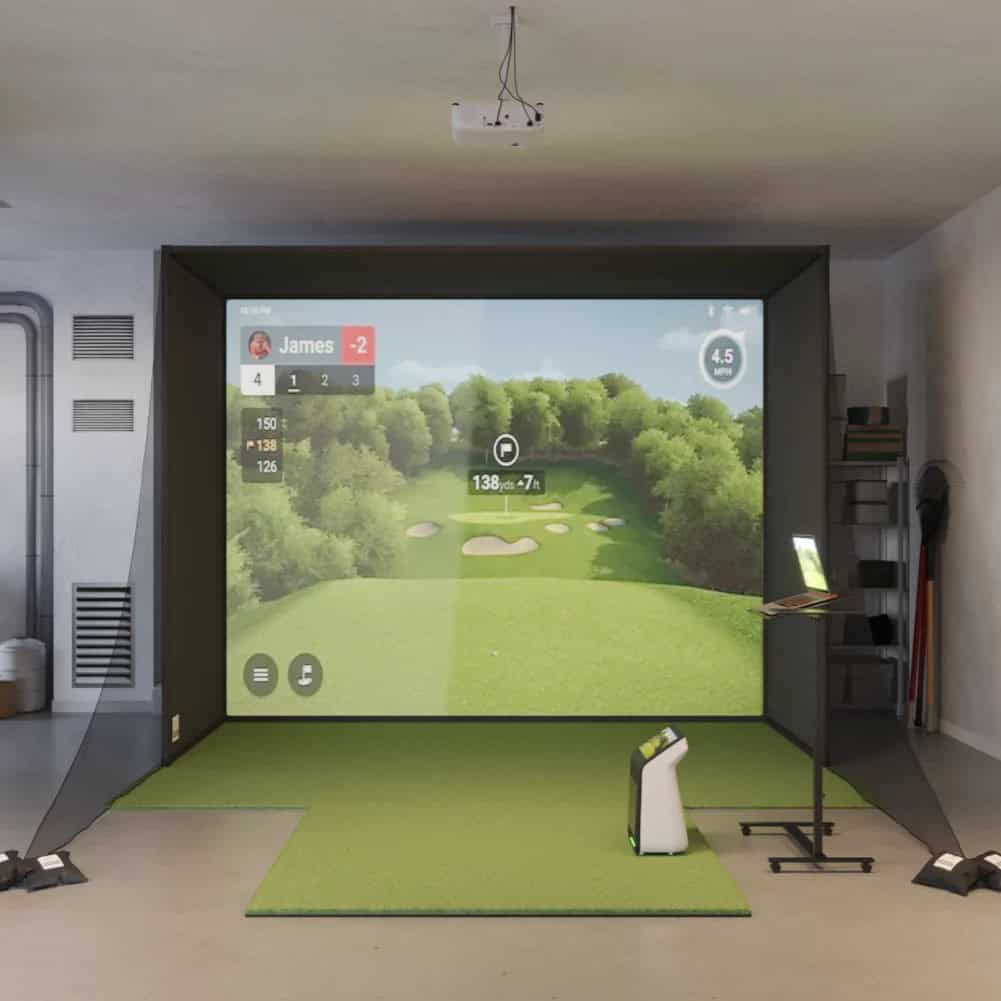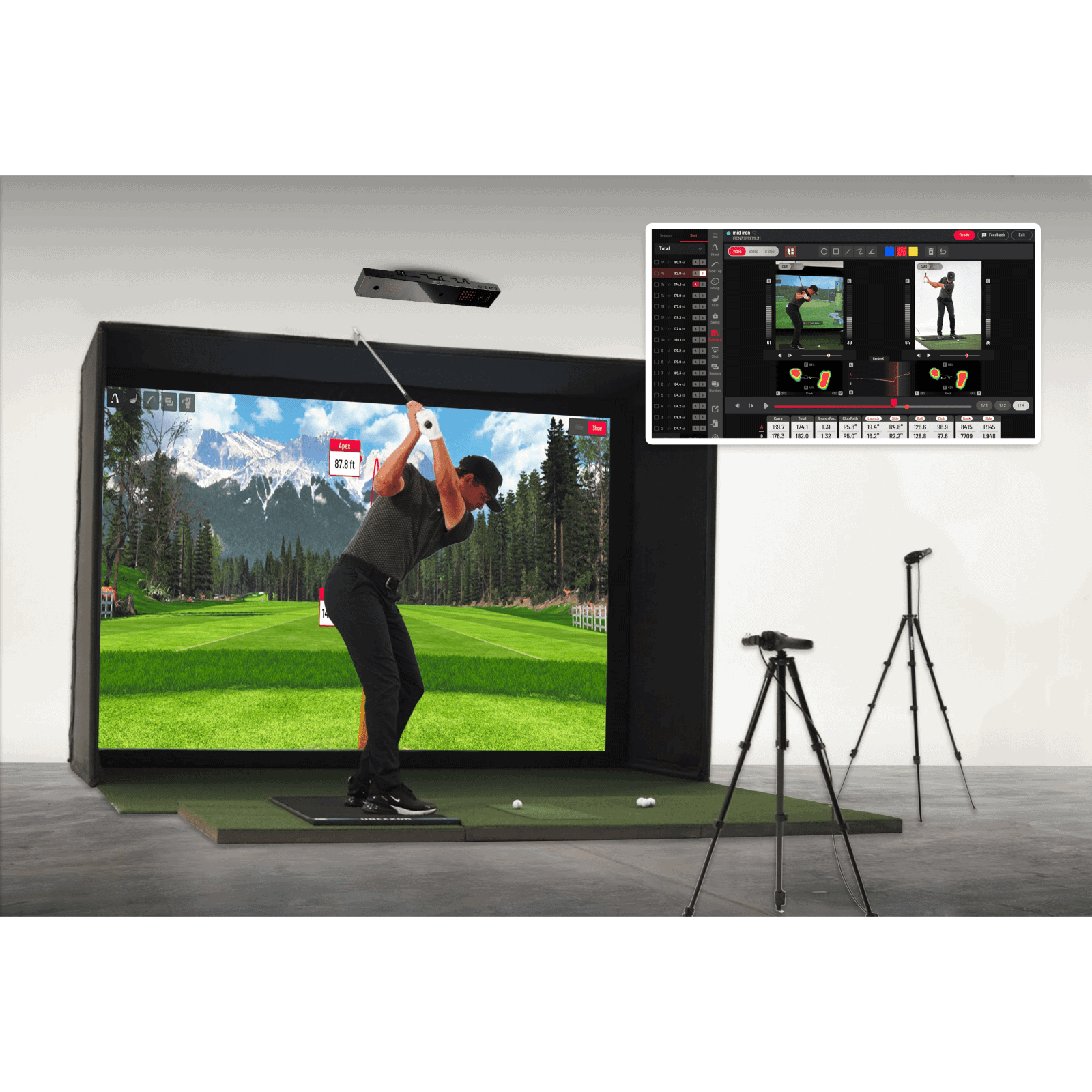


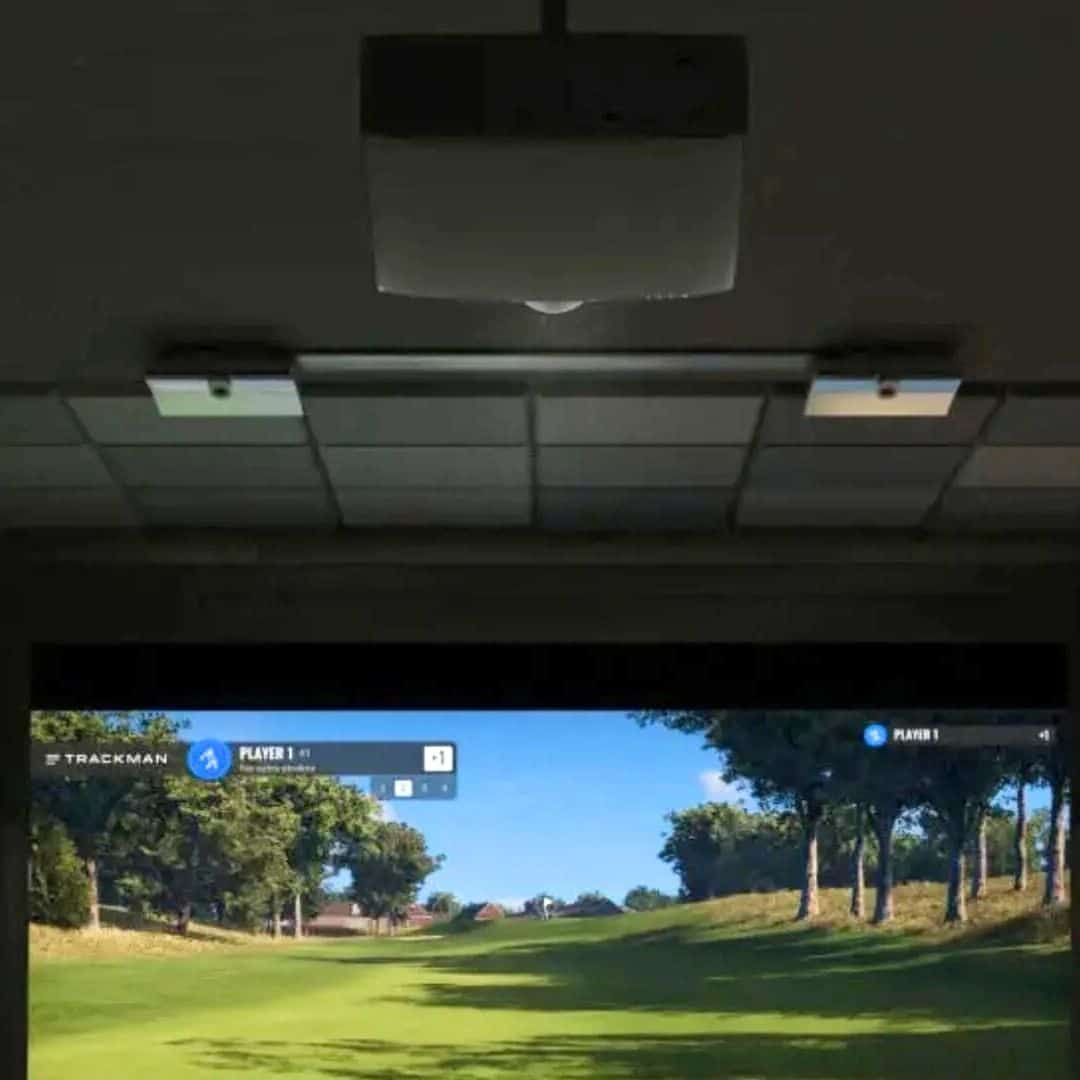
If you’re weighing a Trackman iO launch monitor review before buying, the question is usually the same: does a ceiling-mounted unit make sense in your room? The Trackman iO is a ceiling-mounted launch monitor built for indoor use. It pairs radar, infrared, and high-speed imaging to track your ball and club.
This review covers how it mounts and what ceiling and room space it needs. It explains how the unit performs indoors, what software and practice modes you get, and where it sits against the Trackman 4. You’ll also see who the iO suits and who should skip it.
If you’re comparing a launch monitor vs golf simulator setup, the sections on setup and software show what the iO adds. There’s also a look at the trackman io duo for narrow bays.
Trackman iO Overview and Key Specs
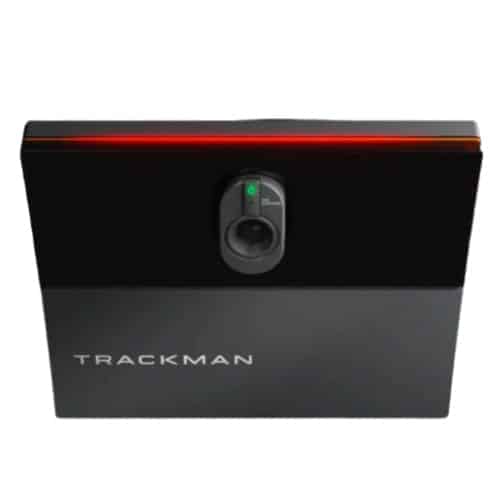
What the Trackman iO Is
The Trackman iO is a ceiling-mounted launch monitor built for indoor use. It combines radar, infrared, and high-speed imaging to track shots. Unlike portable units that sit on the floor, the iO mounts overhead and keeps the hitting area clear.
Ceiling-Mounted Design and Tracking Tech
The ceiling-mounted design keeps the floor clear, so you can move around the bay without tripping over hardware. Radar, infrared, and high-speed imaging work together to capture ball and club data. The unit tracks left- and right-handed golfers without repositioning.
There are no stickers or special balls required. Automatic per-session calibration adjusts the sensors before each session.
Hitting Zone and Warranty
The hitting zone is 2′ x 1′ (60 x 40 cm), which is the area where the system reads your shot. Trackman claims there is no minimum distance in front of or behind the ball. That means you do not need a long runway to use the iO.
The warranty covers 1 year. Installation and calibration are more involved than with portable units, so plan for that.
Desktop PC Requirements
The iO requires a dedicated Windows PC to run. The minimum specification is:
- Windows 10 (64-bit)
- 32 GB RAM
- Intel i7 or i9 processor at 3.4 GHz
- Nvidia RTX 4070 Ti graphics card
- 1 TB SSD
- Dual 1 GBit/s Ethernet ports
This is a high-end PC build. If you do not already own a machine with these specs, factor that into your setup cost. The iO does not run on a standard laptop.
Included with the iO are the mounting plate, ceiling bracket, screws, and a calibration board. The system also comes with Trackman Games for range and target practice, tournaments, online play, impact video, and select club data. Club data requires a subscription.
Space, Mounting, and Setup Requirements
An overhead launch monitor changes what your bay needs. The Trackman iO mounts above the hitting area, so the floor stays clear and you don’t need to protect a unit sitting beside your mat.
Ceiling Height Needed
Trackman specifies a mounting height of 9’4″ to 10′. Measure from your floor to the ceiling at the point where the unit will sit, not at the highest part of a sloped ceiling. If your room falls short, an overhead monitor is not the right format, and a floor-standing unit is the practical alternative.
Room Layout and Hitting Zone
The iO covers a hitting zone of 2 ft x 1 ft (60 x 40 cm). Trackman states that all you need is enough room to swing a club, with no minimum distance requirements in front of or behind the ball.
That is a real advantage in a garage or basement bay where depth is limited. You still need clearance for your longest club and space for a screen or net, but you do not have to budget extra feet behind the ball for the radar to read it.
Calibration and Installation Effort
The unit automatically calibrates each session, so you are not running a manual alignment routine before every practice block. Installation is another matter. Mounting an overhead monitor and dialing in its alignment takes more work than setting up a portable unit on the mat. Plan for a permanent install rather than something you move between rooms.
Check that your PC meets the minimum spec listed above before you commit to the ceiling mount.
No Stickers or Special Balls
The iO requires no stickers or special balls. You hit your own gamers, and the unit reads them without any marking.
Compared to systems that ask you to apply reflective dots, this removes a step from every session and keeps your practice balls usable for the course. It also suits left- and right-handed players sharing one bay, since nothing needs to be repositioned or re-marked between turns.
Performance and Accuracy Indoors
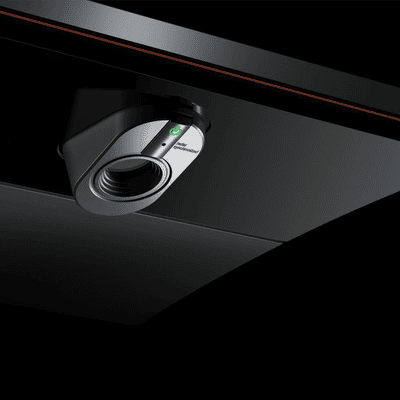
The Trackman iO measures ball and club data for indoor golf, and its overhead design keeps the floor clear. This section covers what it tracks, how accurate it is, and how it handles both left- and right-handed players.
Ball Data Captured
The iO captures 13 ball data points: Ball Speed, Launch Angle, Launch Direction, Spin Rate, Spin Axis, Hang Time, Height, Curve, Landing Angle, Carry, Side, Total, and Side Total. That list covers the full ball flight from impact to landing, which is what you need for realistic simulation and practice feedback.
The data updates in real time, so you can see the result of each shot immediately.
Club Data With a Subscription
Club data requires a subscription and includes dynamic loft, face angle, impact height, and impact offset. These four metrics tell you what the clubface was doing at impact, which helps explain ball flight.
Lower software tiers limit access to this club data, so you may need a higher tier to get the full set. The subscription also unlocks full software content, including games and course play.
Accuracy Evidence and Its Limits
Reviewers describe the iO’s indoor accuracy as strong. The system combines radar, infrared, and high-speed imaging to track shots, and it automatically calibrates each session.
Independent, citable accuracy data is limited, so treat these as reviewer impressions rather than lab measurements. For a premium indoor monitor, that means relying on brand reputation and user feedback rather than published test data.
Left- and Right-Handed Use in One Bay
The iO works for both left- and right-handed golfers in the same bay without moving the unit. That’s a practical advantage over floor-based monitors that require repositioning.
The hitting zone is 2 ft x 1 ft (60 x 40 cm), and the ceiling mount keeps the floor clear. If you share your bay with players of both handedness, the iO handles that without extra setup.
Software, Practice Modes, and Games
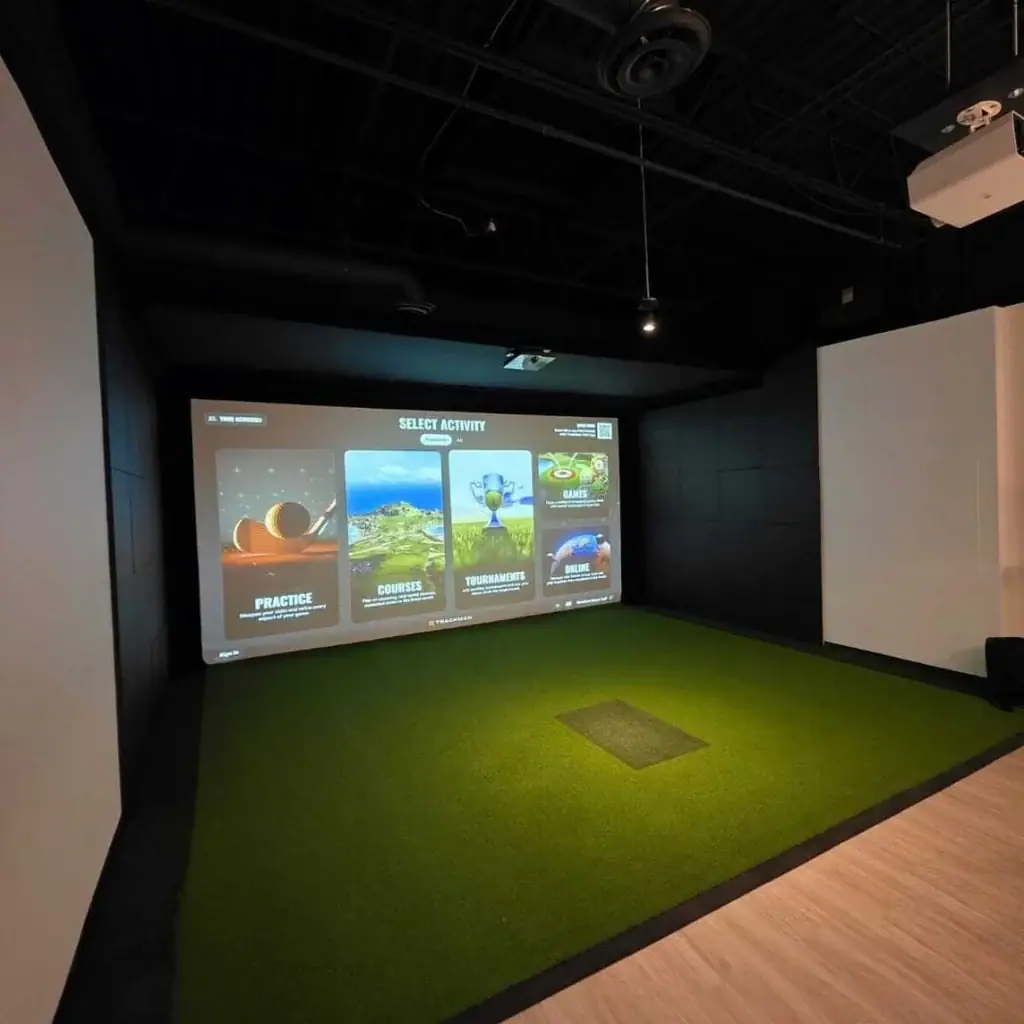
Trackman Performance Studio runs the iO, and the software package covers practice, games, competition, and course play. Club data requires a subscription. Higher software tiers unlock more features.
Trackman Performance Studio
Performance Studio is the hub for data review, bag mapping, and session history. The iO combines radar, infrared, and high-speed imaging, so the software receives input from three sensor types. That matters for indoor bays because infrared and imaging help track ball flight in short spaces where radar alone can struggle.
Trackman has built launch monitor hardware and software for over two decades, and the virtual course library is one of the biggest in the industry, growing monthly. The library size matters if you plan to play full rounds indoors rather than only hitting the range.
Practice, Games, and Course Play
Practice modes include Practice Range, Target Practice, Performance Center, On Course Practice, and the Test Center. Each mode targets a different goal: warm-up, skill drills, or on-course decision-making. The Test Center lets you run structured comparisons between clubs.
Games and family play are part of the package. Trackman’s game options are built for the whole family, and online tournaments let you compete against other players globally. If you want a bay that works for solo practice and group nights, the software covers both.
Software Tiers and Feature Limits
The iO ships with a choice between Home and Complete editions, and subscriptions unlock additional courses and features. Club data sits behind a subscription, so factor that into your ongoing costs. Lower tiers limit club data and some course access.
Subscriptions add meaningful annual cost on top of the hardware. If you plan to use club data or a full course library, budget for the recurring fee. For a home bay used mostly for range sessions, the base package may be enough.
Trackman iO Pros and Cons
The Trackman iO gives you an overhead launch monitor that keeps the floor clear and measures both ball and club data. It also demands a specific PC and a subscription for full club data. Weighing those trade-offs matters before you commit to a ceiling-mounted unit.
Main Strengths
- Ceiling-mounted design frees your hitting area. No tripod or floor unit sits between you and the screen, and the hitting zone is 2 ft x 1 ft (60 x 40 cm).
- Works for left- and right-handed golfers without moving hardware.
- No stickers or special balls are required. You use your normal golf balls.
- Measures a full set of ball data and club data. Club data needs an active subscription.
- Software includes practice, games, and course play through Trackman Performance Studio. Limits exist on what each subscription tier unlocks, so check current details.
- Trackman says the iO has no minimum distance requirements in front of or behind the ball, which helps in tighter rooms.
Main Drawbacks
- High upfront cost puts it in the premium overhead category. The price is covered in the Where to Buy section.
- Subscriptions add meaningful annual cost, and club data requires one.
- Installation and calibration are more involved than with portable units. You need a mounting height between 9 feet 4 inches and 10 feet.
- Requires a high-end dedicated Windows PC (RTX 4070 Ti class). That is a serious hardware commitment.
- Lower subscription tiers limit club data, so the full feature set costs more over time.
If you want a clear floor and rich data, the iO delivers. If you prefer a portable setup or want to avoid subscriptions, look at alternatives like the Foresight Falcon or ProTee VX. The Falcon is a premium overhead rival with similar accuracy and setup space needs.
The ProTee VX is a lower-cost overhead option with fewer recurring costs. For a head-to-head look at the two premium overhead units, see our foresight falcon vs. trackman io comparison, and our protee vx review covers the lower-cost option.
Where to Buy and Price
Cost is the deciding factor for most buyers. The Trackman iO is an overhead indoor launch monitor, and its price reflects that. Hardware and software are separate purchases, so budget for both.
See the table for the current options.
Starting Hardware Price
The iO sits in the premium overhead tier, alongside the Foresight Falcon. The ProTee VX is a lower-cost overhead option.
The iO also needs a high-end Windows PC (see the spec above). If your current PC does not meet that specification, add the cost of a new machine to the total.
Ongoing Software Costs
Trackman Performance Studio, games, practice modes, and course play are included with the system. Club data requires a paid plan. Higher software tiers unlock more features.
What is clear: subscriptions add meaningful annual cost, so the iO is not a one-time purchase. Budget for the hardware plus an ongoing subscription. Over several years, that recurring cost can approach a significant share of the hardware price.
Budget Fit for Home Buyers
For a home bay, the iO is a high-commitment purchase. The main pain points are the high upfront cost and the ongoing software subscription. The ProTee VX is a lower-cost overhead with fewer recurring costs, which makes it easier to justify for casual home use.
The Foresight Falcon is the closest premium overhead rival on accuracy and setup space. If you want premium overhead performance and can absorb the subscription, the iO fits. If you want lower total cost of ownership, compare it against the ProTee VX before you buy.
Trackman iO vs Trackman 4

Both units come from Trackman and both capture radar data, but they solve different problems. The iO is a ceiling-mounted indoor launch monitor that combines radar, infrared, and high-speed imaging.
The Trackman 4 is a portable floor unit that sits behind the ball and works indoors or outdoors. Which one fits your bay depends on how you use it, not on which brand you prefer.
Overhead Indoor vs Portable Radar
The iO mounts overhead and leaves the floor clear. Trackman says it has no minimum distance requirements in front of or behind the ball, and it covers a hitting zone of 2 ft x 1 ft (60 x 40 cm). It also provides ball data including spin rate, spin axis, carry, total, and landing angle.
Because the unit hangs above, left- and right-handed players can share the same bay without moving hardware. The Trackman 4 sits behind the golfer and needs room to position correctly. Trackman recommends a room of 15′ W x 10′ H x 18′ D, with at least 8’2″ between the screen and the tee.
It captures more than 40 ball-flight and club-delivery parameters, including a putting analysis suite. If your space is tight or you want the floor free, the ceiling-mounted iO is the more practical choice. If you split time between indoors and the range, the portable Trackman 4 travels with you.
Differences Buyers Weigh
Setup effort separates these two. The iO needs a high-end Windows PC and a ceiling mount. Mounting height runs from 9’4″ to 10′, and installation takes more planning than placing a portable unit on the floor.
The Trackman 4 runs on Windows 11 with similar hardware demands, but you can move it between locations. Club data on the iO requires a subscription, and software limits exist by tier. The Trackman 4 includes Trackman Performance Suite and 250+ virtual courses with its hardware.
Neither unit is cheap, and both carry recurring software costs. If you are still comparing overhead options, our trackman alternatives guide covers the Foresight Falcon and ProTee VX, which sit at different price and subscription levels. The iO and Trackman 4 target different buyers: one is a fixed indoor bay, the other is a portable reference tool.
Who the Trackman iO Suits and Who Should Skip It
The Trackman iO is a ceiling-mounted indoor launch monitor built for permanent bays. It suits golfers who want a high-end indoor experience and can meet the room and PC requirements. If your setup is temporary or your budget is tighter, other options make more sense.
You should consider the Trackman iO if you are building a dedicated indoor bay and want top-tier ball and club data without floor clutter.
- Ceiling-mounted design keeps the hitting area clear, so you can use the full floor space.
- No stickers or special balls are required, which simplifies practice.
- Works for left- and right-handed golfers without moving hardware.
- Software includes games, practice modes, and course play through Trackman Performance Studio.
- Mounting height must be between 9 feet 4 inches and 10 feet, so check your ceiling before committing.
For a permanent, premium build, the iO delivers a complete indoor experience. If you are weighing alternatives, our guide to the ernest sports eagle sim covers a different approach to home simulation.
Who Should Look Elsewhere
The Trackman iO is not the right fit for every golfer. You should skip it if:
- Your ceiling is lower than 9 feet 4 inches; the unit cannot be mounted safely.
- You need portability; this is a fixed overhead system, not a portable monitor.
- You want to avoid subscriptions; club data requires a subscription, and software fees add ongoing cost.
- Your PC does not meet the minimum specs; the iO requires a powerful Windows desktop.
- Your budget is limited; the hardware cost is high, and you can find capable overhead monitors for less.
If any of these apply, look at portable launch monitors or lower-cost overhead units. The iO rewards those who can meet its requirements, but it is not a compromise purchase.
Is the Trackman iO Worth the Investment
The Trackman iO is a ceiling-mounted launch monitor that uses radar, infrared, and high-speed imaging to capture ball and club data. It’s built for indoor golf, and its overhead position keeps the hitting area clear of floor hardware.
But with a five-figure hardware price and ongoing subscription costs, the real question is whether it earns its place in your home bay or commercial space.
Value for Home Simulators
For home use, the iO’s value depends on how much you’ll use it and what data you need. The overhead design eliminates the need for stickers or special balls, and it works for both left- and right-handed players without adjustment. Those are real conveniences in a home setting.
But the cost doesn’t stop at the hardware. Subscriptions add meaningful annual cost, and some club data requires a subscription.
The unit also requires a high-end dedicated PC. That’s a significant additional investment if you don’t already own a capable machine.
Installation and calibration are more involved than with portable units. You’ll need a mounting height between 9 feet 4 inches and 10 feet, and the hitting zone is just 2 ft x 1 ft (60 x 40 cm).
Trackman says there’s no minimum distance in front of or behind the ball, which helps in tight rooms, but the ceiling height requirement rules out many basements and garages.
Commercial Bay Considerations
In a commercial setting, the iO’s strengths align with high-traffic use. The ceiling mount keeps the floor clear, reducing trip hazards and setup time between sessions.
It handles left- and right-handed players without moving hardware, and the software includes games, practice modes, and course play. For a business, those features can justify the price through throughput and user experience.
The one-year warranty is shorter than some commercial buyers might expect, and the PC requirement means each bay needs a capable computer. Subscriptions add recurring costs that affect your operating budget. If you run multiple bays, those costs multiply.
Compared to the Trackman 4, a portable radar unit, the iO trades portability for a permanent indoor installation. The Foresight Falcon is another premium overhead option with a similar focus on accuracy and setup space.
The ProTee VX offers overhead tracking at a lower upfront cost with fewer recurring fees. Each has trade-offs, and the iO’s software depth and data breadth are its main draws.
Ultimately, the iO makes sense if you need reliable indoor data, have the ceiling height, and can absorb the hardware, PC, and subscription costs. For occasional home use or tighter budgets, a portable monitor or a lower-cost overhead system may deliver better value.
Frequently Asked Questions
How accurate is the Trackman iO indoors?
Reviewers describe the iO's indoor accuracy as strong. The system combines radar, infrared, and high-speed imaging to track shots, and it automatically calibrates each session.
Independent, citable accuracy data is limited, so treat these as reviewer impressions rather than lab measurements.
Does the Trackman iO need stickers or special balls?
No. The iO tracks shots without club stickers or marked balls, so you can use your normal gamers. That removes the prep work and recurring cost that some overhead systems require.
What software comes with the Trackman iO?
The iO runs Trackman Performance Studio for data analysis, plus practice, games, and course play modes. Club data requires a subscription, and software tier limits exist, so check current plan details before buying.
How much ceiling height does the Trackman iO need?
Trackman specifies a mounting height of 9'4" to 10'. Measure your ceiling before ordering, because the unit mounts overhead and needs that clearance to track the hitting zone. If your room falls short, a floor-based monitor is the better fit.
What are the main drawbacks of the Trackman iO?
The biggest drawbacks are the high hardware cost, meaningful annual subscription fees for full club data and software features, and a more involved installation and calibration process than portable units. You also need a high-end Windows PC.
Who is the Trackman iO best for?
It suits golfers and facilities that want a permanent, ceiling-mounted indoor bay with strong ball and club data, software breadth, and left- and right-handed play. If you need portability or want to avoid subscriptions, a portable radar or lower-cost overhead unit fits better.