

The Swing Caddie SC4 PRO is a portable launch monitor built for indoor and outdoor practice, with a built-in display that lets you work without a phone or tablet. That standalone setup is the real draw if you want quick feedback in the garage or at the range.
This Swing Caddie SC4 PRO Review focuses on where it earns its keep and where it falls short.
Owners report that indoor accuracy, particularly spin and shorter shots, can be inconsistent, so your space and expectations matter. You'll get a clear look at setup and placement, the data it captures, practice modes, and how it stacks up against the Garmin Approach R10.
The deciding factor is whether you need outdoor-friendly feedback or a more polished indoor simulator ecosystem.
Swing Caddie SC4 PRO Overview and Specs
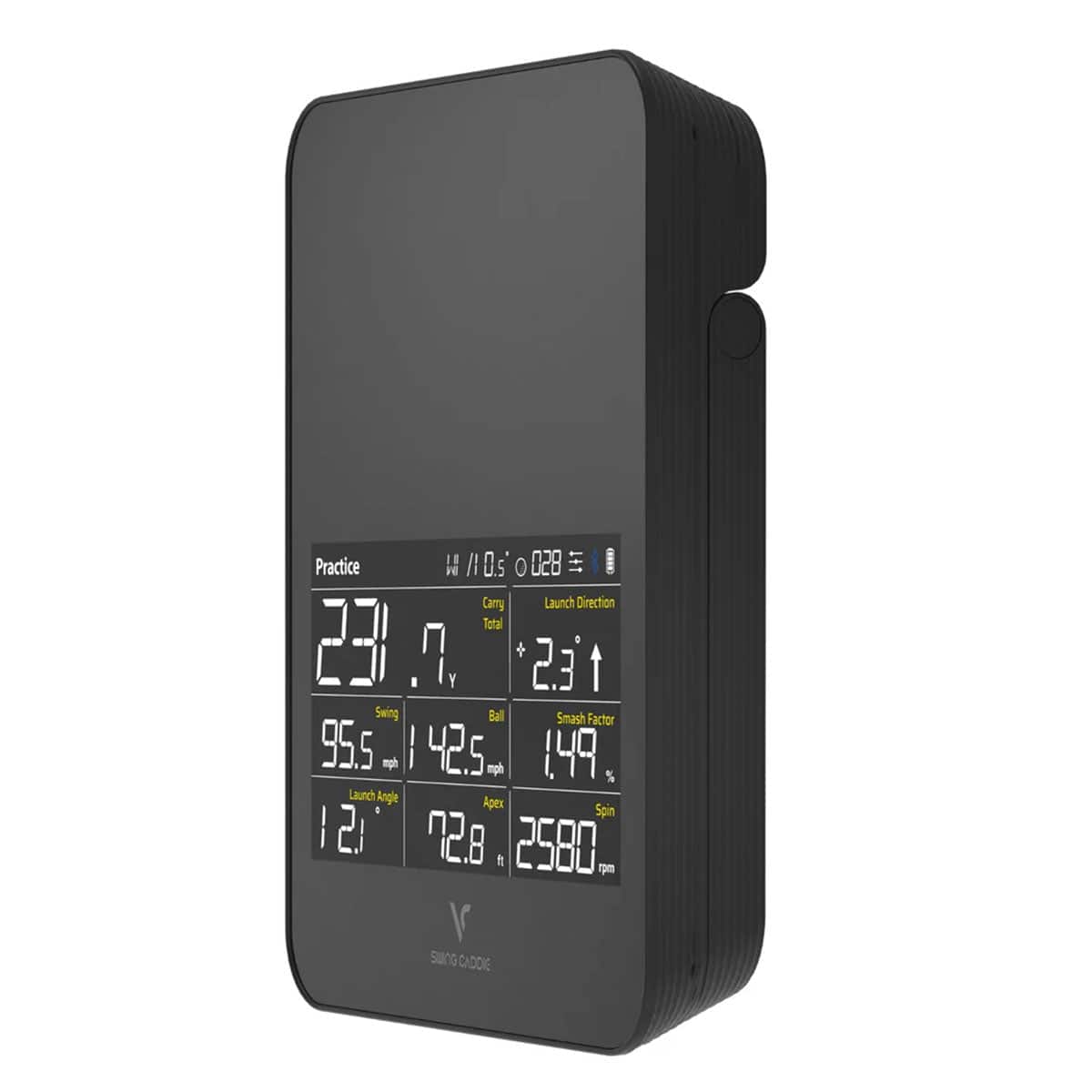
The SC4 PRO is a standalone radar launch monitor you can carry to the range and set down behind the ball without a laptop or a projector. It reads ball flight through its own display, and the ProMetrics engine turns those readings into numbers you can act on.
That portability is the appeal, and it comes with a trade-off indoors that's worth knowing before you buy.
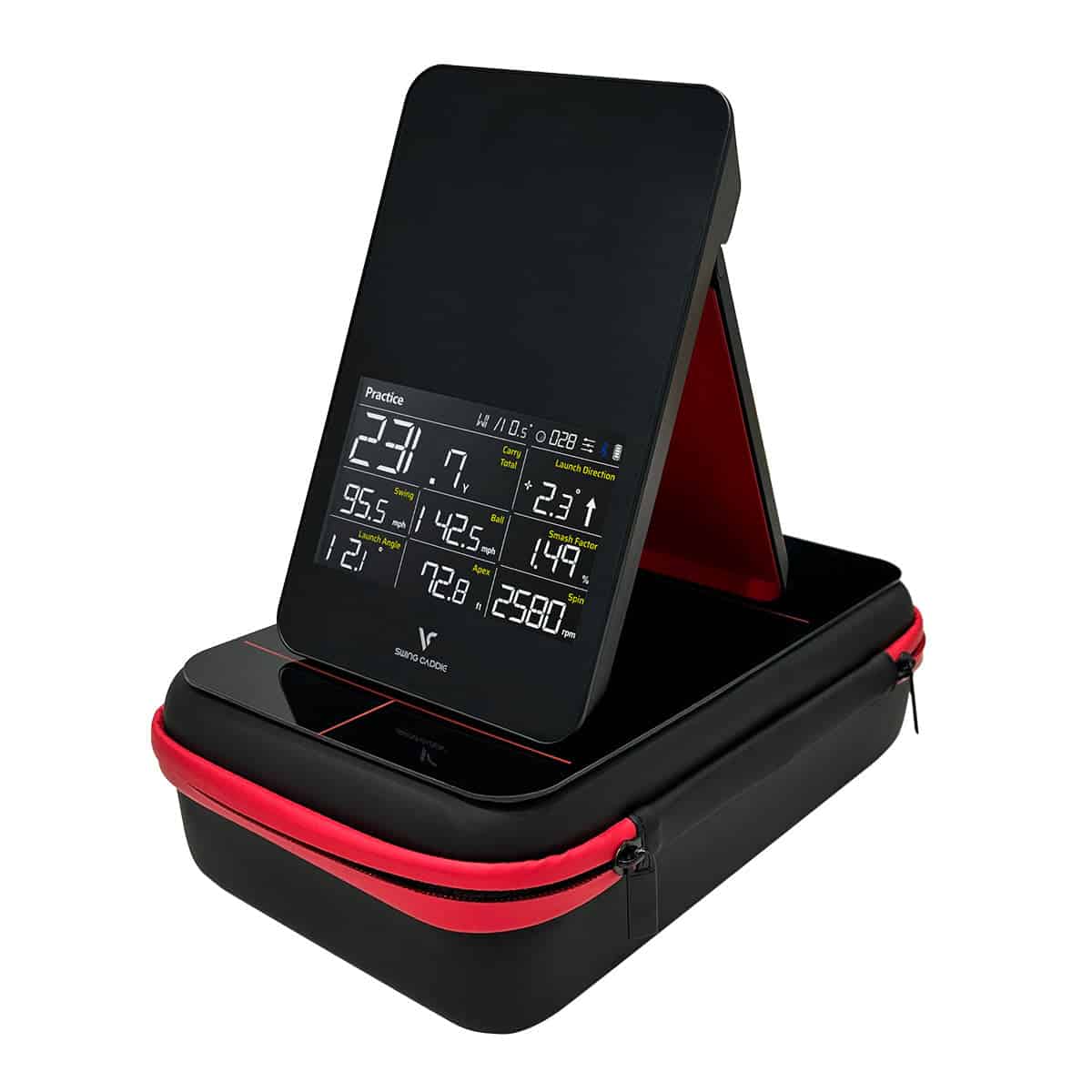
Portable Design and Built-In Display
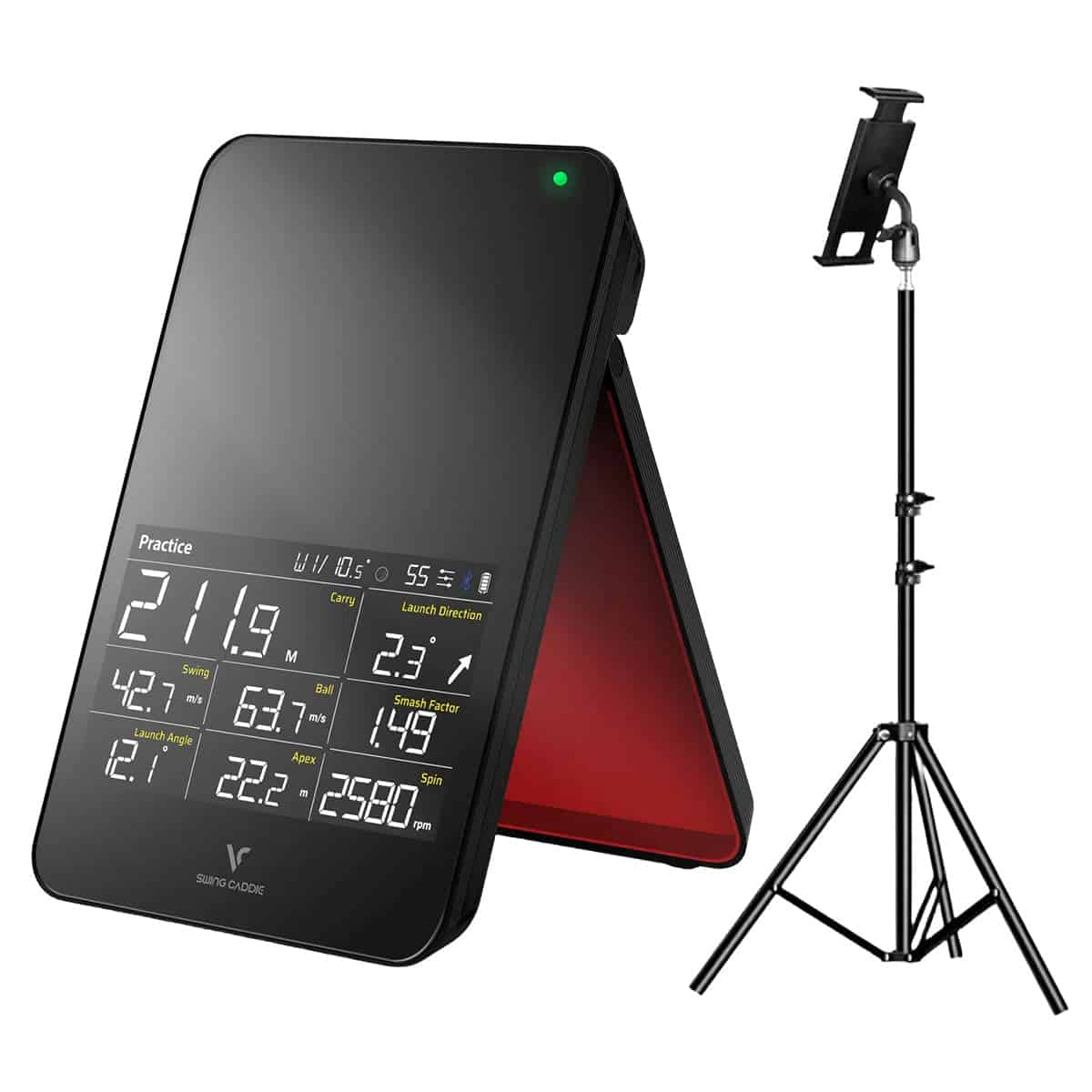
The unit is a single self-contained box with a screen, so you get feedback without pairing a phone or opening an app. Setup is quick: place it 5 ft behind the ball at the same level as the ball.
Bluetooth connects it to the VOICECADDIE S app when you want the 3D driving range and a larger view of your data.
Size, Weight, and Battery Life
- Dimensions: 4.88 x 7.59 x 1.14 inches
- Weight: 20.79 oz
- Battery: 7,500 mAh lithium-ion, up to 10 hours depending on conditions
- Charge time: 6 hours from drained
- Operating temperature: 32°F to 122°F
At just over a pound, it slips into a bag pocket, and the battery covers multiple range sessions between charges.
Radar Sensor and Measuring Range
A 24 GHz K Band Doppler radar handles the sensing, with a carry measuring range of 15 to 370 yards. That range suits full-swing work on an outdoor range. For indoor use, several feet of ball flight and a deeper bay work better than a tight net setup, so plan your space accordingly.
Ball and Club Data
The SC4 PRO reports ball speed, side spin, back spin, spin axis, spin rate, carry and total distance, dispersion, apex, launch angle, and launch direction. Club head data and swing speed are included too, with smash factor where it fits.
Practice Modes
Target Mode sets distance challenges for precision work. Practice Mode gives continuous feedback swing after swing. Swing Speed Mode focuses on speed training. The 3D driving range in the app shows realistic ball trajectories and course layouts, so you can practice without a physical range.
Accuracy
Outdoor accuracy is strong, and the value is good for the price. Indoors, spin and short-shot readings are less consistent than camera-based units, and radar is generally more variable in confined spaces. If wedge work indoors is central to your practice, weigh that carefully.
Garmin Comparison
The Garmin Approach R10 offers broader simulator software support and richer metrics. The SC4 PRO counters with standalone simplicity and phone-light use. Choose based on whether you want a wider ecosystem or a simpler unit.
The Swing Caddie SC4 PRO pairs outdoor radar tracking with a built-in display, a combination worth weighing against the square golf launch monitor review for anyone deciding between range and home use.
Setup and Placement at Home
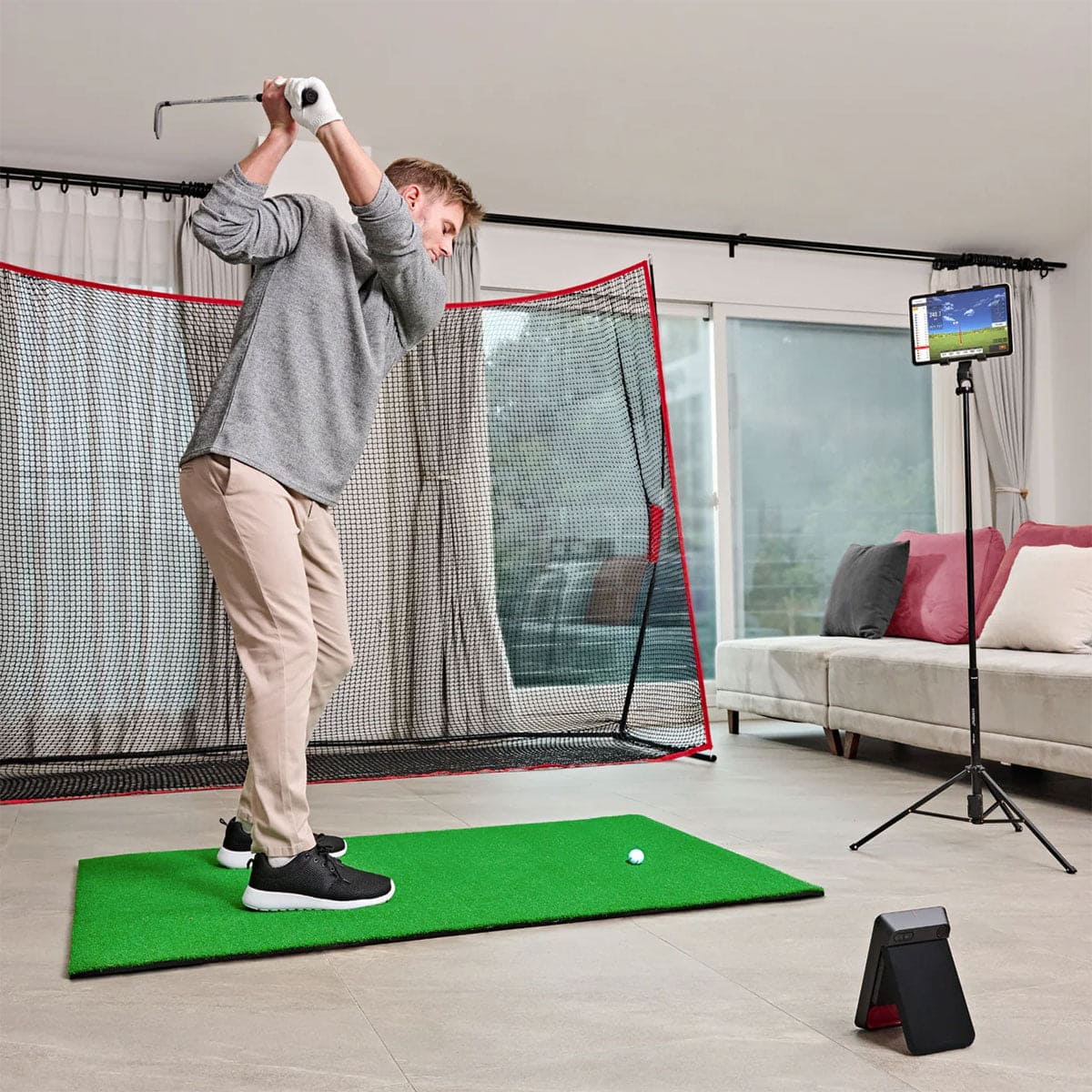
Getting the SC4 PRO ready to use takes minutes. The unit is a standalone device with a built-in display, so you can practice without a phone in hand. Placement matters more than any setting you'll adjust.
Placing the Unit Behind the Ball
Set the SC4 PRO 5 ft behind the ball at the same level as the ball. A flat lie keeps the radar looking at the same plane your ball sits on. If the unit sits higher or lower than the ball, readings can drift. Once it's in position, you're set.
Connecting to the VOICECADDIE S App
The SC4 PRO pairs over Bluetooth with the VOICECADDIE S app. The app adds advanced metrics, customizable settings, and a user-friendly interface for sorting through your data. You can adjust distance calibration based on atmospheric pressure and set loft angles to match your clubs.
The app also shows ball flight paths in a realistic virtual setting, which helps indoors and outdoors. If you'd rather keep your phone in your pocket, the built-in screen covers the basics.
Indoor Space You Need
The SC4 PRO is radar-based, and radar needs room to track ball flight. Several feet of flight and a deeper bay work better than a tight net setup. If your garage or basement is shallow, expect more variable readings, especially on spin and short shots.
For a closer look at bay dimensions, see our guide to indoor space needs for Swing Caddie models. A little extra depth goes a long way toward consistent numbers.
Ball and Club Data the SC4 PRO Captures
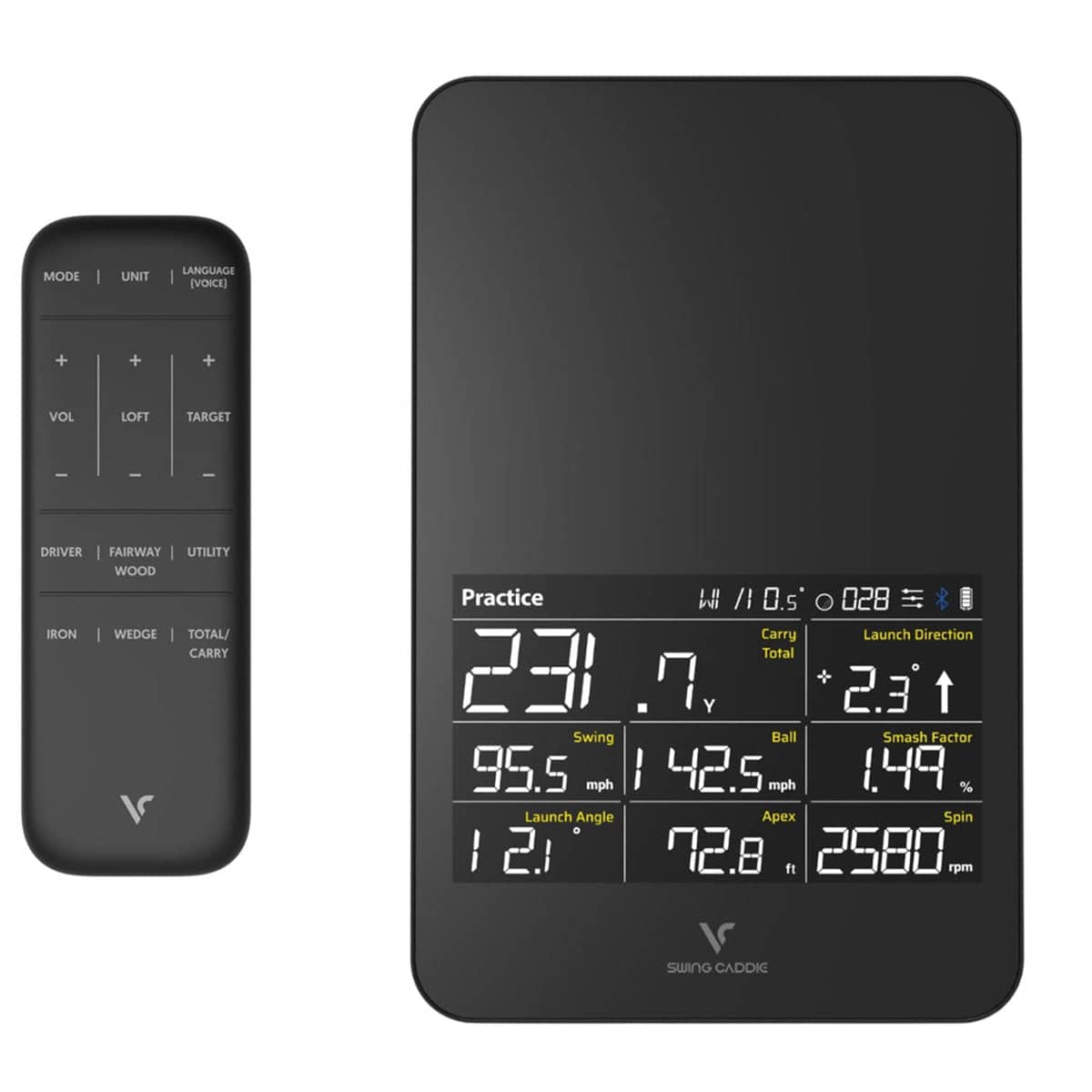
The SC4 PRO runs on a 24 GHz K Band Doppler radar and the ProMetrics engine, and it tracks both ball flight and club head movement from swing to landing. That combination gives you a useful practice picture: what the ball did, and what your swing did to make it happen.
Here is what the unit reports and what each number tells you.
Ball Flight Metrics
You get ball speed, carry and total distance, dispersion, apex (max height), launch angle, and launch direction. Read them together. A high launch angle with low ball speed usually means a swing change, not a club problem.
Dispersion shows how far your shots scatter offline, which matters more for scoring than a single pure strike. Apex tells you whether you are ballooning short irons or hitting low runners with your driver. Carry and total distance separate the two, so you can see how much roll you are getting.
Spin Readings
The SC4 PRO reports side spin, back spin, spin axis, and spin rate. Spin axis explains curve: a tilted axis means the ball is bending one way. Side spin and back spin show how much of your shot shape comes from the strike.
These readings are most useful outdoors, where the radar sees more of the flight. Indoors, expect more variation in spin, especially on short shots.
Club Head and Swing Speed Data
The unit captures club head data and swing speed, and it reports smash factor. Swing speed is your raw input; smash factor shows how efficiently you turned that speed into ball speed.
A low smash factor with a driver often points to a strike or delivery issue rather than a lack of speed. Use these numbers to separate swing work from equipment testing.
If you want a camera-based alternative for indoor spin, our flightscope mevo+ review covers that option.
Practice Modes and the 3D Driving Range
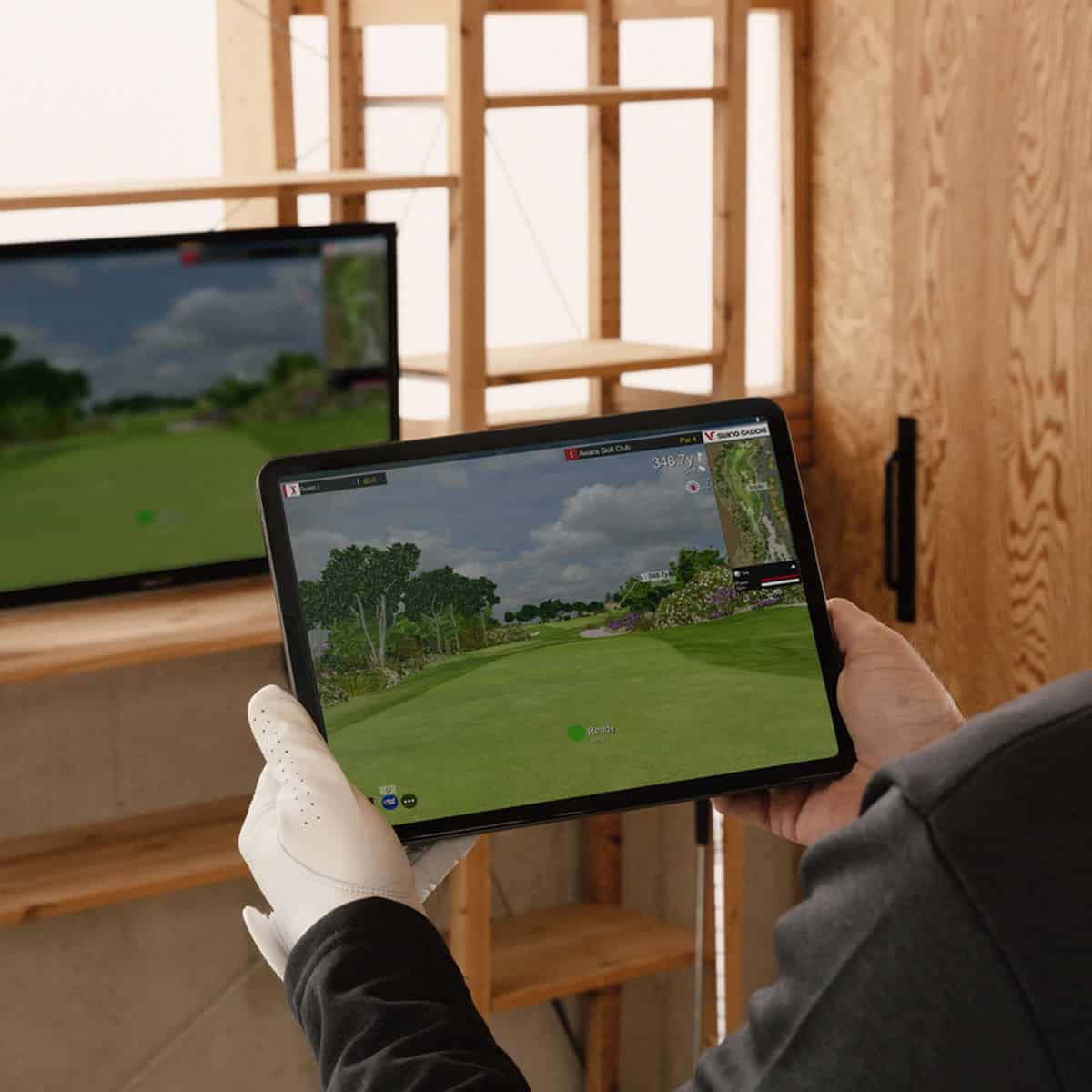
The SC4 PRO's practice tools are where a portable monitor earns its keep. Three modes give you a structure for a session, and the VOICECADDIE S app adds a 3D driving range so you can hit shots with a purpose instead of firing balls into a net.
The ProMetrics engine feeds real-time feedback after each swing, which is what makes these modes useful for repeatable work.
Target Mode for Distance Control
Target Mode sets specific distance goals for you to hit. That turns a bucket of balls into a gapping exercise: pick a number, then work on landing shots near it. You can adjust distance calibration and loft angle settings, so the targets match your real carry numbers rather than a generic default.
Practice Mode for Ongoing Feedback
Practice Mode gives you continuous feedback to track progress across a session. You see the numbers after every swing and can spot a pattern building, whether that's a drifting launch direction or a carry that keeps falling short. It suits a home bay where you want shot feedback without running a formal drill.
Swing Speed Mode
Swing Speed Mode reports swing speed data so you can work on speed specifically. Use it in short blocks, then switch back to target work to see whether the extra speed holds your dispersion together.
3D Driving Range Experience
The 3D driving range in the VOICECADDIE S app shows lifelike ball trajectories and course layouts, with different scenarios to practice. You can hit shots anytime, anywhere, without a physical range.
What you get is a practice loop: pick a mode, hit shots, read the feedback, adjust. The modes reward a plan more than they reward volume, and the 3D range gives that plan a visual target.
Accuracy Indoors vs Outdoors
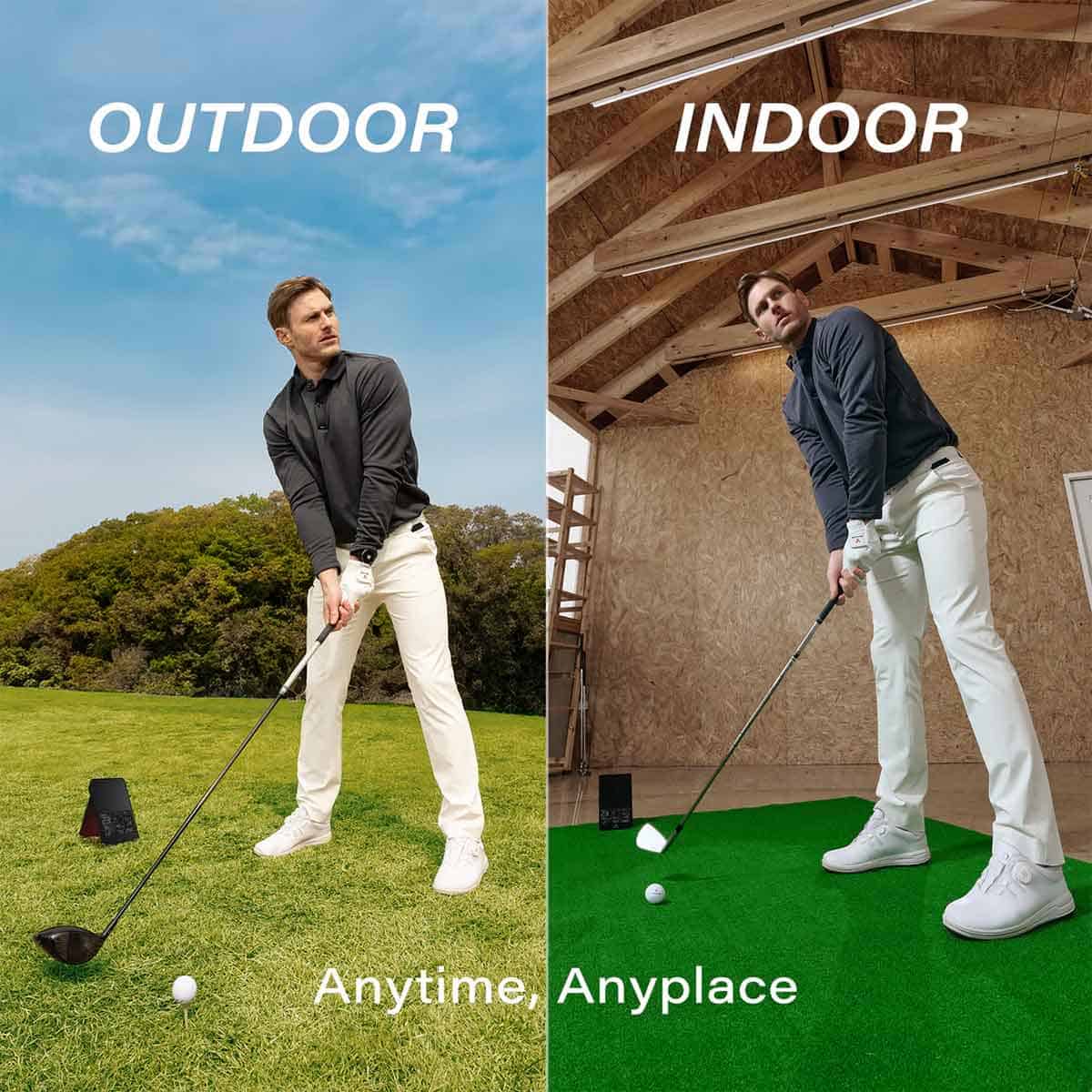
The SC4 PRO's radar performs differently depending on where you set it up. That split matters more than any single spec if you plan to practice in a garage bay as well as on the range. Here's what to expect from each environment.
Outdoor Accuracy
Outdoors, the SC4 PRO delivers strong accuracy for its price. The 24 GHz K Band Doppler radar and ProMetrics engine track full ball flight, and outdoors that tracking holds up well. You get reliable carry and total distance numbers that match what you see on the range.
For a portable unit in this price bracket, that outdoor consistency is the main draw. If most of your practice happens outside, the SC4 PRO gives you useful feedback without a subscription or a PC.
Indoor Spin and Short-Shot Readings
Indoors, the picture changes. Radar-based monitors like the SC4 PRO can be less consistent on spin and short-game readings than camera units. Wedge shots and partial swings are where you'll notice it most: spin numbers may jump around, and short-shot data can feel less trustworthy.
That doesn't make indoor practice useless. The SC4 PRO still tracks ball speed, launch angle, and distance, and the 3D driving range in the VOICECADDIE S app gives you a target to aim at.
But if you want precise spin and wedge data for gapping your short clubs, a camera-based monitor is the better tool. For a broader look at what's out there, see our guide to the most accurate portable launch monitors.
Set up the unit 5 ft behind the ball at the same level as the ball, and give yourself several feet of ball flight. A deeper bay works better than a tight net setup, because the radar needs space to read the flight. If your indoor space is cramped, expect more variance in the numbers.
Swing Caddie SC4 PRO vs Garmin Approach R10
The Garmin Approach R10 is the obvious rival for anyone shopping the SC4 PRO. Both are portable Doppler radar monitors that work indoors and outdoors, and both promise ball-flight data without a big-budget launch monitor. The deciding difference is what you want from the device after the shot.
Where the SC4 PRO wins
The SC4 PRO is a standalone unit with a screen, so you can read your numbers without a phone in your hand. The Garmin Approach R10 relies on the Garmin Golf app for its data display.
If you want to hit balls in the yard and glance at carry and spin between swings, the SC4 PRO's built-in display is the simpler setup. The SC4 PRO also includes the VOICECADDIE S app with a 3D driving range, which gives you a practice option without a physical range.
For a phone-light routine, the SC4 PRO is the easier pick.
Where the Garmin Approach R10 wins
The Garmin Approach R10 offers broader simulator software support and a richer metric set. It works with E6 Connect and GSPro, and it tracks more than 12 metrics, including club path and face angle.
The SC4 PRO's simulator ecosystem is narrower. If you plan to build a home simulator around third-party software, the R10 gives you more doors to open.
Which one fits your practice
Choose the SC4 PRO if you want a portable, standalone monitor with a screen, simple setup, and outdoor accuracy that holds up for the price. Choose the Garmin Approach R10 if simulator software breadth and deeper metrics matter more than standalone simplicity.
Neither is the universal answer; the right one depends on whether you practice with a phone in your pocket or a screen on the ground.
For a closer look at the SC4 PRO's own strengths and limits, see our full Swing Caddie SC4 PRO review.
Pros and Cons
The SC4 PRO gets plenty right for a portable monitor, but it's not the right fit for every home setup. Here's what works in its favor and what to weigh before you buy.
Strengths Golfers Point To
The SC4 PRO earns its keep as a portable standalone unit with a built-in display. You don't need a phone or tablet to see your numbers, which makes range sessions and quick backyard practice simple.
- Real-time feedback on ball-flight metrics helps you fine-tune your technique and make informed adjustments during a session.
- Outdoor accuracy for the price is a recurring theme among owners. The radar holds up well when it has room to track the ball.
- Multiple practice modes give you variety: Target Mode for distance challenges, Practice Mode for continuous feedback, and Swing Speed Mode for speed work.
- The VOICECADDIE S app adds a 3D driving range with realistic ball trajectories and course layouts, so you can practice anywhere without a physical range.
- It's perfect for golfers of all levels, from beginners working on contact to low handicappers tightening dispersion.
Limitations to Weigh
Indoor use exposes the SC4 PRO's weak spots. Spin and short-shot readings, especially with wedges, can be inconsistent compared with camera-based units. Radar is simply more variable indoors, and meaningful ball flight space helps. If your bay is tight, expect to work around it.
The simulator ecosystem is narrower than some rivals, and the app/software side appears less mature than the Garmin Approach R10's. That matters if you want a deep simulator library or advanced metrics.
Finally, the SC4 PRO needs several feet of ball flight to perform at its best. A short net setup won't show it in the same light as a deeper bay.
Weigh these trade-offs against your space and goals. If you want a simple, phone-light monitor for outdoor practice, the pros likely outweigh the cons. If elite indoor accuracy is the priority, look at camera units or a broader ecosystem.
Who the SC4 PRO Suits
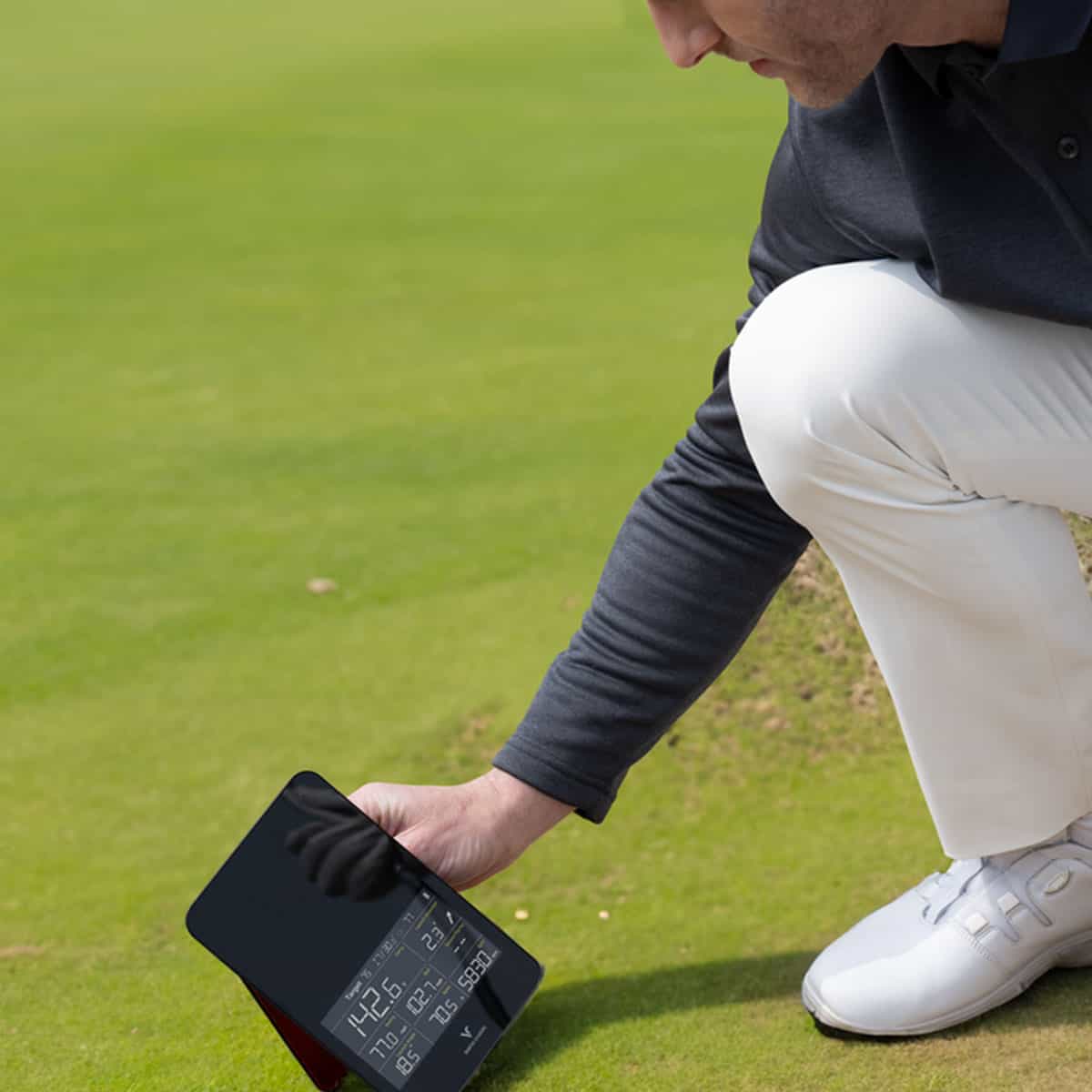
The SC4 PRO is a practice monitor for golfers who want quick feedback without a laptop, a subscription, or a dedicated bay. Its built-in display and phone-light app setup keep the routine simple, and outdoor accuracy holds up well for the money. The fit narrows once you ask it to carry a full indoor simulator build.
Golfers Who Practice Solo
This unit rewards the golfer who hits balls alone and wants numbers on the spot. You set it 5 ft behind the ball at the same level as the ball, connect by Bluetooth to the VOICECADDIE S app, and start swinging. The built-in screen means you can leave the phone in your pocket for basic feedback.
- Range and outdoor work: Carry reads across a 15 to 370 yard range, and outdoor accuracy is strong for the price.
- Structured practice: Target Mode sets distance challenges, Practice Mode gives continuous feedback, and Swing Speed Mode isolates speed work.
- Simulated rounds: The 3D driving range in the VOICECADDIE S app shows ball trajectories and course layouts, so you can practice anywhere without a physical range.
- Space-flexible setup: Several feet of ball flight and a deeper bay suit it better than a tight net setup.
If your routine is a bucket of balls and a clear read on carry, dispersion, and swing speed, the SC4 PRO fits that habit closely.
Buyers Who Should Look Elsewhere
Skip the SC4 PRO if indoor simulation is the main event. Its radar-based readings are more variable indoors than camera units, and spin and short-shot numbers are less consistent. Wedge work in a garage bay is where the gaps show up.
You should also look at other options if you want the widest software ecosystem or the richest metric set. The Garmin Approach R10 offers broader simulator software support and deeper data, while the SC4 PRO wins on standalone simplicity and phone-light use. Buyers chasing elite indoor accuracy or a large third-party software library will find more elsewhere.
A tight indoor space is another reason to pause. Meaningful ball flight helps this unit, and a shallow net setup works against it. If your room is short, a camera-based monitor is the better starting point.
Where to Buy and Price
The SC4 PRO sells as a standalone unit, so you can start practicing without a subscription or extra hardware. See the table for buying options.
On value, the SC4 PRO competes on outdoor accuracy against the Garmin Approach R10, FlightScope Mevo+, and Square Golf Omni. Those rivals offer broader simulator software or richer metrics, while the SC4 PRO keeps setup simple and phone-light.
If outdoor practice is your priority, the SC4 PRO's price-to-accuracy balance is strong. If you want the widest software ecosystem, expect to pay more for a rival.
Alternatives to Consider
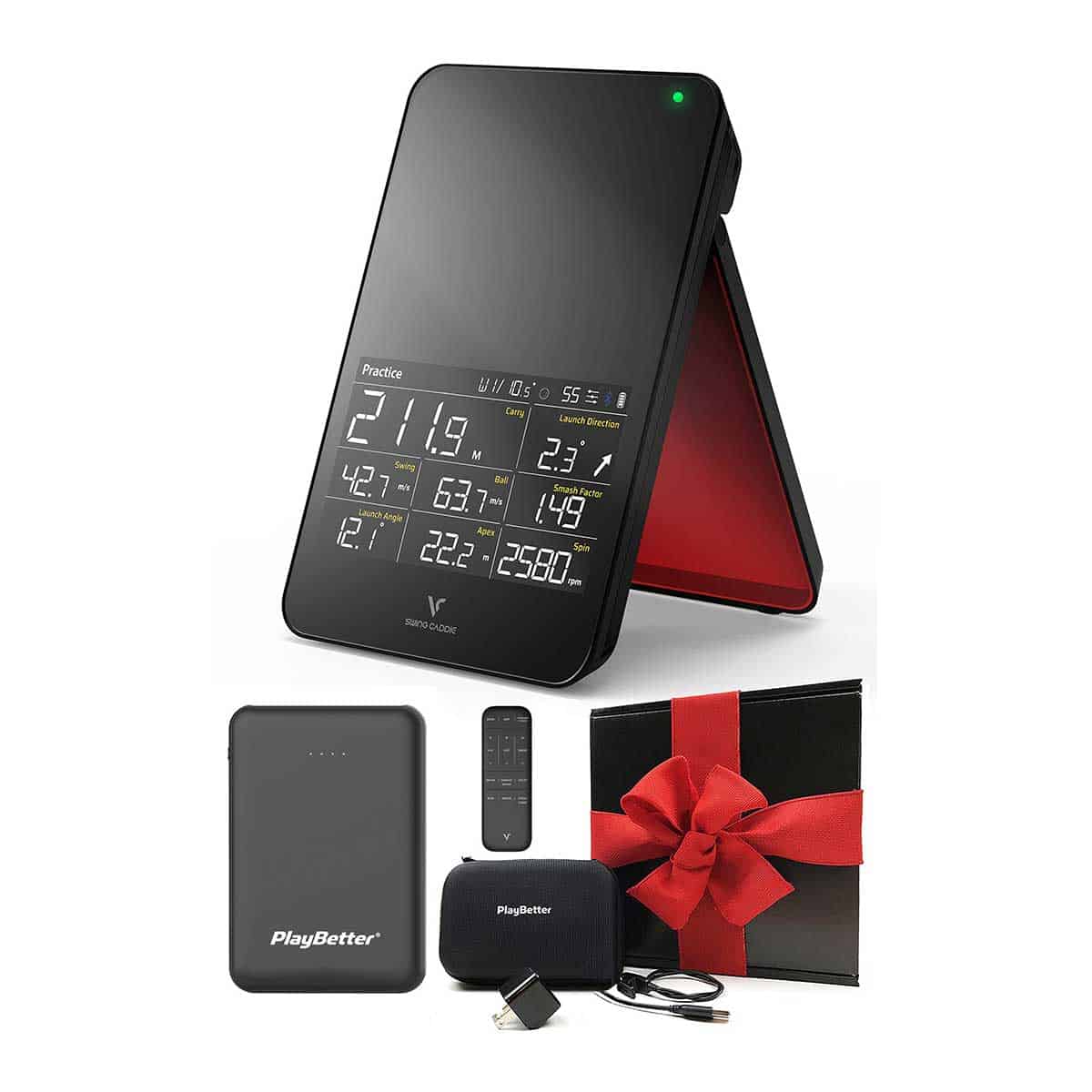
The SC4 PRO earns its place as a portable, standalone practice monitor. If your priorities lean toward a wider simulator ecosystem or sharper indoor spin data, three rivals come up often in the same conversations. Here is how they differ, and who each one fits.
FlightScope Mevo Gen2 for Fuller Spin Data
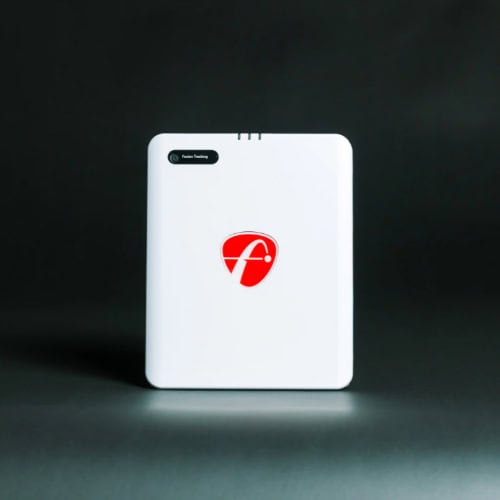
Check price for FlightScope Mevo Gen2
The FlightScope Mevo Gen2 is the step up if indoor spin numbers matter to you. Its Fusion Tracking pairs Doppler radar with synchronized camera imaging and captures 18 data points, including spin rate, spin axis, clubhead speed, and angle of attack. Every shot is recorded with a shot-tracer overlay, so you can replay your ball flight.
It runs through an app on iOS, Android, or a Windows PC and works with E6, GSPro, Awesome Golf, and TGC 2019. Plan for metallic stickers on your balls and about 16 feet of depth indoors: 8 feet from the unit to the tee, plus 8 feet of ball flight. Our FlightScope Mevo Gen2 review covers it in depth. Choose the Mevo Gen2 if simulator play and fuller spin data come first. Choose the SC4 PRO if you want a screen on the unit and a quicker setup.
Garmin Approach R10 for Software Breadth
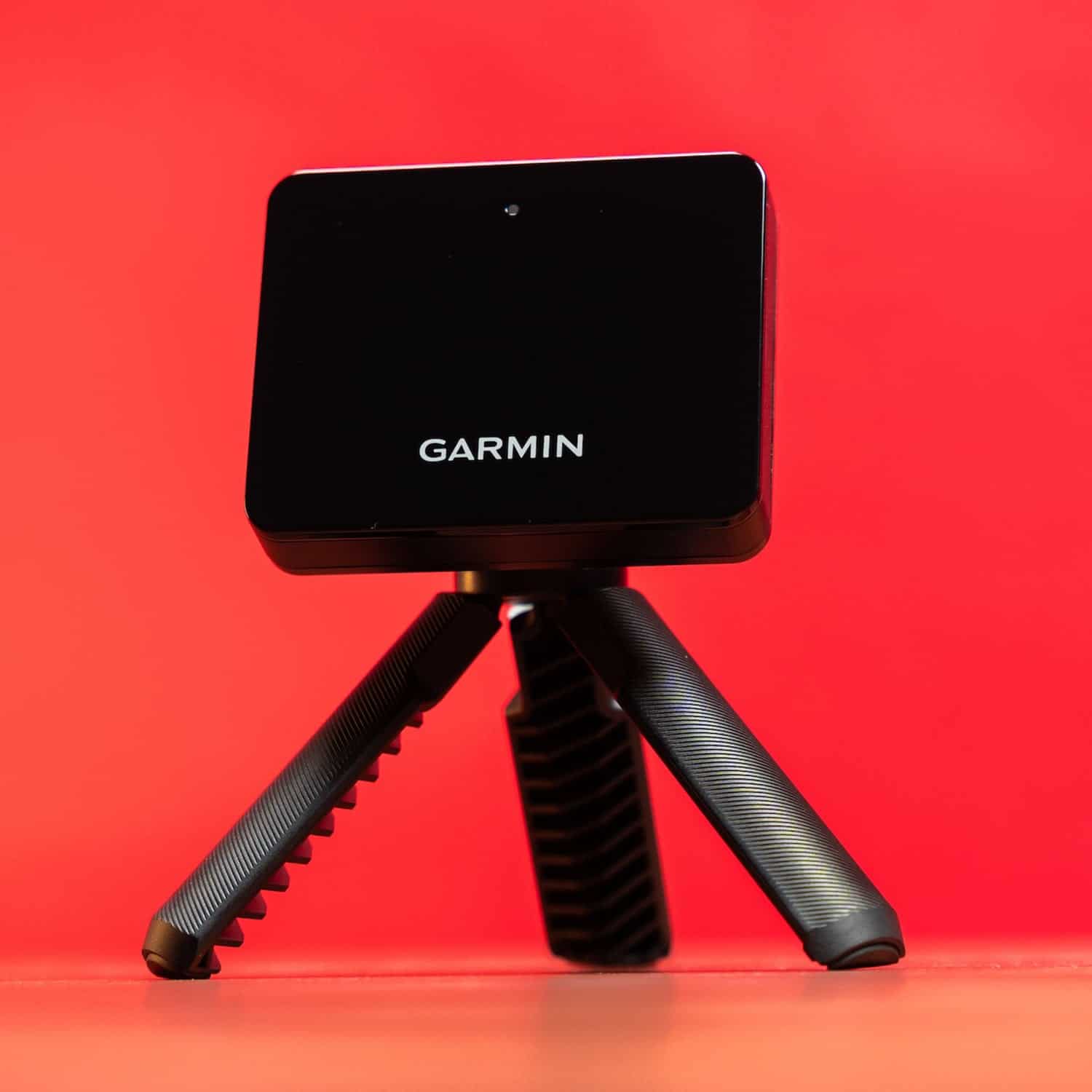
Check price for Garmin Approach R10
The Garmin Approach R10 is the closest rival for buyers who want more from the simulator side. It tracks ball-flight metrics including carry distance, ball speed, spin rate, launch angle, and apex height, and its rechargeable battery runs up to 10 hours.
Choose the R10 if simulator software breadth and richer metrics matter more than the SC4 PRO's standalone design. Choose the SC4 PRO if you want a screen on the unit and a setup that does not depend on a phone for every session.
Square Golf for Value and Accuracy
Square Golf is frequently mentioned as another step-up option for buyers comparing value and accuracy. It sits in the same conversation as the SC4 PRO for golfers who want a clear improvement without jumping to a full simulator package.
Each alternative asks for more money or more setup. The SC4 PRO's case rests on portability, a built-in display, and outdoor accuracy for the price.
Frequently Asked Questions
How accurate is the SC4 PRO indoors and outdoors?
Outdoor accuracy is strong for the price, which is where the SC4 PRO earns its keep. Indoors, spin and short-shot readings are less consistent than camera-based units.
What software does the SC4 PRO work with?
The SC4 PRO connects by Bluetooth to the VOICECADDIE S app, which includes a 3D driving range. The simulator ecosystem is narrower than some rivals.
How much indoor space does the SC4 PRO need?
Place the unit 5 ft behind the ball at the same level as the ball. Several feet of ball flight and a deeper bay work better than a tight net setup.
Is the SC4 PRO a true simulator or a launch monitor?
It's a portable launch monitor that works as a simulator through the VOICECADDIE S app. The app provides the 3D driving range and practice modes.
What is the SC4 PRO battery life?
The 7,500 mAh lithium-ion pack provides up to 10 hours of use depending on conditions. A full charge from empty takes 6 hours.
Who is the SC4 PRO best for?
Golfers who want a portable, phone-light practice monitor with simple setup and outdoor value. Buyers prioritizing elite indoor simulator accuracy or the widest software ecosystem should look elsewhere.
Final Verdict
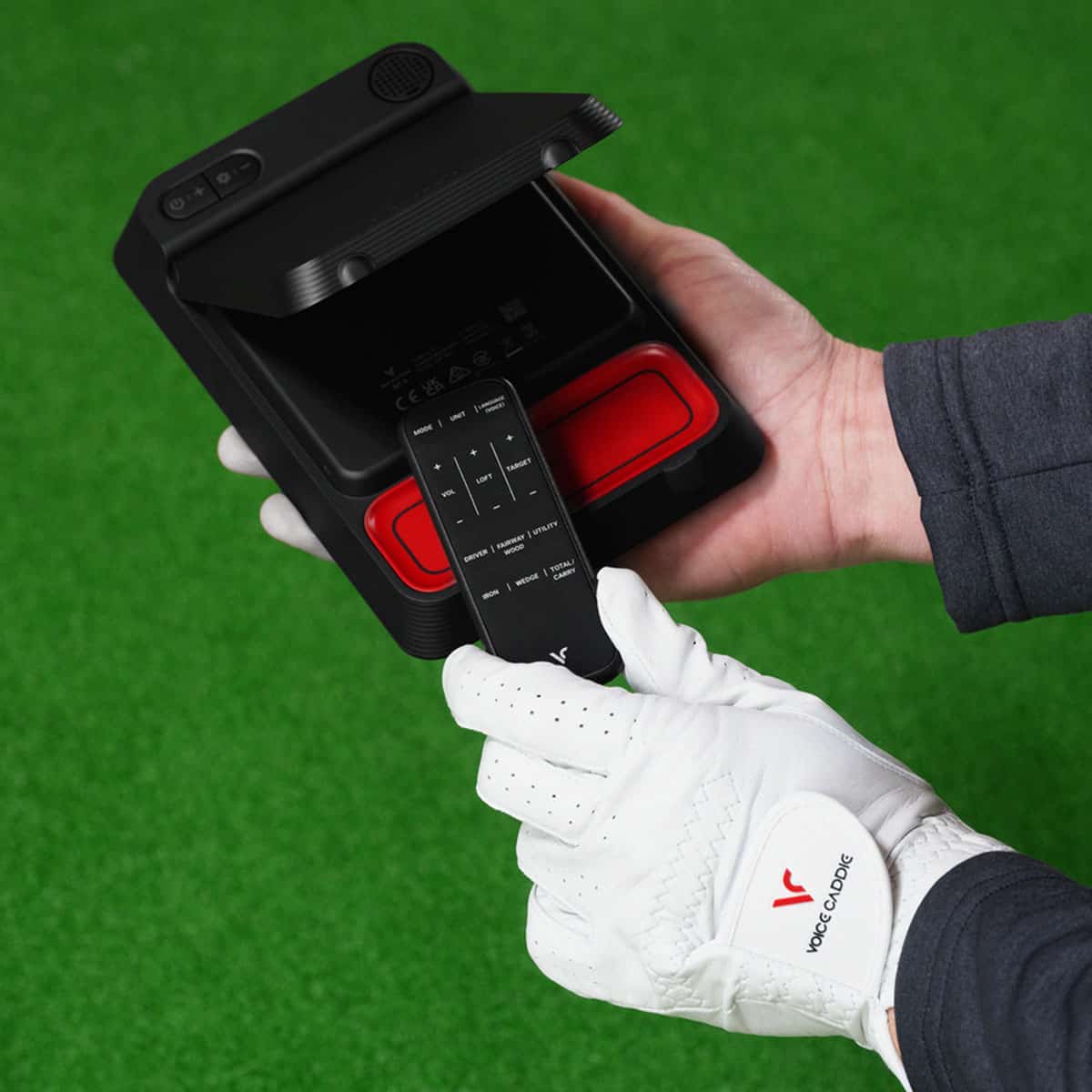
The Swing Caddie SC4 PRO earns its keep outdoors. If your practice space is the range, it gives you real-time ball data and a built-in screen without a subscription or a phone tether.
That standalone simplicity is the reason to pick it, and it's why we recommend it for golfers who want a portable practice monitor with no-friction setup.
Indoors, the story changes. Owners report inconsistent spin and wedge readings, and radar-based units are more variable than camera systems in tight spaces.
If your garage or basement bay is the main venue, the SC4 PRO will frustrate you on short shots. The simulator ecosystem is also narrower than rivals, so don't buy it expecting a full indoor golf experience.
Buy the SC4 PRO if you split practice between the range and a net, value a screen you can read without your phone, and want focused practice modes without recurring fees. Skip it if elite indoor accuracy or deep software support matters more than portability.
Compare the Garmin Approach R10 and Rapsodo MLM2Pro before you commit, and check the Where to Buy table for current pricing.
Our advice: start with the SC4 PRO if outdoor feedback is your priority. If indoor simulation is the goal, look elsewhere first.