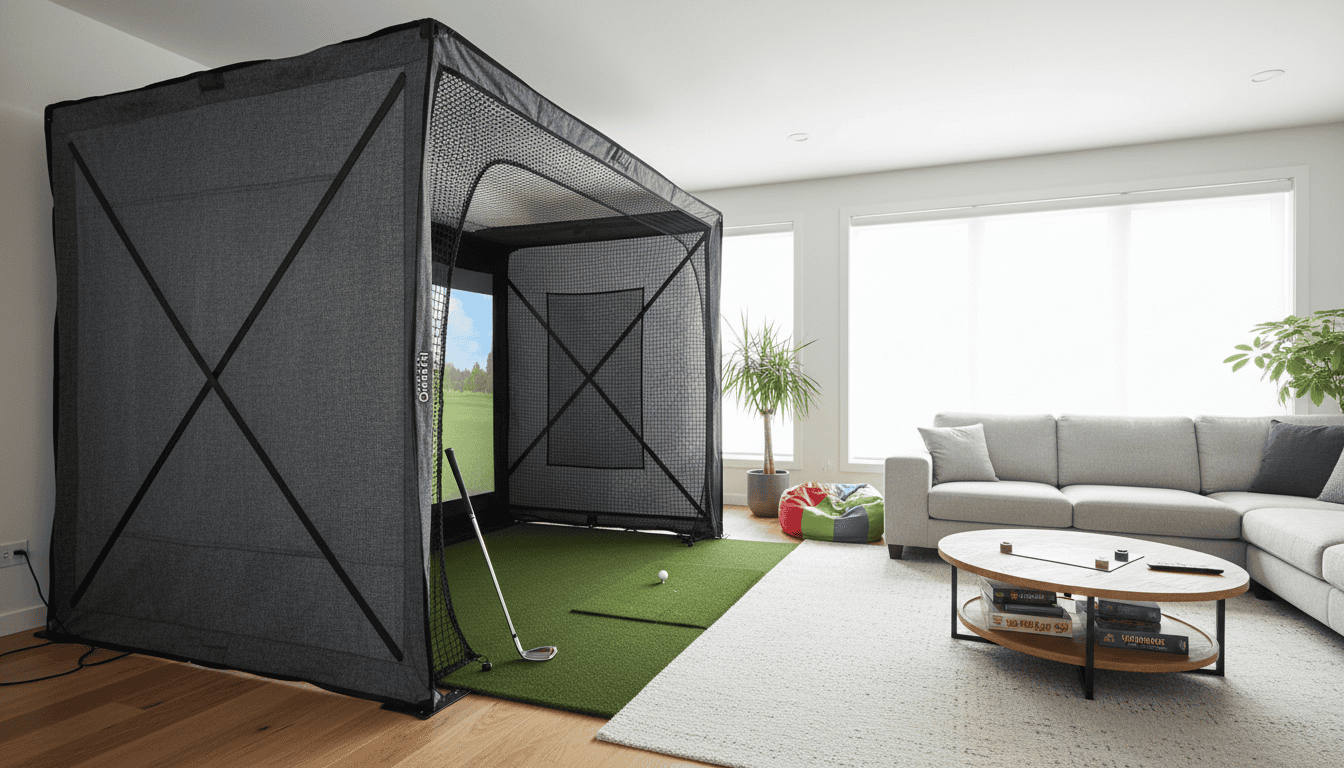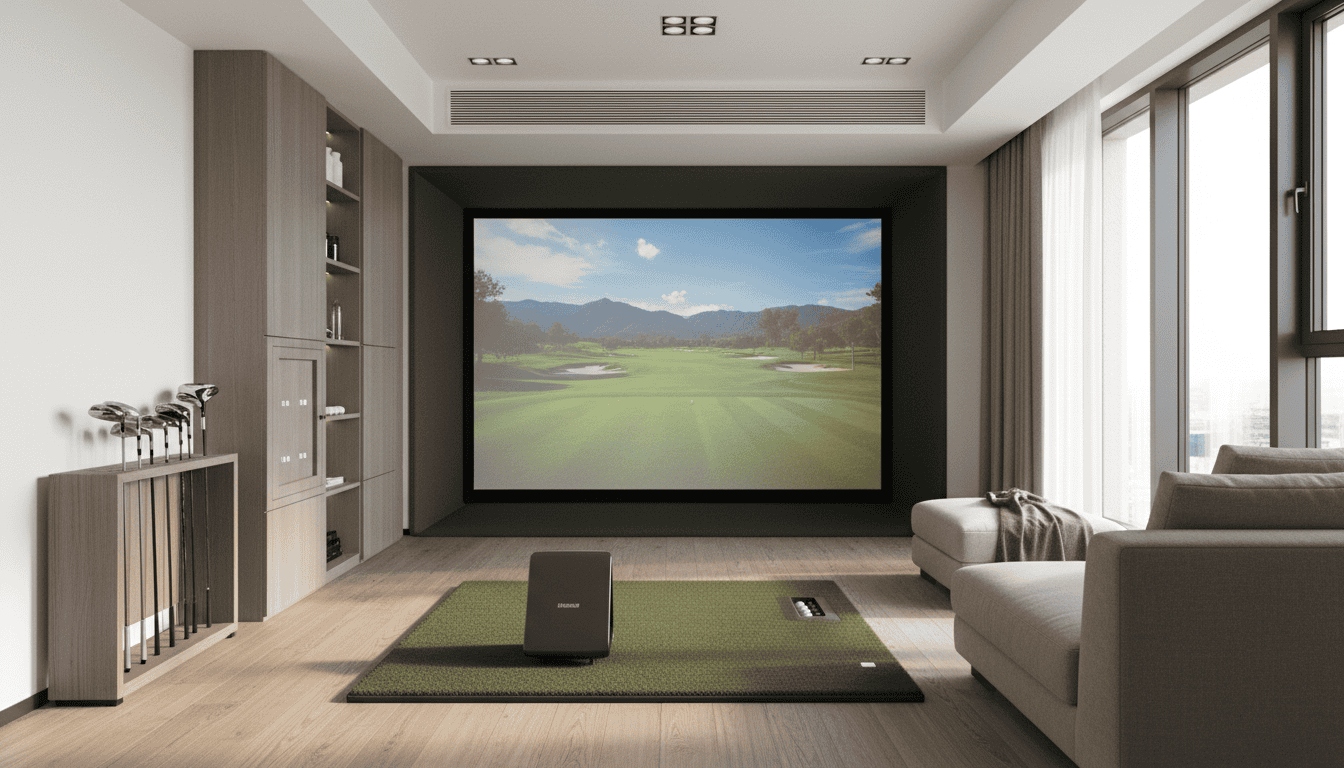
A 10-by-12-foot spare bedroom or a corner of your apartment shouldn’t stop you from practicing your swing year-round. Many golfers assume a full simulator setup needs a garage or basement, but compact systems now fit rooms as small as 8 feet wide with ceilings under 9 feet. The catch: standard launch monitors and enclosures won’t work without careful planning. You’ll need to choose the right location, pick equipment built for tight spaces, and avoid common mistakes that turn a small setup into a safety hazard or a frustrating experience.
This guide shows how to set up a small space golf simulator that delivers realistic feedback without requiring a dedicated room. We cover minimum room dimensions, the best compact launch monitors, retractable screen options, and step-by-step installation tips for apartments and tight spaces.
Check Also: Best Golf Simulators for Small Space
Understanding Minimum Space Requirements for Golf Simulators
A golf simulator in a small room or apartment needs precise measurements. The right dimensions let you swing without hitting walls, ceilings, or gear. Below are the key measurements for a safe, usable setup in tight spaces.
Minimum Room Dimensions for Playable Setups
Most golf simulators need at least 9 feet of width, 10 feet of depth, and 8.5 feet of ceiling height for a full swing. These numbers work for both right-handed and left-handed golfers.
- Width: 9 feet gives enough room for stance and follow-through. Narrower spaces may force awkward swing adjustments.
- Depth: 10 feet lets the ball travel before hitting the screen. Shorter depths risk early contact, hurting accuracy.
- Ceiling height: 8.5 feet clears most swings, even for taller players. Lower ceilings may require a shorter backswing or a launch monitor that doesn’t track overhead.
For more on general room size, see our guide on golf simulator room size.
Ideal vs. Workable Ceiling Height Considerations
While 8.5 feet is the minimum, 9 feet or higher works best for a natural swing. Ceilings below 8 feet may force posture changes or club adjustments, affecting shot consistency.
- Under 8 feet: Use side- or floor-tracking launch monitors like Skytrak+ SIG8 or FlightScope Mevo+ instead of overhead systems like Trackman IO Swingbay.
- 8 to 8.5 feet: Works for most golfers, but taller players may need to choke up or avoid drivers.
- 9 feet+: Best for full swings with any club, including drivers and woods.
Room Width and Depth for Safe Swings
Width and depth affect safety and performance. A tight space raises injury risk and limits shot options.
- Width (side-to-side):
- 10 feet or more: Best for unrestricted swings and multiplayer use.
- 9 feet: Usable for single players but may need stance adjustments.
- Under 9 feet: Not recommended. Risk of hitting walls or side-mounted gear increases.
- Depth (front-to-back):
- 12 feet or more: Ideal for realism, allowing full ball flight before screen contact.
- 10 feet: Minimum for most simulators. Expect some ball flight compression, which may affect data.
- Under 10 feet: Only for putting or chipping. Full swings risk early screen contact, distorting shot data.
Common mistakes include underestimating depth for ball flight or ignoring ceiling height for overhead tracking. Measure your space before buying equipment to avoid costly fixes later.
Choosing the Right Location for Your Compact Golf Simulator
A small space doesn’t rule out a golf simulator, but it does demand careful planning. The right location balances swing freedom, equipment fit, and everyday usability. Below, we cover how to evaluate potential spaces and what clearance you’ll need to avoid common pitfalls.
Evaluating Potential Spaces: Closets, Basements, Garages, and Offices
Not all small spaces work equally well. Here’s what to consider for each:
- Closets: Rarely suitable. Even walk-in closets usually lack the depth and ceiling height needed for a full swing. They’re better suited for launch monitor storage than full simulator setups.
- Basements: Often the best option. Basements typically offer the most vertical clearance and fewer obstructions like windows or furniture. Check for low-hanging pipes or ducts that could interfere with your swing or projector placement.
- Garages: Work well if you can dedicate the space. A single-car garage (about 12’ x 20’) can fit a simulator, but you’ll need to park your car elsewhere. Insulation and heating may also be concerns if you plan to use the simulator year-round.
- Offices or spare rooms: Viable if the room is at least 8’ wide and 10’ deep. Remove or rearrange furniture to create an unobstructed swing path. A corner setup can help maximize space, but ensure your swing won’t hit walls or ceiling fixtures.
Before committing, measure the space in all directions, width, depth, and height. A tape measure and a quick sketch of the room’s layout will help you visualize where the screen, hitting mat, and projector will go.
Assessing Clearance and Swing Freedom
Even a spacious room can feel cramped if clearance isn’t accounted for. Here’s what to check:
- Ceiling height: The minimum recommended height is 8’ 6”, but 9’ or taller is ideal for most golfers. If your ceilings are lower, you may need to adjust your stance or use a shorter club for full swings. For more details, see our guide on ceiling height requirements.
- Swing path: Stand in your hitting position and take a few practice swings. Your club should clear walls, furniture, and the ceiling by at least 6 inches at the highest point of your swing. If it doesn’t, the space may not be suitable.
- Projector placement: The projector needs a clear line of sight to the screen. Mount it high enough to avoid casting shadows or being hit by errant shots. In tight spaces, a short-throw projector can help reduce the distance needed between the projector and screen.
- Side clearance: Leave at least 2 feet of space on either side of your hitting mat. This prevents you from feeling boxed in and reduces the risk of hitting walls or furniture during your swing.
Common mistakes to avoid:
- Ignoring overhead obstructions like light fixtures or ceiling fans.
- Forgetting to account for the screen’s depth when mounted or freestanding.
- Overlooking the need for a buffer zone behind the hitting mat for follow-through.
Once you’ve confirmed the space meets these requirements, mark the layout with painter’s tape to visualize the setup. This step helps you spot potential issues before investing in equipment.
Step-by-Step Guide to Setting Up a Small Space Golf Simulator
A compact setup needs careful planning. These steps help you get the most from limited space while keeping swings safe and unobstructed.
Accurate Measurement of Your Space
Measure ceiling height, wall-to-wall width, and depth from the hitting position to the screen. Note the smallest measurement in each direction, most simulators need at least 8 feet of ceiling clearance and 10 feet of depth. Use painter’s tape to outline the hitting zone and screen area on the floor. Look for obstacles like light fixtures, vents, or low beams that might block your swing or projector.
Common mistake: Measuring before moving furniture or doors. Measure with everything in its final position.
Selecting Compact Golf Simulator Equipment
Pick a short-throw projector (throw ratio under 0.5:1) and a retractable launch monitor like the FlightScope Mevo+ or Garmin Approach R10. These cut the required depth in half. A 4:3 aspect ratio screen fits tighter rooms without losing image quality. For enclosures, use lightweight aluminum frames or ceiling tracks to save floor space.
For very tight spaces, a golf simulator in an apartment works well with a portable net and a tablet-based system like the SkyTrak+ or E6 Connect app.
Integrating Retractable Screens and Enclosures
Retractable screens save space when not in use. Ceiling-mounted motorized screens (e.g., Carl’s Place Retractable) or manual pull-down models suit apartments. For side protection, use netting that rolls up against the wall. Keep the screen material tight to avoid sagging, which can distort the image.
Tip: Leave at least 12 inches between the screen and the back wall for airflow and to prevent projector heat buildup.
Optimizing Hitting Mat Placement and Side Netting
Center the hitting mat with the screen’s target line. A mat with a built-in tee slot prevents shifting during swings. Extend side netting at least 3 feet on both sides of the mat to catch off-target shots. In tight spaces, angled netting (e.g., The Net Return Pro Series) sends balls back toward the center, reducing the need for extra width.
Avoid: Thickly padded mats that raise the hitting surface, these can interfere with launch monitor readings.
Essential Equipment for Compact Golf Simulators
A small space golf simulator setup requires gear that fits the room while delivering accurate data and a realistic experience. The right equipment balances performance, footprint, and ease of assembly. Below are the core components and what to look for in each category.
Portable Launch Monitors
Portable launch monitors track ball speed, launch angle, spin, and distance without needing permanent installation. Models like the Rapsodo MLM2Pro and Garmin Approach R10 weigh under 2 lbs and connect to smartphones or tablets. Both units measure 7–10 inches wide and can sit on a side table or tripod.
Key features for small spaces:
- Dual Doppler radar + camera for indoor accuracy
- No minimum distance from the ball (unlike photometric systems)
- Quick-release mounts to store the unit when not in use
Avoid monitors that require 15+ feet of ball flight; they won’t work in tight rooms.
Space-Saving Enclosures and Screens
Enclosures protect walls and contain errant shots. For apartments, look for collapsible frames or wall-mounted screens that fold flat when not in use. The Carl’s Place C-Series enclosure uses a 1-inch aluminum frame and packs into a 4 ft tube. Alternatively, a DIY golf simulator enclosure built from PVC and impact screen material can be disassembled in minutes.
Screen size matters: a 7 ft wide screen fits rooms with 8 ft ceilings, while an 8 ft screen needs 9 ft clearance. Always measure ceiling height at the hitting position, not the room’s center.
Compact Hitting Mats and Strips
Full-size mats (5 ft x 5 ft) take up valuable floor space. Instead, use narrow strips (1.5 ft x 5 ft) like the Fiberbuilt Flight Deck or TrueStrike Compact. These mats provide a realistic turf feel and tee placement without extending beyond the hitting zone.
For renters, interlocking foam tiles (e.g., GoSports Golf Hitting Mat) can be laid over carpet and removed after use. They lack the feedback of turf mats but protect floors and clubs.
Short-Throw Projectors
Short-throw projectors display large images from close distances. A 0.4:1 throw ratio projector can fill an 8 ft screen from just 3.2 ft away. The Optoma GT2100 and BenQ TH671ST are popular choices, both under $1,000 and weighing 6–7 lbs.
Mounting options for small rooms:
- Ceiling mount (keeps floor clear but requires wiring)
- Wall shelf (adjustable height, easy to remove)
- Tripod (portable, but may block swing path)
Check the projector’s throw distance calculator before buying to confirm it fits your screen size and room layout.
Common Mistakes to Avoid in Small Space Setups
Setting up a golf simulator in a tight room requires careful planning. Small errors in measurement or equipment choice can lead to poor performance or even damage. Avoid these common mistakes to ensure a smooth, enjoyable experience.
Neglecting Ceiling Height Measurements
Ceiling height is the most critical dimension in a small space setup. Many users assume their room is tall enough without verifying. Measure from the floor to the lowest point, ducts, light fixtures, or beams can reduce usable height. For most golfers, a minimum of 9 feet is required for a comfortable swing. Taller players may need 10 feet or more.
Use a laser measure for accuracy. Record the height at multiple points, especially where you’ll stand to swing. If your ceiling is borderline, consider a launch monitor that works with shorter ceilings, like the SkyTrak+ or Garmin Approach R10.
Attempting Full Swings in Insufficient Ceiling Heights
Even if your ceiling meets the minimum height, full swings may still be risky. A driver swing can reach 8-9 feet vertically, leaving little room for error. Hitting the ceiling mid-swing can damage clubs, the simulator screen, or the ceiling itself.
Test your swing in the space before finalizing the setup. Use a practice swing or a weighted training club to gauge clearance. If you consistently brush the ceiling, switch to shorter clubs like irons or hybrids during simulator sessions. Some users also adjust their stance, taking a wider or narrower base to reduce swing height.
Ignoring Side Clearance for Swing Path
Side clearance is often overlooked in small rooms. A golf swing requires space not just in front and above but also to the sides. Many users focus only on the hitting area and forget about the follow-through, which can extend several feet to the left or right.
For right-handed golfers, ensure at least 3-4 feet of clearance on the left side (and vice versa for left-handed players). If your room is narrow, position the hitting mat closer to one wall and leave extra space on the dominant side. For rooms under 10 feet wide, consider compact simulator packages designed for tight spaces. These often include shorter screens or side nets to protect walls and furniture.
For more options, see our guide on golf simulator packages for 10 feet width, which highlights setups optimized for narrow rooms.
Frequently Asked Questions
What size room do I need for a golf simulator?
A minimum room size for a basic golf simulator is 10 feet wide, 10 feet long, and 8.5 feet high. This allows most golfers to swing a driver without hitting walls or ceilings. For comfort and full-swing practice, aim for 12 feet wide, 15 feet long, and 9 feet high. Measure your space carefully, including furniture and door swings.
Can I build a golf simulator in an apartment?
Yes, you can build a golf simulator in an apartment if you have enough space and consider noise and vibration. Use impact screens or nets instead of full enclosures to save space. Place foam mats or rubber flooring under the hitting area to reduce noise. Check your lease for restrictions on modifications or equipment installation.
What is the smallest room for a home golf simulator?
The smallest functional room for a home golf simulator is 8 feet wide, 8 feet long, and 8 feet high. This requires a compact launch monitor and a short-throw projector. You’ll need to use a 7-iron or shorter clubs to avoid ceiling strikes. Some golfers practice putting and chipping in spaces as small as 6 feet by 6 feet.
What ceiling height is required for small spaces?
A minimum ceiling height of 8.5 feet works for most golfers, but 9 feet is ideal for full swings. If your ceiling is lower, use a launch monitor that tracks ball data only (no club data) and avoid drivers. Some golfers with ceilings under 8 feet practice with wedges or putting mats to stay within limits.
Final Thoughts
Setting up a golf simulator in a small space requires careful planning, but it’s entirely possible with the right approach. We’ve covered the essentials: understanding minimum room dimensions, selecting the best location, choosing compact equipment, and avoiding common setup mistakes. The key is balancing performance with space constraints, prioritizing short-throw projectors, retractable screens, and ceiling-mounted launch monitors to maximize every inch.
For most apartment or tight-room setups, we recommend starting with a compact launch monitor like the Garmin Approach R10 or FlightScope Mevo+ paired with a retractable screen or net. These combinations deliver accurate data without demanding excessive floor space. If ceiling height is limited, opt for a side-mounted projector or a portable screen that can be stored when not in use.
Next steps: measure your space carefully, compare equipment options within your budget, and test your setup before finalizing mounts or permanent installations. For more details, see our guide on golf simulator room size requirements or our roundup of the best compact launch monitors. With the right setup, even the smallest room can become a functional practice space, no driving range required.