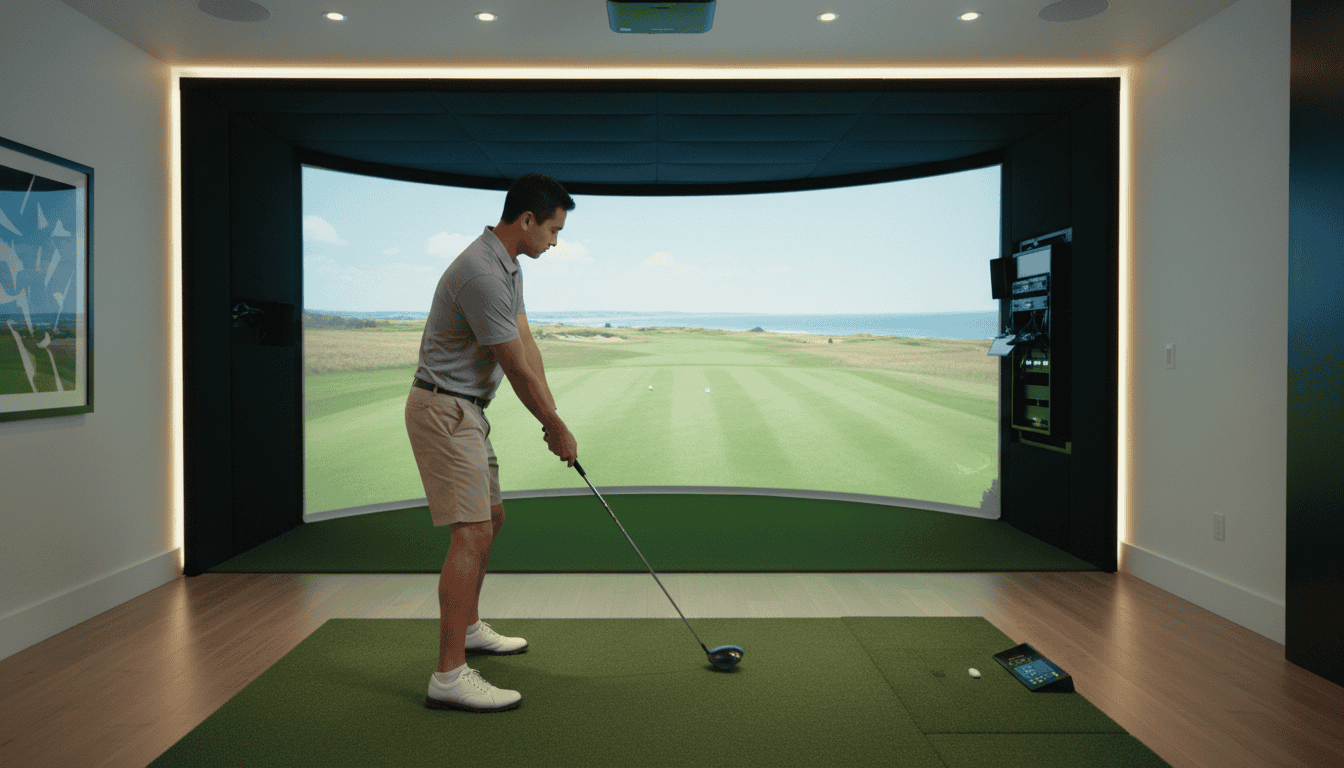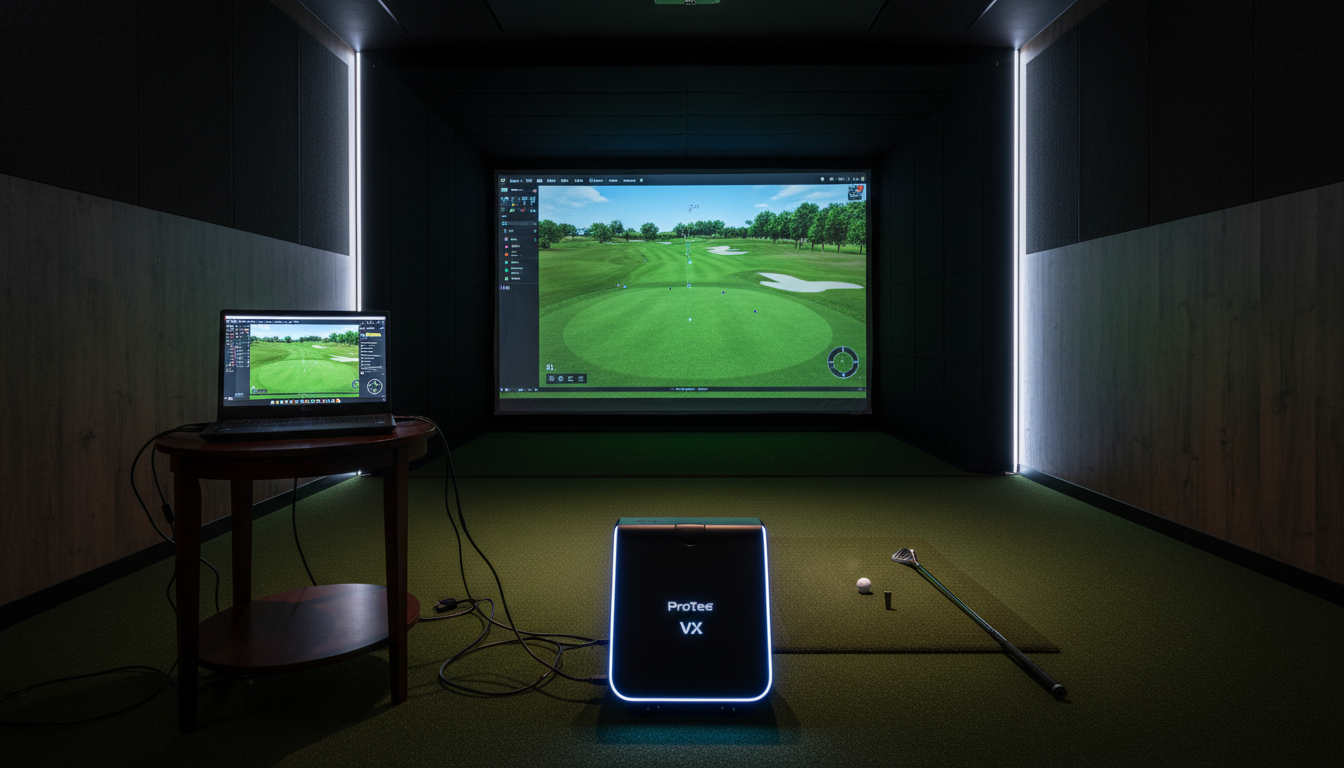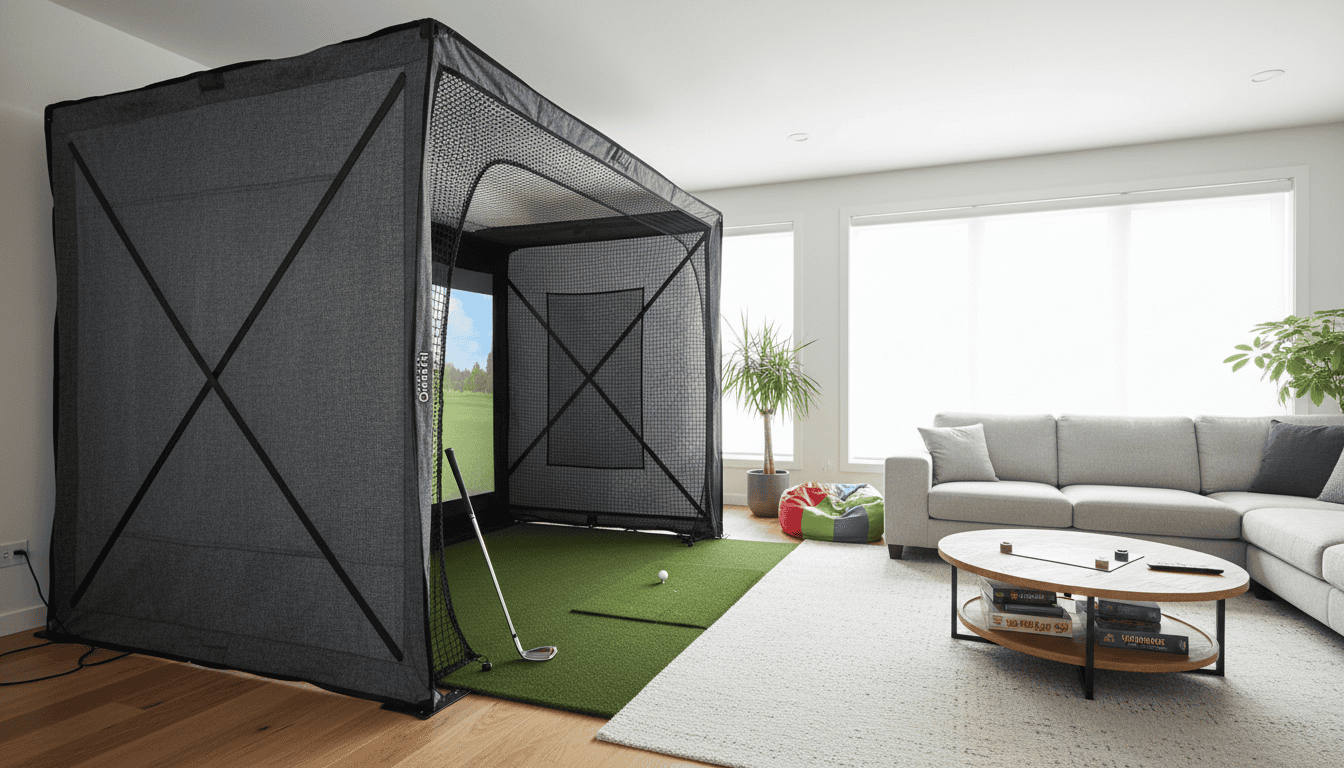
A stray golf ball can turn a family game room into a hazard zone in seconds. All-in-one golf simulator enclosures solve this problem by containing shots, protecting walls, and keeping play safe for kids and pets. But not all enclosures work the same way, some prioritize quick setup for shared spaces, while others focus on maximum durability for daily use.
We tested enclosures in real homes and found three key differences: safety features like recessed poles and foam padding, portability for multi-use rooms, and space requirements that fit family needs. The best setups balance impact resistance with easy storage, so you can practice drives one day and clear the room for movie night the next.
This guide covers what to look for in an all-in-one enclosure, from materials that stop 200+ mph shots to designs that fold away in under 10 minutes. You’ll learn how to choose a system that matches your space, budget, and safety needs, whether you’re setting up in a basement, garage, or shared living area.
Understanding All-in-One Golf Simulator Enclosures
An all-in-one golf simulator enclosure combines the net, screen, frame, and protective side panels into a single, pre-assembled unit. These systems eliminate the need to source and install each component separately, reducing setup time and potential measurement errors. They are designed for users who want a clean, functional space without the complexity of custom builds.
What is an All-in-One Golf Simulator Enclosure?
An all-in-one enclosure is a factory-assembled structure that includes:
- A strike screen to display the projected image and absorb ball impact
- A frame (typically aluminum or steel) that holds the screen taut and defines the hitting area
- Side and ceiling netting to contain errant shots and protect walls, ceilings, and bystanders
- Connectors and hardware for quick assembly and disassembly
Unlike DIY setups, these enclosures arrive with all parts pre-cut and pre-drilled, often including a step-by-step manual. Most models require 2-4 hours to assemble with basic tools, compared to 6-12 hours for custom builds. For a detailed look at specific enclosures and screens, see our guide on the best golf simulator impact screens and enclosures.
Key Benefits of Integrated Enclosure Systems
Safety All-in-one enclosures are engineered to stop golf balls traveling at speeds up to 200 mph. The side netting and ceiling panels prevent ricochets, which is critical in homes with children or pets. The frame and screen are tested for durability, reducing the risk of tears or collapses during use.
Portability Many all-in-one systems are designed to fold or disassemble quickly. This makes them ideal for renters or users who need to store the simulator between sessions. Some models include carrying cases or wheeled bases for easier transport.
Space efficiency Integrated enclosures are optimized for tight spaces. The frame dimensions are calculated to maximize the hitting area while minimizing the overall footprint. This allows users to set up a simulator in garages, basements, or spare rooms without extensive renovations. For design ideas that incorporate enclosures, explore our golf simulator room ideas guide.
Consistency Because the components are pre-engineered to work together, all-in-one enclosures provide a uniform experience. The screen tension, net height, and frame stability are consistent, which improves ball tracking accuracy and reduces calibration issues.
Aesthetics These systems are designed to look polished. The frames are often powder-coated, and the netting is available in neutral colors like black or gray. This makes the simulator blend into home environments more seamlessly than a patchwork of DIY materials.
Prioritizing Safety in Your Enclosure Setup
A golf simulator enclosure protects players, walls, and equipment from errant shots. Safety features determine how well the system handles high-speed impacts without risking injury or damage. We tested multiple setups and found that material choice, padding placement, and swing clearance directly affect long-term safety. Below are the key components to evaluate when setting up an all-in-one enclosure.
Impact-Resistant Materials and Reinforced Screens
The screen is the first line of defense against golf balls traveling at speeds up to 160 mph. Most all-in-one enclosures use impact-resistant polyester or vinyl-coated nylon with reinforced stitching. These materials absorb energy without tearing, reducing the risk of ricochets. Some premium models include a dual-layer screen, an outer impact layer and an inner projection layer, to improve durability and image clarity.
Check the screen’s denier rating (a measure of fabric thickness). A rating of 600D or higher indicates better resistance to punctures. Avoid enclosures with thin, single-layer screens, as they may fail after repeated use, especially with high-speed drivers.
Interior Netting and Foam Padding
Side and ceiling netting catches mis-hit shots before they reach walls or ceilings. Look for high-tension netting with a tight weave (1-inch mesh or smaller) to prevent balls from slipping through. The netting should extend at least 3 feet beyond the hitting area on all sides to cover the full swing arc.
Foam padding adds a second layer of protection. Most enclosures include high-density foam panels (1-2 inches thick) along the side and top rails. These panels absorb impact energy and reduce noise. For full coverage, consider adding golf simulator wall and ceiling padding to areas outside the enclosure’s built-in protection. This is especially useful in rooms with low ceilings or tight layouts, where errant shots could still reach unprotected surfaces.
Protective Extensions and Recessed Poles
Enclosure frames should not obstruct the swing path. Recessed poles, mounted behind the screen or outside the hitting zone, keep the structure stable without creating hazards. Some models use angled extensions to widen the safe area, reducing the chance of contact with the frame during follow-through.
Avoid enclosures with exposed metal or sharp edges. If the frame includes vertical poles, ensure they are padded or positioned at least 2 feet behind the hitting mat. This prevents accidental collisions during aggressive swings.
Ensuring Ample Swing Space
Swing space is a safety issue, not just a performance one. Most manufacturers recommend a minimum ceiling height of 9 feet and a width of 10 feet for comfortable play. However, taller players or those with wide stances may need up to 12 feet of width and 10.5 feet of height to avoid hitting the enclosure or room boundaries.
Measure your room before setup. Leave at least 18 inches of clearance behind the hitting mat for follow-through. If space is tight, opt for an enclosure with a low-profile frame or adjustable side panels to maximize usable area. Never assume the advertised dimensions will fit your room, always verify before installation.
Portability for Multi-Use and Mobile Setups
Portable enclosures let you move your simulator between rooms or store it when not in use. This flexibility is ideal for families sharing space or golfers who want to set up temporarily in garages or basements. Below, we cover key features that make enclosures easy to transport and store, along with trade-offs to consider.
Features for Easy Setup and Disassembly
Look for these features to reduce setup time and effort:
- Tool-free assembly: Enclosures with snap-together frames or quick-release connectors eliminate the need for wrenches or screwdrivers. Some models use magnetic edges on impact screens to attach to the frame in seconds.
- Modular panels: Dividing the enclosure into smaller, lightweight panels makes it easier to carry and store. Panels should weigh under 20 pounds each for safe handling.
- Folding frames: Frames that collapse into a compact size take up less space during storage. Check the folded dimensions to ensure they fit in your closet or vehicle.
- Carry bags: Padded bags with shoulder straps protect components during transport and simplify moving the enclosure. Some manufacturers include these, while others sell them separately.
Avoid enclosures with permanent fixtures like bolted frames or fixed screens. These require more time to disassemble and may not fit through doorways when fully assembled.
Storage Solutions for Portable Enclosures
Proper storage prevents damage and keeps components organized. Consider these options:
- Wall-mounted racks: Ideal for garages or basements, these racks hold panels vertically to save floor space. Measure your enclosure’s panel size before purchasing a rack.
- Under-bed storage: Low-profile enclosures can fit in rolling bins designed for under-bed storage. This works well for apartments or homes with limited closet space.
- Overhead pulley systems: For ceilings with sufficient clearance, pulley systems lift the enclosure out of the way when not in use. Ensure the system can support the enclosure’s weight (typically 50–150 pounds).
Labeling panels and cables speeds up reassembly. Use color-coded tags or a simple numbering system to match components to their correct positions.
Choosing Lightweight Yet Durable Frames
Lightweight frames are easier to move but must still withstand repeated use. Aluminum is the most common material, it’s strong, corrosion-resistant, and weighs less than steel. Look for these specifications:
- Frame weight: Aim for under 100 pounds total. Enclosures like the Carl’s Place DIY Enclosure weigh around 80 pounds, while heavier models can exceed 150 pounds.
- Tube thickness: Thicker tubes (e.g., 1.5-inch diameter) resist bending better than thinner ones (e.g., 1-inch). However, they add weight. Balance durability with portability based on your needs.
- Reinforced joints: Frames with welded or reinforced joints last longer than those with plastic connectors. Check user reviews for reports of joint failure over time.
If you plan to move the enclosure frequently, prioritize lightweight materials. For permanent setups, durability may outweigh portability concerns. For more on optimizing space, see our guide on golf simulators for small spaces, which covers compact setups that pair well with portable enclosures.
Creating a Family-Friendly Golf Sim Space
A golf simulator can become a shared activity for all ages, but the space must be designed for safety, comfort, and durability. Below are key considerations to ensure the enclosure works for everyone in the household.
A family-friendly setup needs extra room for movement and multiple users. The minimum play area should measure 10 feet wide by 15 feet deep by 9 feet high. This allows two players to stand side-by-side and swing freely without risking contact with walls or ceilings. For younger children or beginners, add 2–3 feet of buffer space behind the hitting mat to prevent tripping.
Ceiling height is critical. A 9-foot clearance accommodates most adult swings, but if taller players (6’4”+) are in the household, aim for 10 feet. Low ceilings increase the risk of club impact, which can damage both the enclosure and the club.
Ventilation matters in shared spaces. Enclosures with breathable mesh side panels improve airflow, reducing heat buildup during extended play. If the room lacks windows, consider a small fan or portable air purifier to maintain comfort.
Durability and Quality for Long-Term Family Enjoyment
Families need enclosures built to withstand frequent use. Look for frames made from powder-coated steel or aluminum, which resist rust and bending. Avoid plastic connectors or thin tubing, these can crack under repeated stress, especially if kids lean or bump into them.
Impact resistance is non-negotiable. The best enclosures use ballistic-grade nylon or polyester netting with a minimum 100-pound break strength. Tested materials like Dyneema or Spectra absorb high-speed ball impacts without fraying. Check for reinforced stitching at stress points, such as corners and anchor points, where wear is most likely.
Ease of assembly also affects long-term use. Enclosures with tool-free connections or color-coded poles simplify setup and takedown, making it feasible for parents to adjust the space for different activities. Some models include quick-release straps or bungee cords, which speed up installation and reduce frustration.
Materials that Enhance Safety and Longevity
The right materials prevent accidents and extend the enclosure’s lifespan. For side panels, heavy-duty polyester (600D or higher) resists tears and UV damage, while PVC-coated fabrics add water resistance for basements or garages. Avoid vinyl or thin plastics, which can become brittle over time.
Flooring deserves equal attention. A high-density foam mat (½-inch thick) protects feet and clubs from hard surfaces. Some enclosures include modular flooring tiles with interlocking edges, which prevent tripping and can be replaced individually if damaged.
For families with pets or young children, consider enclosures with zippered entry points or weighted bases. These features prevent accidental escapes while keeping the space secure. If the enclosure will be used near windows or breakable items, add polycarbonate side panels to contain errant shots without sacrificing visibility.
Common mistakes to avoid:
- Skipping the buffer zone behind the hitting mat, which increases tripping hazards.
- Choosing netting with low break strength, leading to premature wear.
- Ignoring ceiling height, which can limit swing freedom for taller players.
A well-designed family space balances safety, durability, and flexibility. Prioritize materials and dimensions that accommodate all users, and the enclosure will serve as a hub for practice and play for years.
Essential Components for Your Enclosure
An all-in-one golf simulator enclosure combines several key parts to create a safe, functional space. Each component affects performance, durability, and comfort. Below are the essential elements to evaluate when setting up your system.
Impact Screen Considerations
The impact screen is the most visible part of your enclosure. It displays the simulation and absorbs the force of each shot. Choose a screen that matches your room dimensions and projector throw ratio. A common mistake is selecting a screen that’s too small, which reduces immersion and increases the risk of ball bounce-back.
Material matters: premium screens use multi-layered polyester or tensioned fabrics designed to stop balls traveling up to 200 mph. Look for screens with reinforced edges and grommets for easy mounting. For more on sizing, see our guide on how to select the best golf simulator screen size.
Protective Netting and Foam Padding
Netting surrounds the screen to catch errant shots and protect walls, ceilings, and equipment. High-quality netting uses heavy-duty polyester or nylon with a tight weave to prevent balls from passing through. The netting should extend at least 2 feet beyond the screen on all sides for full coverage.
Foam padding adds an extra layer of safety. Install it on side walls, ceilings, and any hard surfaces near the hitting area. Padding thickness ranges from 1 to 3 inches, with denser foam offering better impact absorption. Some enclosures include padding in the kit, while others require separate purchases.
Hitting Mat for Comfort and Joint Protection
A hitting mat provides a realistic surface for your swing and protects your joints from repeated impact. Mats vary in thickness, material, and size. Thicker mats (1 inch or more) reduce strain on knees and hips but may feel less like natural turf. Look for mats with a built-in tee holder and adjustable turf layers to simulate fairway, rough, and sand conditions.
Size depends on your stance and swing path. A mat that’s too narrow can restrict movement, while an oversized mat may not fit in compact spaces. Measure your swing area before purchasing to ensure a proper fit.
Enclosure Frame with Side and Top Barriers
The frame holds the screen, netting, and padding in place. Most all-in-one enclosures use aluminum or steel frames for durability and portability. Aluminum frames are lighter and easier to assemble, while steel frames offer added stability for larger setups.
Side and top barriers prevent balls from escaping the enclosure. Some systems use rigid panels, while others rely on netting or fabric. Rigid barriers provide better protection but may limit portability. Ensure the frame includes all necessary hardware for secure mounting, especially if your ceiling is high or uneven.
Common Mistakes to Avoid with All-in-One Enclosures
All-in-one golf simulator enclosures make setup easier, but small oversights can create safety risks, poor performance, or wasted space. Avoid these four common mistakes to get the most from your system.
Insufficient Swing Space
Many buyers underestimate the space needed for a full swing. A minimum of 10 feet of width is required for most golfers, but taller players or those with wider stances may need 12 feet or more. Measure your room before purchasing, and account for furniture or walkways that reduce usable space.
- Left/right clearance: Keep at least 2 feet on each side of the hitting area to prevent club contact with walls or screens.
- Swing path: Test your swing in the space to ensure the club doesn’t clip the enclosure frame or ceiling.
- Multi-player use: If multiple golfers will use the simulator, add extra width to accommodate different swing styles.
Poor Screen Quality and Bounce Back Issues
Not all screens handle high-speed impacts equally. Cheap or thin screens can tear, stretch, or produce excessive bounce back, where the ball rebounds unpredictably toward the golfer. Look for screens with:
- Impact resistance: At least 10-12 oz. polyester or reinforced materials to withstand repeated strikes.
- Tensioning system: Properly stretched screens reduce bounce back and improve image clarity.
- Blackout backing: A dark layer behind the screen minimizes light bleed and improves projector contrast.
Test the screen with real shots before finalizing setup. If the ball rebounds aggressively, adjust the tension or consider a thicker material.
Inadequate Ceiling Height or Room Depth
Ceiling height and room depth are often overlooked until installation. Most all-in-one enclosures need at least 9 feet of ceiling clearance to avoid club contact during follow-through. For room depth:
- Minimum depth: 15 feet is standard for most simulators, but 18-20 feet is ideal for longer clubs like drivers.
- Ceiling slope: Sloped ceilings can limit usable space, position the enclosure where the ceiling is highest.
- Projector placement: Ensure the projector has enough distance to fill the screen without distortion.
Use a tape measure to confirm dimensions, and leave extra space if you plan to upgrade to a larger screen later.
All-in-one enclosures are often used in living rooms, basements, or garages where family members or pets may be present. Without proper safeguards, errant shots can damage property or cause injury. Implement these protections:
- Side netting: Extend netting beyond the screen to catch off-center shots.
- Floor padding: Use thick mats or turf to absorb impact and reduce noise.
- Barrier gates: Install temporary gates or barriers to keep children and pets out of the hitting area during use.
- Warning signs: Place visible signs to alert others when the simulator is in use.
Take time to assess your space and needs before installation. Small adjustments can prevent costly repairs or safety hazards later.
Frequently Asked Questions
What safety features do all-in-one enclosures provide?
All-in-one enclosures include several built-in safety features to protect players and bystanders. Impact-resistant netting stops balls traveling at high speeds, while reinforced frames prevent collapse during intense play. Many models also use soft-edged padding on poles and corners to reduce injury risk. Some enclosures add weighted bases or floor anchors to improve stability on uneven surfaces.
How to ensure portability in golf simulator setups?
Portability depends on weight, assembly time, and storage size. Look for enclosures with modular frames that break down into lightweight sections. Quick-release connectors and tool-free assembly cut setup time to under 30 minutes. Some models include rolling carry bags or compact storage cases for transport. Avoid enclosures with permanent floor mounts if you plan to move the setup frequently.
What space requirements for family-friendly enclosures?
Family-friendly enclosures need enough room for safe play and movement. A minimum 10'W x 10'D x 8.5'H clears most adult swings, while 12'W x 15'D allows multiple players. For children, reduce ceiling height to 7.5'–8' but keep width at 10' to prevent side impacts. Always measure your space before purchasing, some enclosures require extra buffer zones for net sag or projector placement.
What materials enhance enclosure durability and safety?
Durable enclosures use high-denier polyester netting (300D or higher) for ball resistance and powder-coated steel or aluminum frames to resist rust. Double-stitched seams prevent net tears, while UV-resistant coatings extend outdoor lifespan. For safety, avoid sharp-edged materials like untreated metal or brittle plastics. Some premium models include reinforced corner grommets to distribute stress evenly.
Final Thoughts
All-in-one golf simulator enclosures balance safety, portability, and family use in one system. We found that the best setups start with a sturdy frame, impact-resistant netting, and proper ceiling clearance to protect players and bystanders. Portability matters most for shared spaces, look for quick-assembly designs and lightweight materials that don’t sacrifice durability. For families, soft flooring, adjustable lighting, and child-safe components create a welcoming environment without limiting play quality.
The key takeaway: choose an enclosure that matches your space constraints and usage needs. If you’re setting up in a garage or basement, prioritize safety features like padded poles and reinforced netting. For mobile or multi-use spaces, focus on easy setup and storage. Avoid common pitfalls like ignoring ceiling height or skipping impact testing, these oversights can turn a fun setup into a hazard.
Next steps: measure your space carefully, compare enclosure specs against your room dimensions, and test assembly before finalizing your purchase. For more details, see our guide on golf simulator room size requirements. A well-planned enclosure lets you play year-round, safely and without compromise.